
AOL Mail
Connect AOL Mail through the Custom Email preset using an AOL app password and AOL's IMAP and SMTP servers.
Status: Supported with app password.
Authentication: AOL app password (IMAP/SMTP password authentication).
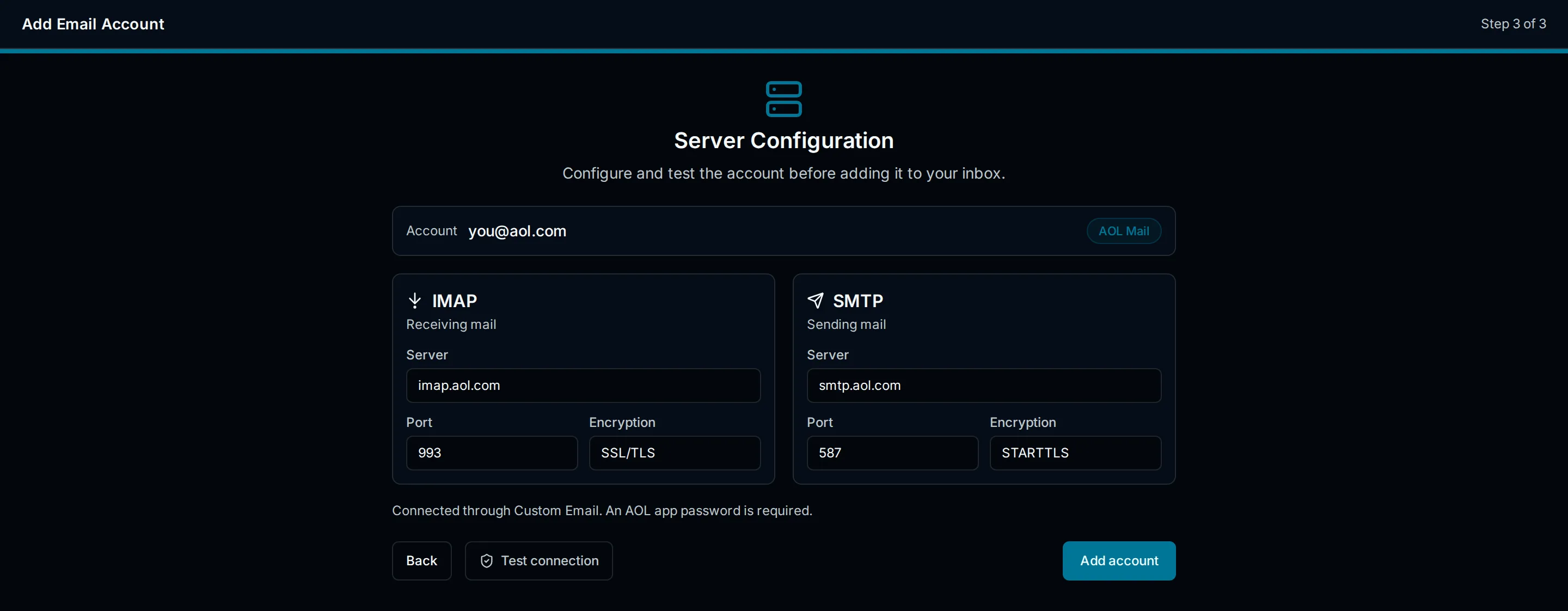
AOL generally requires an app password for third-party mail clients. AOL is not a PressedMail preset, so connect it through the Custom Email provider using AOL's documented IMAP and SMTP settings. The normal AOL account password should not be used for mail clients.
Server Settings
| Setting | Value |
|---|---|
| IMAP host | imap.aol.com |
| IMAP port | 993 |
| IMAP encryption | SSL/TLS |
| SMTP host | smtp.aol.com |
| SMTP port | 465 (SSL/TLS) or 587 (STARTTLS) |
| SMTP encryption | SSL/TLS or STARTTLS |
| Username | Full AOL email address |
The preset-style default for the SMTP port is 587 with STARTTLS; 465 with SSL/TLS is also supported by AOL.
Before you begin
- Generate an AOL app password in the AOL account security settings.
- Use the complete AOL email address as the username.
- The same AOL app password is normally used for IMAP and SMTP.
Generate an AOL app password
- Sign in to your AOL account security settings.
- Open the app passwords section.
- Generate a password labeled for PressedMail.
- Use the generated value as the mailbox password.
Setup in PressedMail
- Open Settings > Email Connections and select Add Account.
- On Add an Email Account, choose Custom Email.
- On Account Credentials, enter the full AOL email address and display name.
- On Server Configuration, enter the AOL IMAP and SMTP host, port, and encryption from the table above.
- Enter the username (full email address) and the app password.
- Run Test Connection to validate both servers.
- Save the account.
Special cases and limitations
- AOL and Yahoo share some account infrastructure, but users should use AOL-specific server names (
imap.aol.com,smtp.aol.com) unless official account instructions say otherwise. - App passwords are tied to the account security settings that created them; changing account security can invalidate an existing app password.
Troubleshooting
- Use the complete AOL email address as the username.
- Generate a fresh app password if authentication fails after a password or security setting change.
- If AOL flags a suspicious sign-in, clear the activity in the AOL account security review and retest.
- Check outbound access from WordPress to the AOL hosts.
This provider may work through manual configuration, but the connection is not part of the officially tested preset matrix.
Security Recommendations
- Use a dedicated AOL app password, not your normal AOL password.
- Revoke the app password when you remove the account from PressedMail.
- See Security and Privacy for the credential storage model.