
Security and Privacy Overview
Understand the PressedMail security model before configuring provider accounts, roles, diagnostics, or AI.
PressedMail's security model has two halves: what the plugin does to protect the mailbox, and what it refuses to do with your data. Both are inspectable. Suspicious content gets a report, and every claim here maps to a control you can open.
Protecting the mailbox
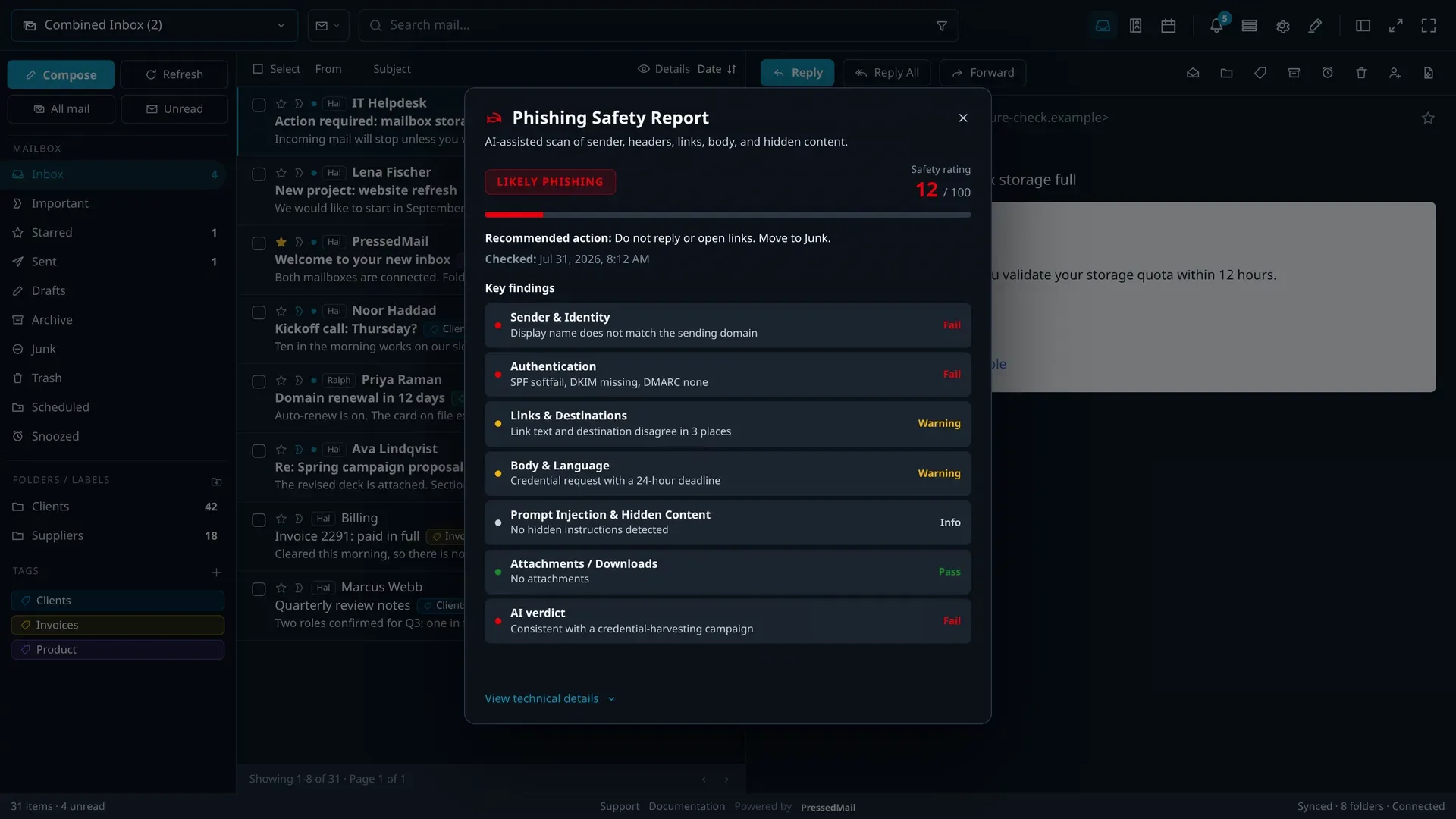
- Phishing scanning weighs thirteen classified signals (typosquatting, sender-name mismatch, authentication failure, reply-to mismatch, hidden text and more), and shows the evidence behind the verdict, per message.
- Link analysis checks a curated lookalike map, shortener and suspicious-TLD heuristics, and link text that disagrees with its destination, without external lookups.
- Remote images are blocked by default, revealed per message, per user, or disabled site-wide, and loaded through a signed proxy when shown.
- Rendering is sanitised server-side, with an allowlist of link schemes and a sandboxed iframe under a strict content-security policy.
- The mailbox lock puts a second passphrase in front of connected mail, granted per browser and revocable across every session at once.
- Impersonation blocking detects user-switching plugins, so an administrator cannot hop into another user's mailbox.
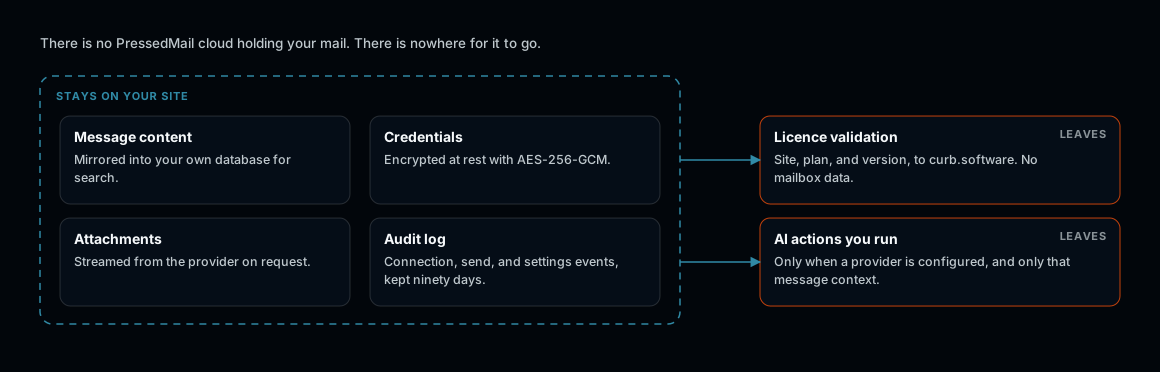
Two things leave, both on purpose and both visible.
Protecting the data
- Mail moves directly between your server and your provider; messages are mirrored only into your own WordPress database.
- Credentials rest under AES-256-GCM with a site-derived key, reachable only inside an explicit guarded context.
- A connected account is readable only by the WordPress user who connected it, whatever their role.
- Paid plans retain 365 days of audit history for connection, send, and settings changes, with a pattern guard that refuses to write secrets in the first place.
- No third-party analytics see message content. Licensing checks reach curb.software; nothing about your mail does.
Free and paid
Sanitised rendering, blocked remote images, impersonation blocking, encrypted credentials, and the mailbox Lock are in every build. The full phishing report, link risk analysis, and 365-day audit log are paid features.