PressedMail
Home
Features
Pricing
Sign InChoose a Pro plan
    • Overview
    • Gmail / Google Workspace
    • Outlook / Microsoft 365
    • Yahoo Mail
    • iCloud Mail
    • Proton Mail Bridge
    • Custom IMAP/SMTP
    • PHP IMAP vs Webklex
    • Zoho Mail
    • PHP IMAP Hosting Notes
    • AOL Mail
    • Fastmail
    • mailbox.org
    • GMX Mail
    • Hosting / cPanel Email
Documentation

PHP IMAP Hosting Notes

Understand why PressedMail account connections do not require native php-imap hosting support.

PressedMail mailbox account connections always use the bundled Webklex driver. Native php-imap is not required and is not preferred for those connections.
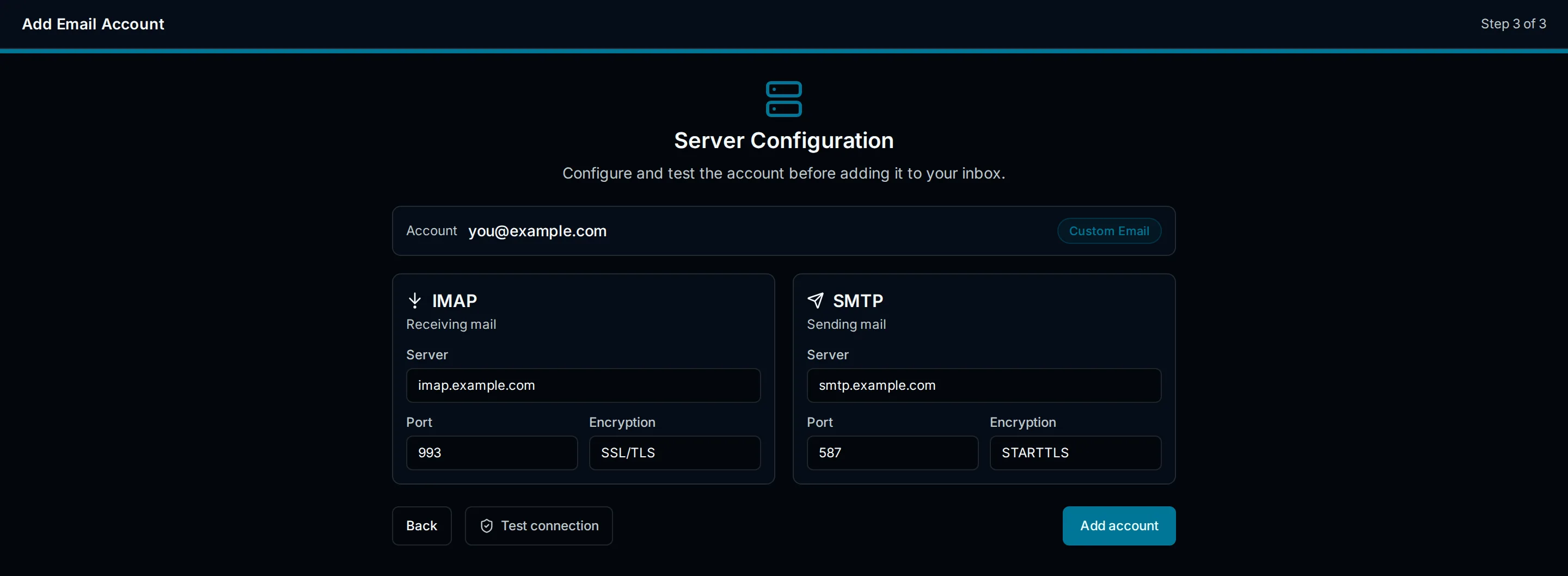
What a standards-based host needs in the server fields

What the host must provide

  • PHP 8.2 or newer.
  • Outbound access to the mailbox provider's IMAP and SMTP ports.
  • TLS certificate validation and working DNS resolution.

What diagnostics mean

Diagnostics may report whether native IMAP is installed because a general diagnostic factory can detect it. Saved mailbox accounts still use Webklex in either case. An unavailable native extension is not an account-connection fault.

If a mailbox will not connect, check credentials, provider policy, ports, and TLS instead of asking the host to install php-imap.

Previous

Zoho Mail

Connect personal Zoho Mail, Zoho Workplace, or custom-domain accounts through the Custom Email preset with Zoho's IMAP and SMTP servers.

Next

AOL Mail

Connect AOL Mail through the Custom Email preset using an AOL app password and AOL's IMAP and SMTP servers.

© 2026 PressedMail. All rights reserved.
DocsSupportTermsPrivacyRefunds
PressedMail

A WordPress-Native Email Workspace. Connect your existing email accounts and manage messages, contacts, and calendar from your WordPress dashboard.

Product

  • Features
  • Pricing

Resources

  • Docs
  • Changelog
  • Roadmap

About

  • Contact
  • Privacy Policy
  • Terms of Service
  • Cookie Policy
  • Refund Policy

© 2026 PressedMail. A product of CurbSoftware Tech Innovations.

PressedMail processes email on your WordPress site and connects directly to your email provider. CurbSoftware’s OAuth relay does not receive message bodies or attachments.