
Checkout to Account Flow
Understand how PressedMail checkout creates accounts, subscriptions, transactions, and licenses.
Checkout creates or updates the product account, records the Stripe transaction, grants the plan entitlement, and makes the paid ZIP available the moment payment succeeds.
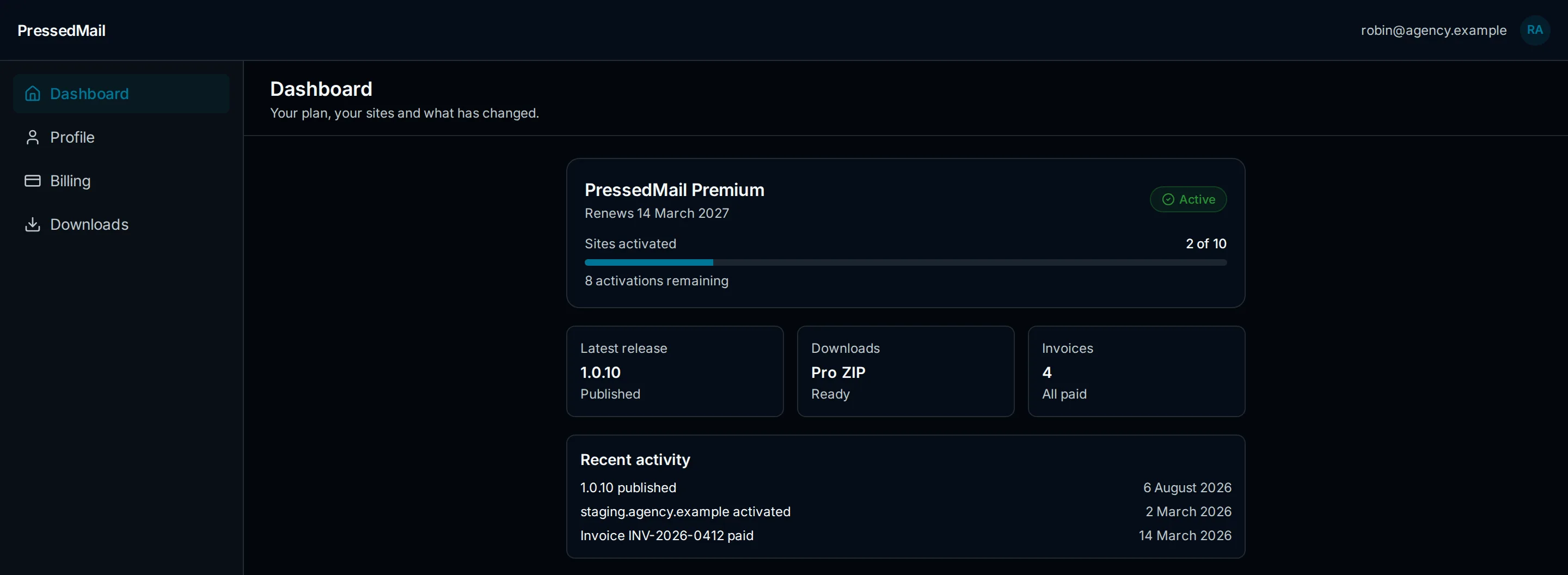
What Happens At Checkout
- You choose a plan on the pricing page and pay through Stripe.
- The account keyed to the checkout email is created if it does not exist, or updated if it does.
- The transaction is recorded and the plan entitlement granted.
- The paid ZIP becomes available under Home → Downloads.
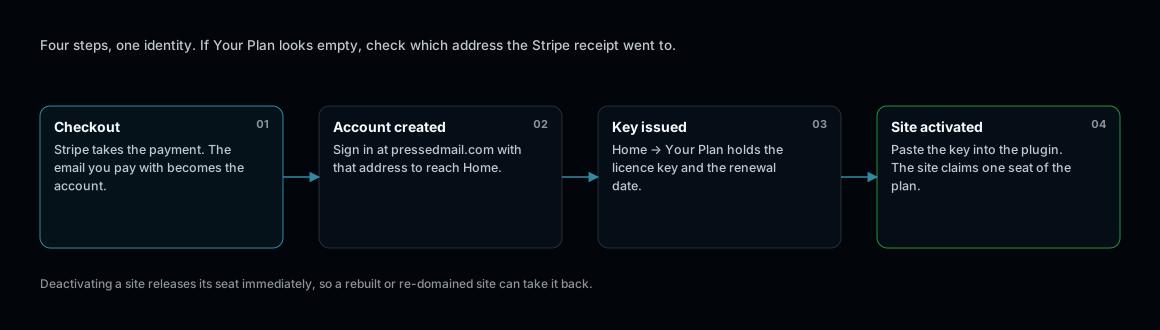
Entitlements key to the email that paid. That is where account confusion starts.
After Checkout
- Sign in to pressedmail.com with the checkout email.
- Open Home → Your Plan to confirm the plan is active.
- Download the paid ZIP from Home → Downloads.
- Install or update the plugin in WordPress. See Install and Quickstart.
- Activate the license on the site and confirm it appears in Home → Sites. See License Activation.
If something does not line up
- Paid but no plan showing: you may have signed in with a different email than checkout used. Check the receipt for the exact address.
- Payment succeeded but checkout page errored: the entitlement is granted by the payment record, not the page. Sign in and check Your Plan before buying again.
- Anything else: contact support with the checkout email and the receipt. See Licenses, Sites, and Updates Troubleshooting.