
Licenses, Sites, and Updates
Manage activated sites, license state, and plugin updates for PressedMail.
A license covers a number of WordPress sites. Activating a site takes a seat, deactivating releases it immediately, and updates flow to every activated site while the plan is current.
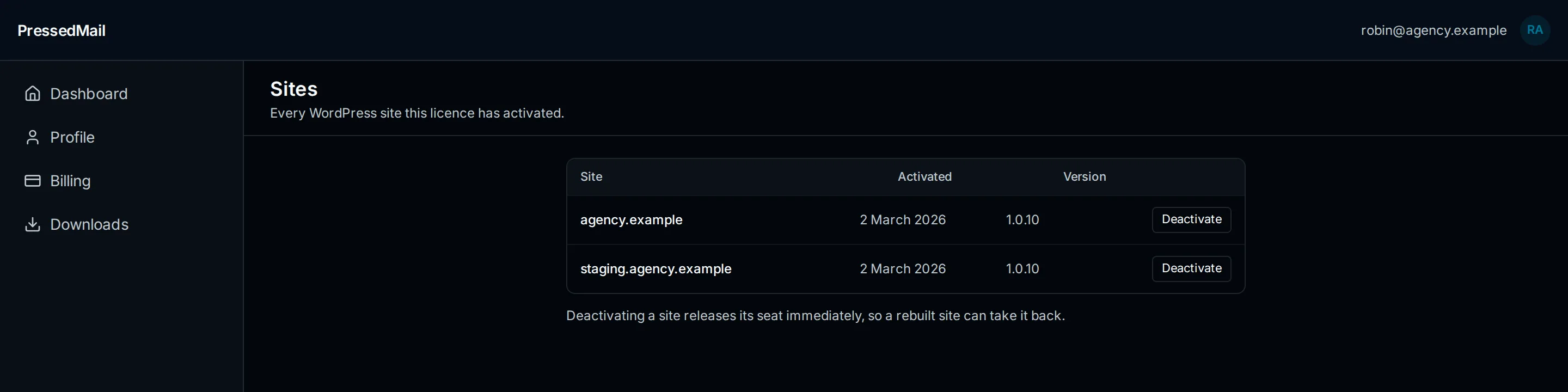
Where to manage what
- Home → Your Plan: plan status and the license key.
- Home → Sites: every activated site, when it activated, and what version it runs, with per-site deactivation.
- Home → Downloads: paid ZIPs for every published version.
- WordPress → Settings → Licensing: the site-local activation state and update channel.
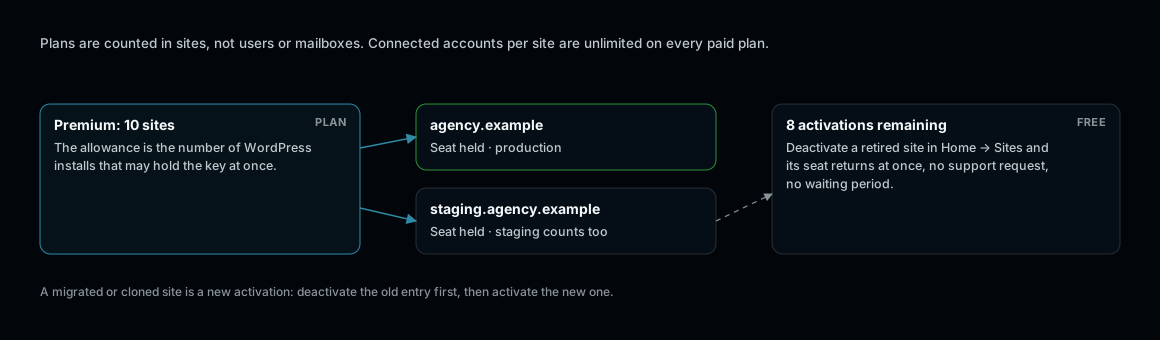
A seat is an activated site. Staging counts. Deactivation is instant.
Activating A Site
Enter the license key in WordPress under Settings → Licensing. The site registers against the plan's allowance and appears in Home → Sites. Validation runs against the production license service; the site needs outbound HTTPS to curb.software.
Moving A Site
Deactivate from either end (the Sites list on the website, or Settings → Licensing in WordPress). The seat frees immediately, so a rebuilt or migrated site can take it back without waiting.
If Activation Fails
- Confirm the key is current and the plan has seats remaining in Home → Sites.
- Confirm the server can reach curb.software over HTTPS. The Diagnostics tab checks this.
- Staging and production count as separate sites; plan the allowance accordingly.
- More cases: Licenses, Sites, and Updates Troubleshooting.