
Updates and Releases
Keep PressedMail updated and understand release access.
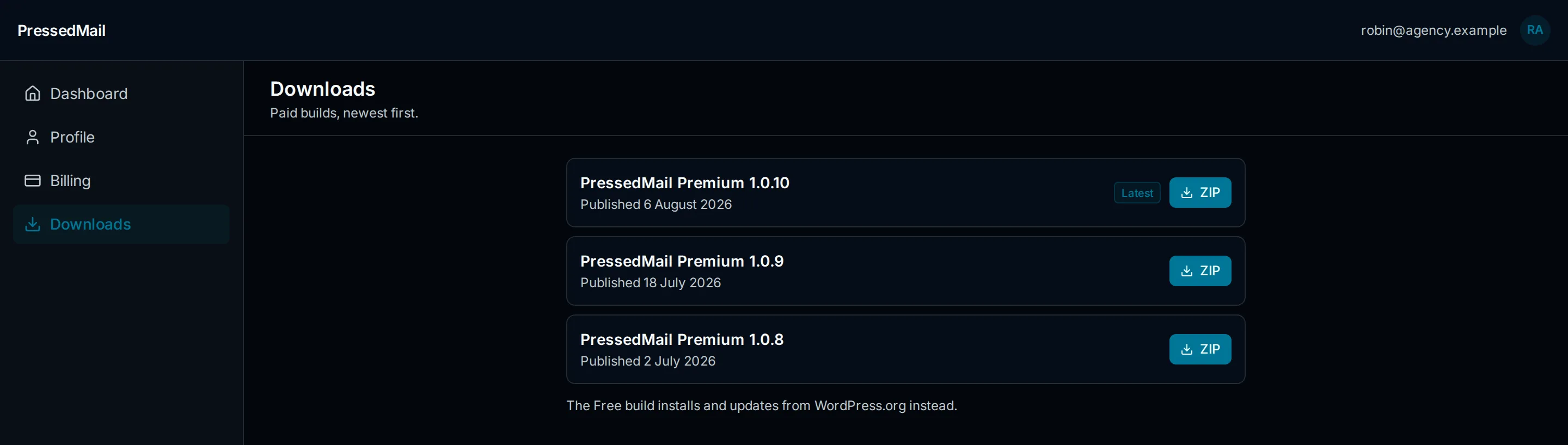
The current Published release reaches activated paid sites through WordPress's own update mechanism, and every version's ZIP stays available in the account for manual installs.
Release Channels
- Free: installs and updates through PressedMail's direct distribution while the WordPress.org listing is under review.
- Paid annual plans: update while the subscription is active.
- Lifetime: updates through lifetime account access.
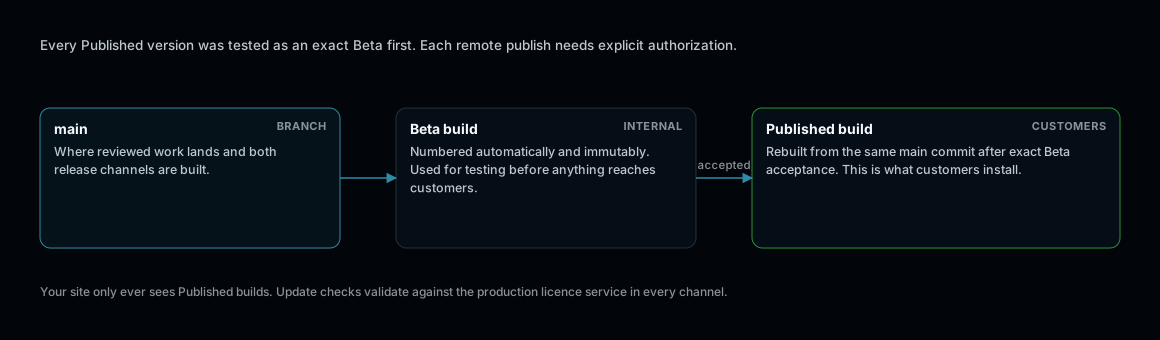
Two channels, one version directory. A build replaces only its own channel.
How Updates Arrive
- An activated site sees new published versions in WordPress's normal Plugins screen and updates in place; the license check authorises the download.
- The account's Downloads page keeps the ZIP for every published version, newest first, for manual installs and rollbacks.
- Update checks run against the production license service; a site that cannot reach curb.software cannot see updates. The Diagnostics tab verifies connectivity.
Version Hygiene
- Staging and production are separate activations; review both against the plan's site allowance.
- After a manual upload, Plugin Integrity verifies the installed files match the published checksum for that exact version.
- The changelog for each release is published on the website and mirrored into release notes.
If updates do not appear
- Confirm the license is active on the site and the plan is current.
- Confirm outbound HTTPS to curb.software.
- See Licenses, Sites, and Updates Troubleshooting.