
Attachments and Downloads
Preview, download, and send files while keeping unsafe files visible to admins.
Attachments are reviewed inline, beside the message they arrived on. No round trip through a separate download step to see what a file is.
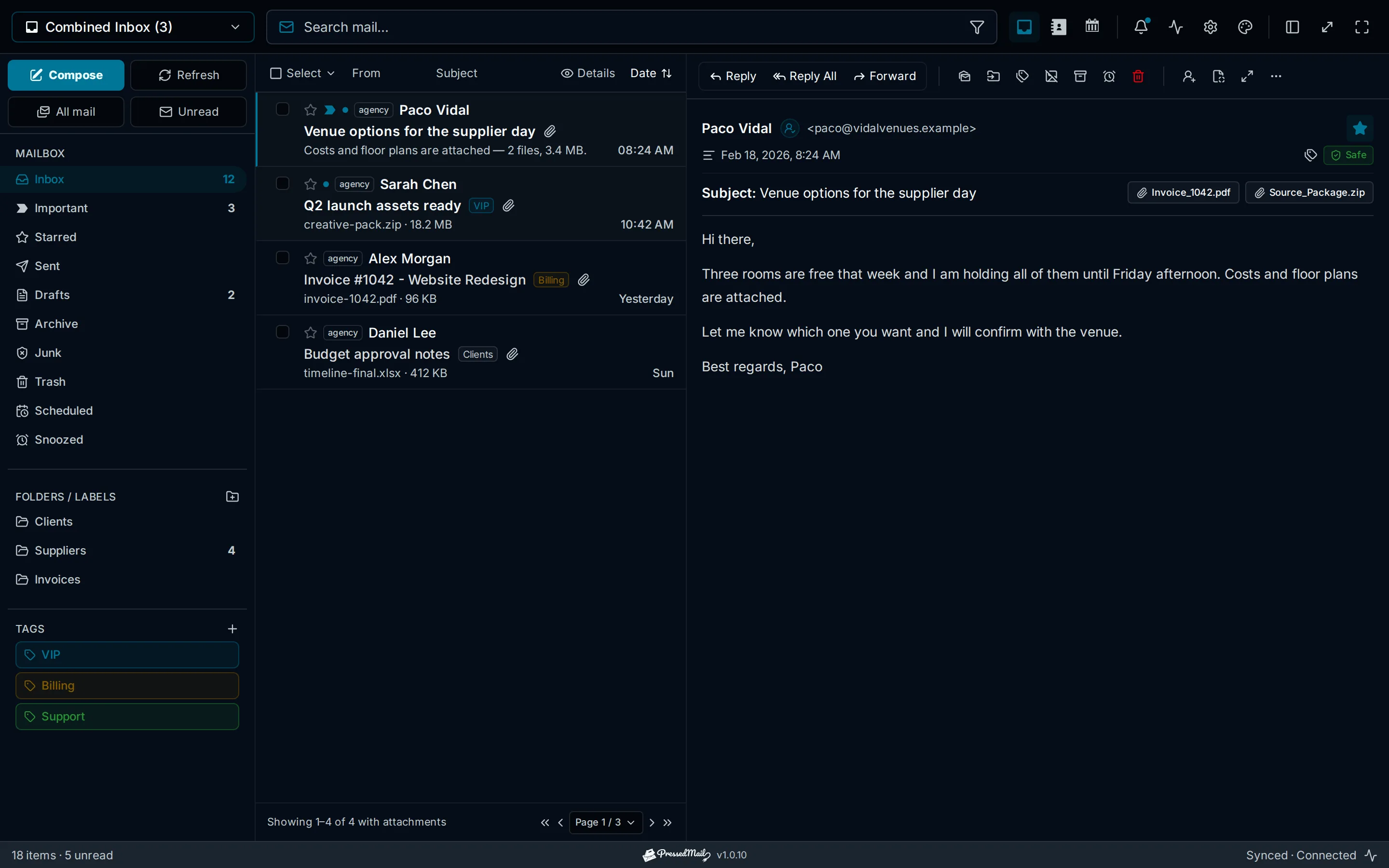
Reviewing attachments
- Messages carrying files show an attachment marker in the list, and the open message lists each file with its name and size.
- Preview supported types inline; download anything to the device with one click.
- Forwarding a message carries its attachments, and you can add or remove files before sending.
Finding mail with files
- Search with
has:attachmentto list only messages carrying files, and combine it with a sender or a term:has:attachment from:alex. - The filter control offers the same narrowing without typing an operator.
Sending attachments
- Attach files from the composer toolbar. Uploads complete before the message sends, so a failed upload fails loudly instead of sending without the file.
- Size limits are your provider's: most IMAP/SMTP providers cap a message around 25 MB including encoding overhead. For larger files, send a link instead.
Safety
Attachment presence is one of the signals the phishing scan weighs, and files are never fetched or executed server-side on your behalf. Remote images in message bodies are a separate control: blocked by default and revealed per message. See Security, Sessions, and Audit Protections.