

Snooze, scheduled sending, and follow-ups
Use paid snooze and scheduled sending, with the current limits on follow-up reminders.
Snooze and scheduled sending are paid features. Both depend on background processing, so a chosen time is a requested processing time rather than a guaranteed delivery deadline.
Bring a message back later
- Open or select a message and choose Snooze.
- Pick a suggested time or enter a date and time.
- Check the Snoozed view for the message and its return time.
Snoozing takes the message out of the inbox until it is due. Open it from Snoozed if you need it sooner, and use the available unsnooze action.
Schedule an outgoing message
Write and review the message, then choose the scheduled-send action in the composer and set its date and time. Check the Scheduled view to confirm it was queued.
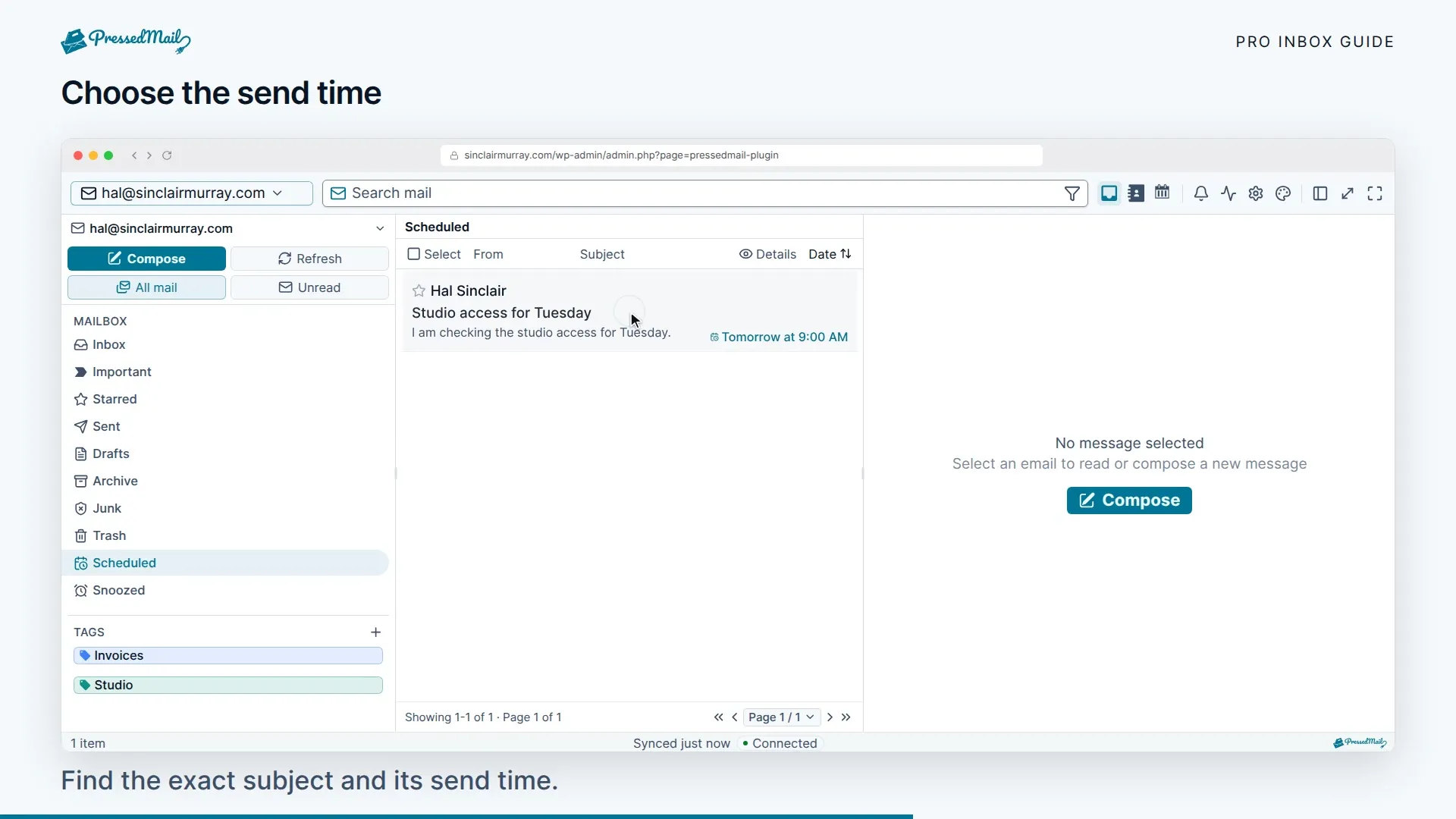
Before the message leaves, use that view to review, edit, or cancel it. Check the account, recipients, attachment uploads, and time before leaving the workspace. See Compose, reply, and attach files.
Undo send is a separate paid feature. Its short holding period lets you cancel before SMTP handoff. It cannot retrieve a message after the provider has accepted it.
Follow-up limitations
The plugin contains a paid reminder service, but the checked workspace does not expose a complete follow-up creation flow. The service triggers due reminders; it does not check whether a reply arrived. Do not rely on automatic “remind me only if nobody replies” behavior.
For a message you need to revisit, use snooze or create a separate reminder in your calendar. Check the conversation yourself before contacting the recipient again.
If a scheduled action is late
WP-Cron runs the due work. On a low-traffic site it may run late, and a disconnected provider can delay sending further. A locked mailbox does not stop authorized background work, but an inactive plugin cannot keep processing it.
Check the queued message and the provider's Sent folder before retrying. For repeated delays, use Inbox sync and sending to check cron and connection health.