

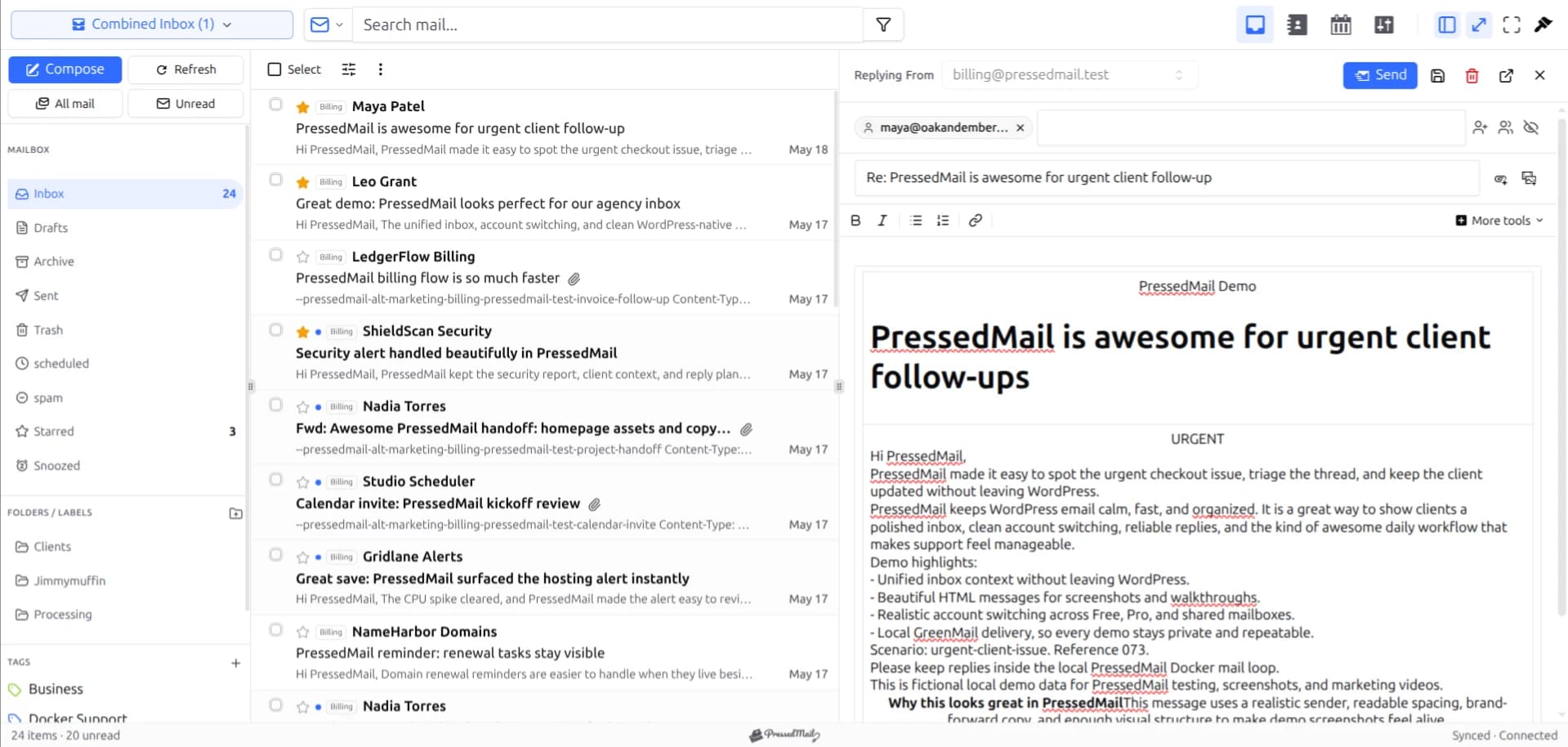
Start a PressedMail search with something distinctive that you know appears in the message, such as part of its subject or the sender's address. Confirm the mailbox and folder scope, then narrow the result. If the message does not appear, clear the restrictions and check synchronization before assuming the email is gone.
When PressedMail searches the message summaries stored in WordPress, it uses the data already available there. It does not search every word in every message at the provider. That summary search does not inspect the full message body.
That limit explains a common mismatch: a subject search finds a message, while a phrase remembered from several paragraphs into its body does not.
Know what you are searching
Summary search matches subject, sender name, sender address, preview, snippet, and message ID. It can be restricted to a folder. A message whose summary has not reached WordPress cannot appear in those results.
Other search views can behave differently. An advanced field in one view does not establish that another view supports the same query.
The maintained search documentation describes the user-facing tools and plan boundaries. Unified cross-account search and per-account filtering are paid capabilities. Free's folder browsing and manual tags remain useful ways to locate mail within its one connected account.
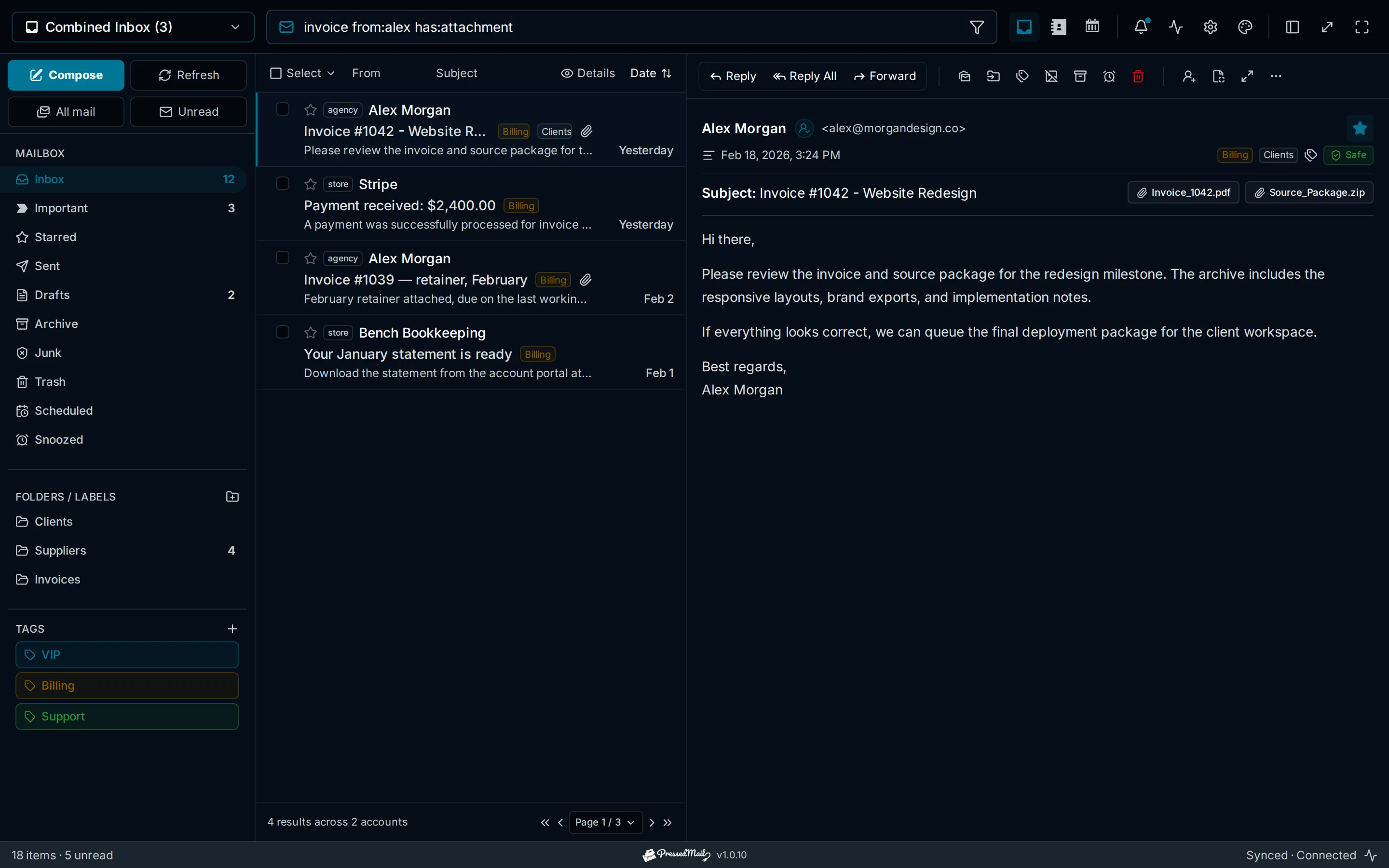
Illustration of a search interface with sender and attachment criteria. The drawn query is not a specification for every search path.
Find a message using a known subject
Suppose you are looking for a fictional invoice with the subject “Cedar maintenance renewal.” Begin with “Cedar” or the distinctive renewal phrase in the mail search field.
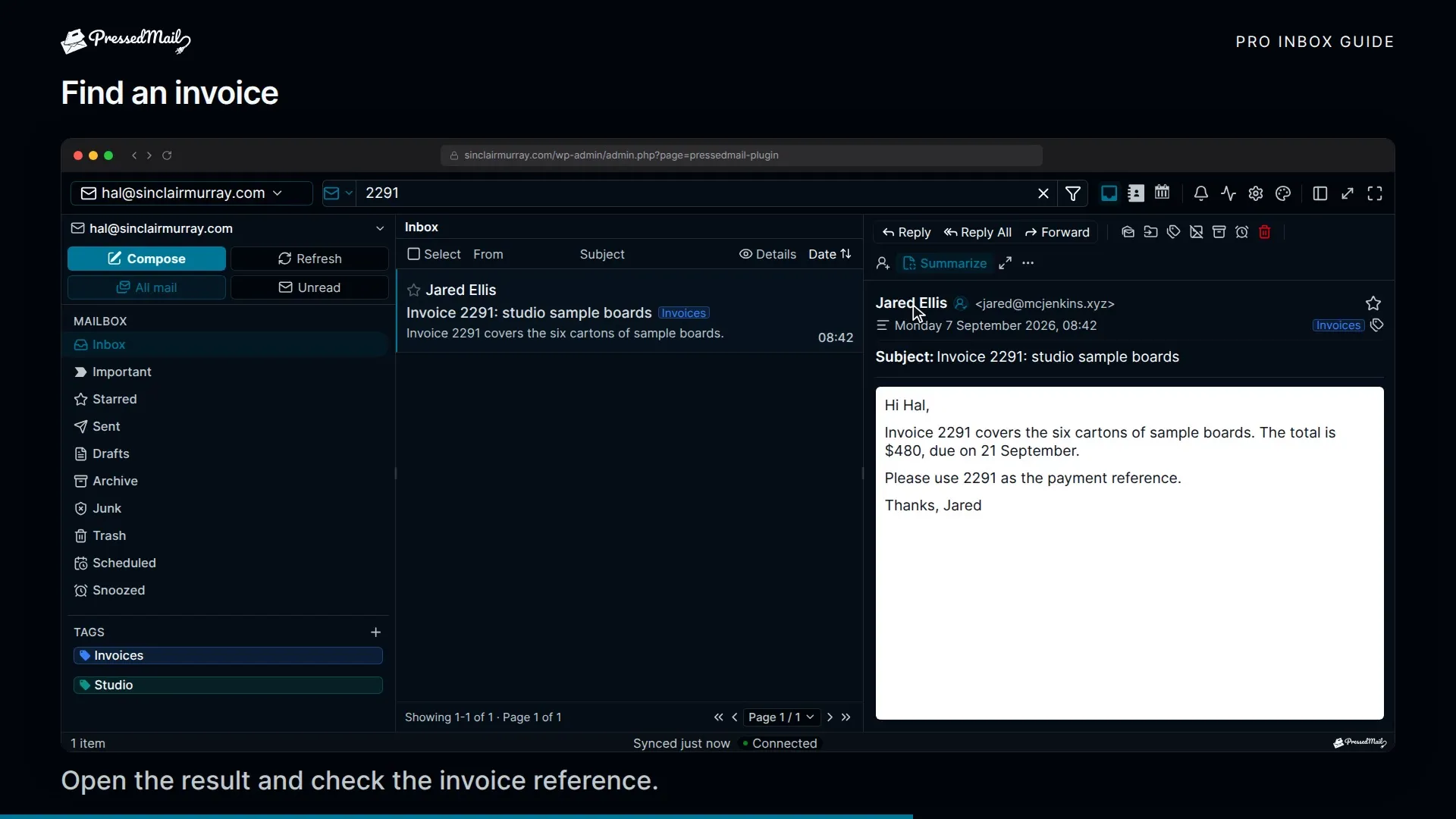
A short distinctive term is easier to diagnose than a long query with several restrictions. If nothing appears, you can change one variable at a time instead of wondering which condition excluded the message.
Check that you are searching email rather than another scope offered in your edition, such as contacts or events. A correct term in the wrong scope can produce an empty result without an account problem.
Open a promising result and confirm the sender, subject, date, and account. Two messages with similar titles can relate to different projects or renewal periods. Finding a plausible result is the beginning of verification, not the end.
If you are unfamiliar with the inbox and account views, reading mail inside WordPress gives the starting workflow.
Narrow the result without hiding the answer
When the current view offers sender, subject, date, read-state, attachment, or folder controls, add one at a time and watch the result set. Use the visible controls for that view instead of pasting a complicated query from another email client.
Start with the sender if several people use the same subject. Use an approximate date range only when you remember the timing reliably. A date filter based on a guess can exclude the exact message you need.
Be careful with attachment assumptions. A message containing a link to a shared document may not carry an attached file. If an attachment filter makes the result disappear, remove it and inspect the message rather than concluding that the file was lost.
Clear old filters when starting a different search. The current workspace can retain active search state during the session, but that is not a persistent saved folder view. A result set remembered from yesterday may have depended on settings you no longer have.
The guide to folders and tags helps when you know the message's category better than its exact wording.
Do not assume Gmail's syntax applies everywhere
Gmail has a documented set of search operators, including provider-specific concepts. Those operators belong to Gmail's search behavior. Google's search reference is useful when you are searching Gmail itself.
PressedMail has query and filter support of its own, but it differs between search views. Summary search treats a query as literal text. A phrase such as “from:someone” may therefore fail to act as the sender filter you expected.
For a dependable first search, use a plain subject term or address. Then use supported filtering in the current view. If a documented advanced query gives an unexpected result, return to the plain term and ask support with a harmless example and the name of the view you used.
This is also why a comparison should not judge two clients using one copied query. Their search scopes and parsing rules can differ. The Gmail and WordPress client comparison discusses that choice.
Work through an empty result
First, check the provider's webmail. If the message is absent there too, widen the provider search and inspect its archive, spam, or trash locations according to that provider's behavior.
If the message exists at the provider, note its subject, sender, and folder. Return to PressedMail, clear the current term and filters, select the correct mailbox where available, and allow synchronization to complete.
Search for a distinctive subject fragment again. If it appears now, the earlier result may have been narrowed by scope, filters, or a missing message summary. If it still does not appear, inspect the account's synchronization state.
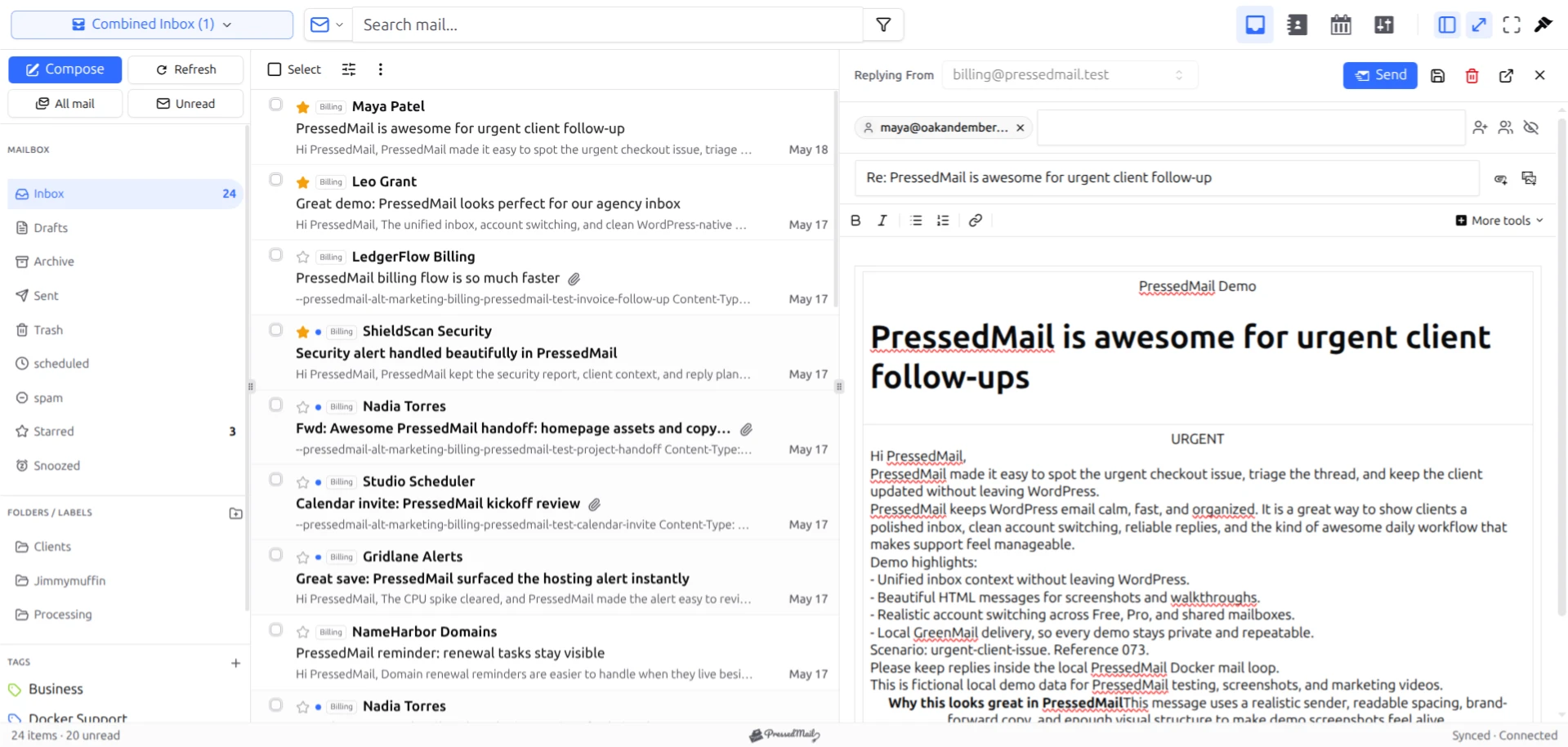
Screenshot with fictional email in the PressedM layout. It illustrates the inbox context around search, not the outcome of the Cedar example.
A successful WordPress login does not establish an active mailbox connection. The IMAP setup guide covers account prerequisites, while the inbox troubleshooting documentation addresses synchronization problems.
Finally, consider the field you are searching. A term found only in the full body falls outside summary search. Search the subject or sender, locate the candidate message, and read its content.
Separate finding a message from changing it
Search results are a view of messages. Before applying a bulk action, inspect the matches and the scope. A search broad enough to find one wanted invoice can also include older mail you did not intend to move.
Use an ordinary test message when learning how a search result behaves after a move or tag change. Do not use permanent deletion as a way to clear an unfamiliar search screen.
Once you have found the message, a daily email routine can help you read, answer, and file it consistently. Search should help you resume the work rather than become a separate filing system to maintain.
For several business categories, use multiple email workflows to define what happens after retrieval. A supplier receipt and a customer question can match the same project term while needing different actions.
Common questions
Does PressedMail search the whole message body?
Summary search does not. It searches summary fields such as subject, sender, preview, snippet, and message ID. Do not assume a phrase deep in the body will match.
Why can webmail find something PressedMail does not?
The clients may search different fields or data sets. PressedMail may also have an account, folder, filter, or synchronization restriction affecting the result.
Can I save a search as a permanent folder?
Persistent saved searches are not available. Session search state should not be treated as a stored folder view.
Are all search controls available on Free?
No. Unified cross-account search and per-account filtering are paid features. Check the controls in your installed edition; folder browsing and manual tags are available in Free.
Does an empty result mean the message was deleted?
No. Start by clearing filters, checking the account and provider folder, and searching a known subject or sender. Deletion is only one possible explanation for missing mail.
Manage your email inside WordPress
PressedMail Free adds an email client directly to your WordPress dashboard. Connect a compatible IMAP/SMTP mailbox, read and send mail, organize messages, and configure WordPress SMTP.




