
Meet PressedMail
Start here for what PressedMail is, what it connects to, and which setup article to read next.
PressedMail is a standards-based email client that runs inside the WordPress admin. It connects to the mail provider you already have over IMAP and SMTP, keeps your mail with that provider, and gives you a full workspace (inbox, contacts, calendar, rules, and AI assistance) where you already work.
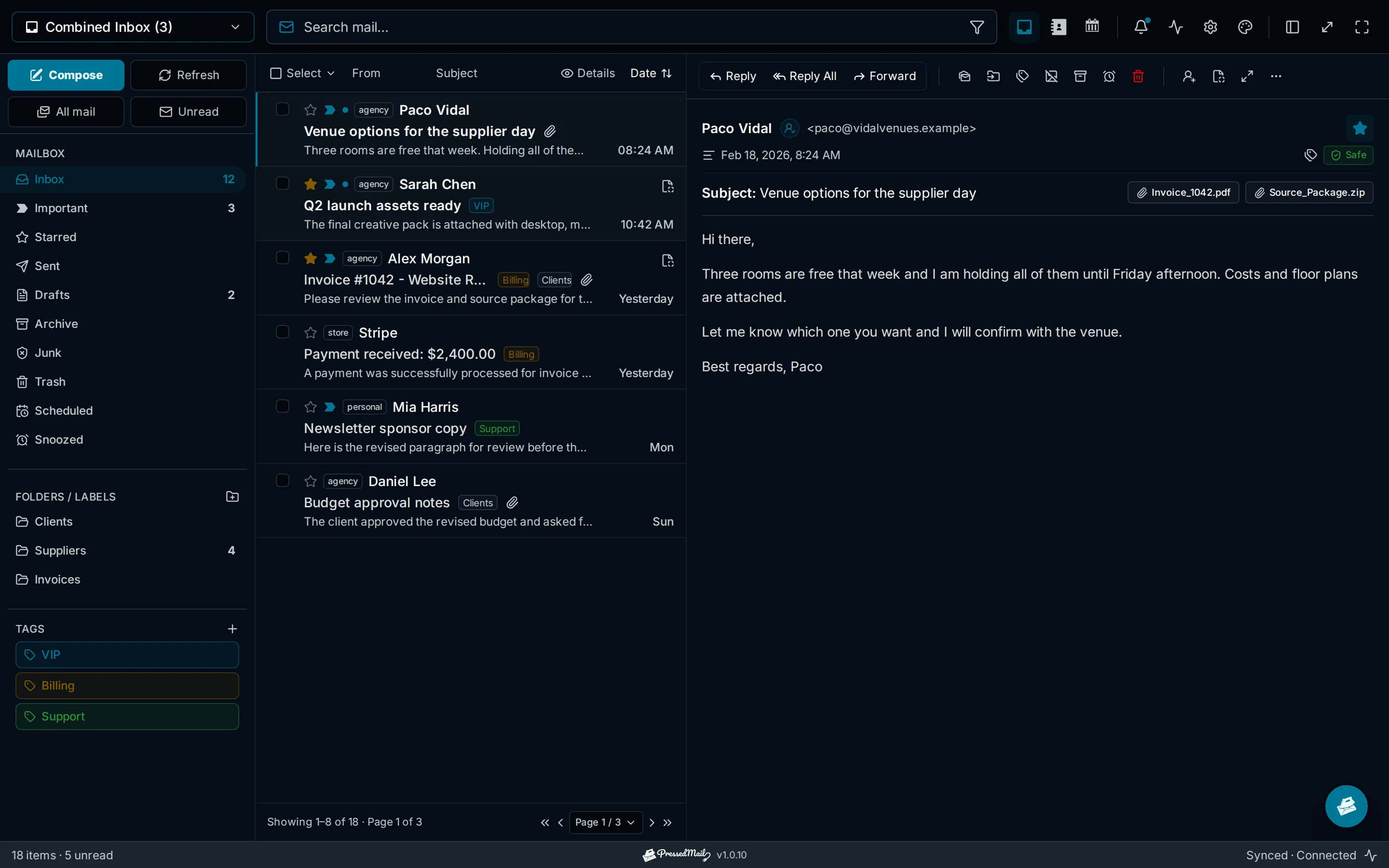
What it is
- A native WordPress plugin, not an embedded web app or a hosted service.
- A client for your existing mailboxes: Gmail, Outlook or Microsoft 365, hosting-provider mail, or any standards-based IMAP/SMTP server.
- A shared workspace: each WordPress user connects their own accounts, keeps their own settings, and cannot read anyone else's mail.
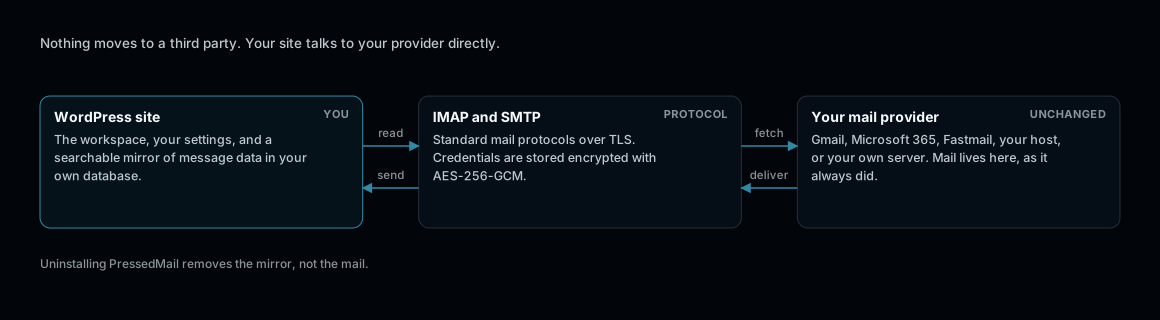
PressedMail is a client, not a mail host. Your provider keeps the mail.
What it is not
- It does not replace your mail host. Mail stays with your provider.
- It does not copy your mail to a third-party service. Searchable message data is mirrored into your own WordPress database.
- It does not act on your behalf. AI features are off until an administrator enables them, and drafts wait for review.
Free and paid builds
The Free build connects one mailbox with folders, tags, rules, and safe rendering. Paid plans add unlimited accounts, the combined inbox, contacts, calendar, scheduling workflows, AI tools, phishing analysis, and the customization surface. Plans are priced by the number of WordPress sites: see Billing and Plans.
First steps
- Install and Quickstart: upload, activate, and open the workspace.
- License Activation: activate a paid license on the site.
- Email Accounts Overview: connect your first mailbox.
- Inbox and Email Overview: find your way around the workspace.
The usual path is to upload and activate the plugin, activate a paid license when needed, connect one mailbox, then use the account at pressedmail.com for downloads, sites, and billing.