

A WordPress email client and webmail overlap: both can let you read and send messages in a browser. The useful comparison is between the webmail interface supplied by your provider and an email interface inside your WordPress installation.
Choose according to where you work, which mailbox features you need, and who will maintain the application. Connecting PressedMail does not, by itself, change your email address or move your mailbox away from its provider.
You can also keep both interfaces. Trying an inbox in WordPress does not require abandoning the provider's webmail.
Start with the service you already have
Your provider stores the mailbox and makes it available through supported access methods. Its webmail is one interface to that service. An IMAP client provides another, subject to the provider's account and authentication rules.
Roundcube, for example, describes itself as browser-based IMAP webmail. It needs a mailbox service behind the interface. That is a useful category example, rather than evidence that every provider's webmail has the same features. See the Roundcube project.
PressedMail runs inside WordPress and connects to compatible mail services. Its inbox uses the connected mailbox, while WordPress system-mail sending has its own SMTP configuration.
If the protocols are unfamiliar, IMAP versus SMTP explains the incoming and outgoing roles. The distinction applies regardless of which browser tab displays the inbox.
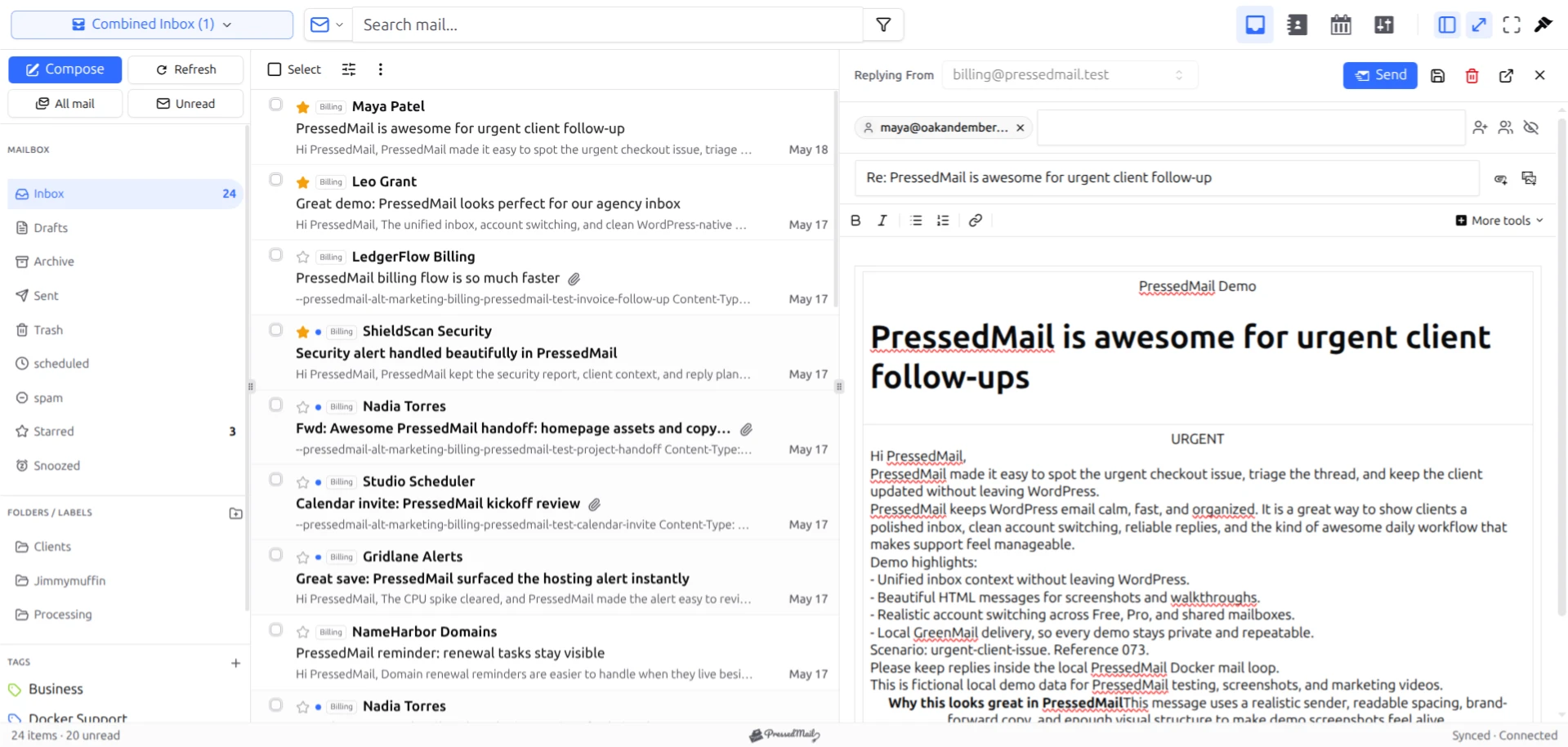
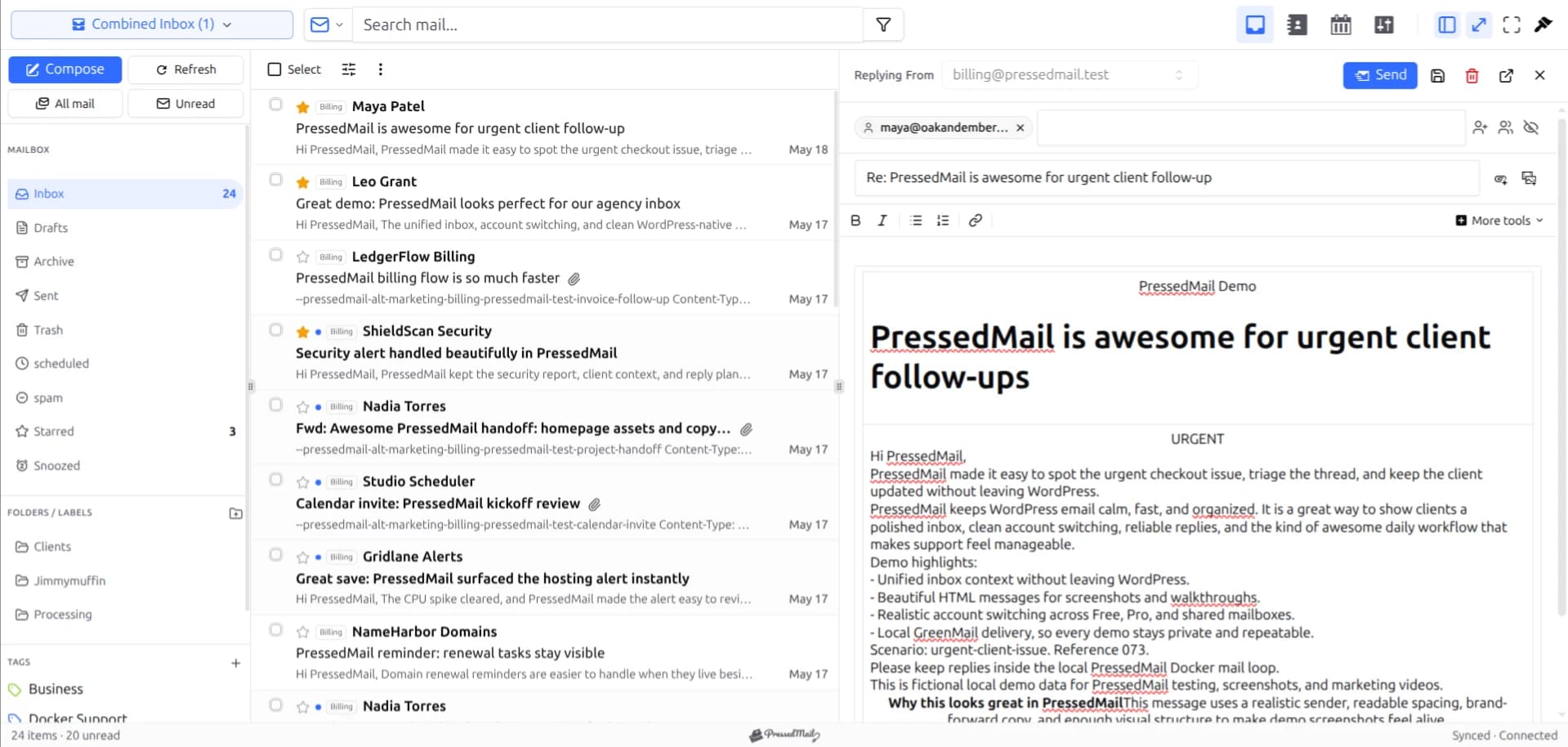
Screenshot of fictional messages in the PressedM layout. It shows the WordPress email-client interface, not a competitor comparison test.
Compare responsibility as well as features
A provider's webmail may already be installed, updated, and supported as part of the mailbox service. If you run your own webmail application, those responsibilities can instead belong to you or your administrator.
With PressedMail, the WordPress installation is part of the operating environment. The site needs updates, appropriate access, backups, and a recovery route.
| Question | Provider webmail | PressedMail in WordPress |
|---|---|---|
| Where do I open mail? | The provider's webmail address | The WordPress email workspace |
| Who hosts the mailbox? | Your mailbox provider | Your compatible mailbox provider |
| Who maintains the interface? | Provider or webmail administrator | WordPress site operator |
| Does connecting it create an address? | The provider provisions the mailbox separately | No |
| What handles site notifications? | Separate website mail configuration | Separate WordPress SMTP configuration is included |
| What remains useful during a site outage? | Provider webmail, if its service is healthy | Another working interface to the provider |
The last row depends on how your services are hosted. A website and mailbox sold together may share an outage. An independent email provider may remain available while WordPress is down.
Compare an ordinary task using the same mailbox
A practical evaluation starts with one harmless message and the same account in both interfaces.
Open the message, check the sender, write a reply, and verify receipt at an address you control. Then move a test message to an ordinary provider folder and inspect its location through the other interface after synchronization.
This shows whether the arrangement supports your normal work. It also exposes details that a feature list can miss, such as folder mapping, the sender identity used for a reply, or whether a familiar provider feature appears differently.
Do not change incoming mail routing or domain DNS merely to compare two clients. Use the provider's actual IMAP and SMTP details. Using webmail inside WordPress covers the options, and the account guide covers the connection itself.
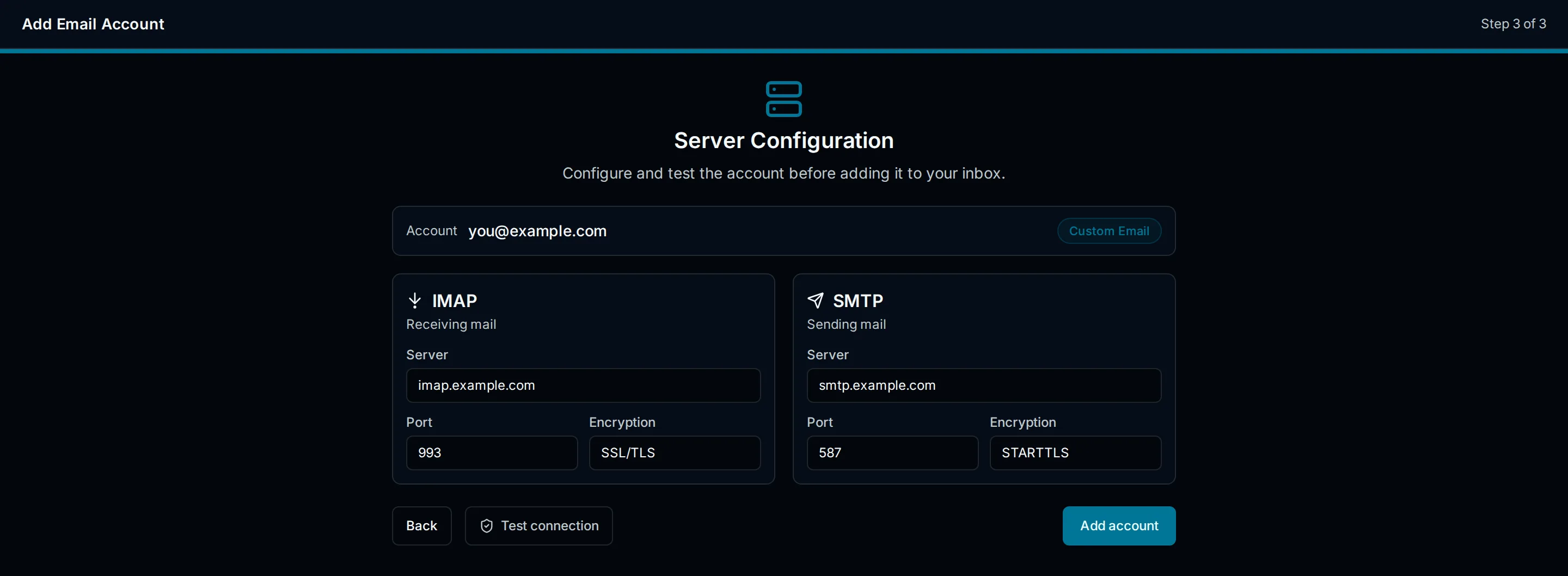
Illustration of a custom mailbox connection. Use the server names and authentication method supplied by the actual mailbox provider.
For a hosting account, the provider's control panel may show the correct settings. Avoid guessing a hostname from the website domain. If the connection is rejected, check whether the mailbox plan permits third-party access and whether its authentication method matches the client.
Organization may not look identical
Provider folders are shared mailbox state. A move through one client can affect what another client displays after synchronization.
Local organization features can differ. PressedMail tags are its own layer and should not be assumed to appear as identical labels in provider webmail. Gmail's labels introduce their own provider-specific behavior.
Search also needs a careful comparison. One interface may search a different set of fields or use a different query language. A message not found by a phrase in one client may still exist at the provider.
Test the tasks you depend on rather than assuming that similar-looking controls have identical semantics. The specific Roundcube comparison and Gmail comparison narrow the question to named interfaces.
Website email is a separate reason to evaluate the setup
Reading a customer reply is different from having WordPress send a form notification. A full client can handle the first while a SMTP or API integration handles the second.
PressedMail includes WordPress SMTP routing in addition to the mailbox interface. That route has a separate server configuration; connecting the inbox does not automatically activate it. Free includes one WordPress SMTP server, while Pro adds multiple server connections and sender routing.
If your only problem is outgoing website notifications, an inbox client may be unnecessary. The SMTP-plugin comparison explains how to choose the component that owns the task.
Likewise, a working email client does not guarantee inbox placement for website messages. Provider acceptance, filtering, and the recipient's reading behavior remain separate observations.
When provider webmail is enough
Stay with provider webmail when it already supports your work and WordPress adds little convenience. That can be the case when you answer most mail from another device or rarely use the website dashboard.
It can also be the sensible fallback while you investigate a connection problem. Keeping the original webmail login gives you another way to inspect whether the message exists at the provider.
A browser-based interface does not automatically provide offline access. If that is essential, evaluate the actual offline behavior of a desktop or other client rather than inferring it from the product category.
When PressedMail fits
PressedMail fits work where email and WordPress administration occur together. A site owner can answer an enquiry beside the site they are maintaining without moving the mailbox service.
Free supports one connected mailbox, basic composing, folders, and manual tags. Paid plans add capabilities such as multiple accounts, the combined inbox, contacts, calendar, and additional layouts.
If you have decided you want an inbox in WordPress but still need to compare plugin options, use the WordPress email client plugin guide. Choose against your requirements rather than an unqualified winner label.
If several people need message assignment or response commitments, evaluate a support system built for that job. A mailbox interface and a set of local tags do not establish those coordination features.
Common questions
Is PressedMail itself a kind of webmail?
Yes, in the broad sense that you can work with email through a browser. The distinction here is its placement in WordPress versus the provider's own webmail interface.
Does connecting PressedMail move my mailbox?
No. The compatible provider continues to host it. A client connection is separate from a mail-hosting migration.
Can I use both interfaces?
Usually, if the provider permits those connections. Remember that synchronized actions such as folder moves can affect the mailbox both clients see.
Will WordPress downtime stop incoming mail?
A separate healthy mailbox service can continue receiving it. You will need another interface to read the mail until WordPress returns.
Which option is faster or more secure?
That cannot be established from the category name. Hosting, configuration, installed versions, network conditions, and the task being measured all affect the result.
Manage your email inside WordPress
PressedMail Free adds an email client directly to your WordPress dashboard. Connect a compatible IMAP/SMTP mailbox, read and send mail, organize messages, and configure WordPress SMTP.




