

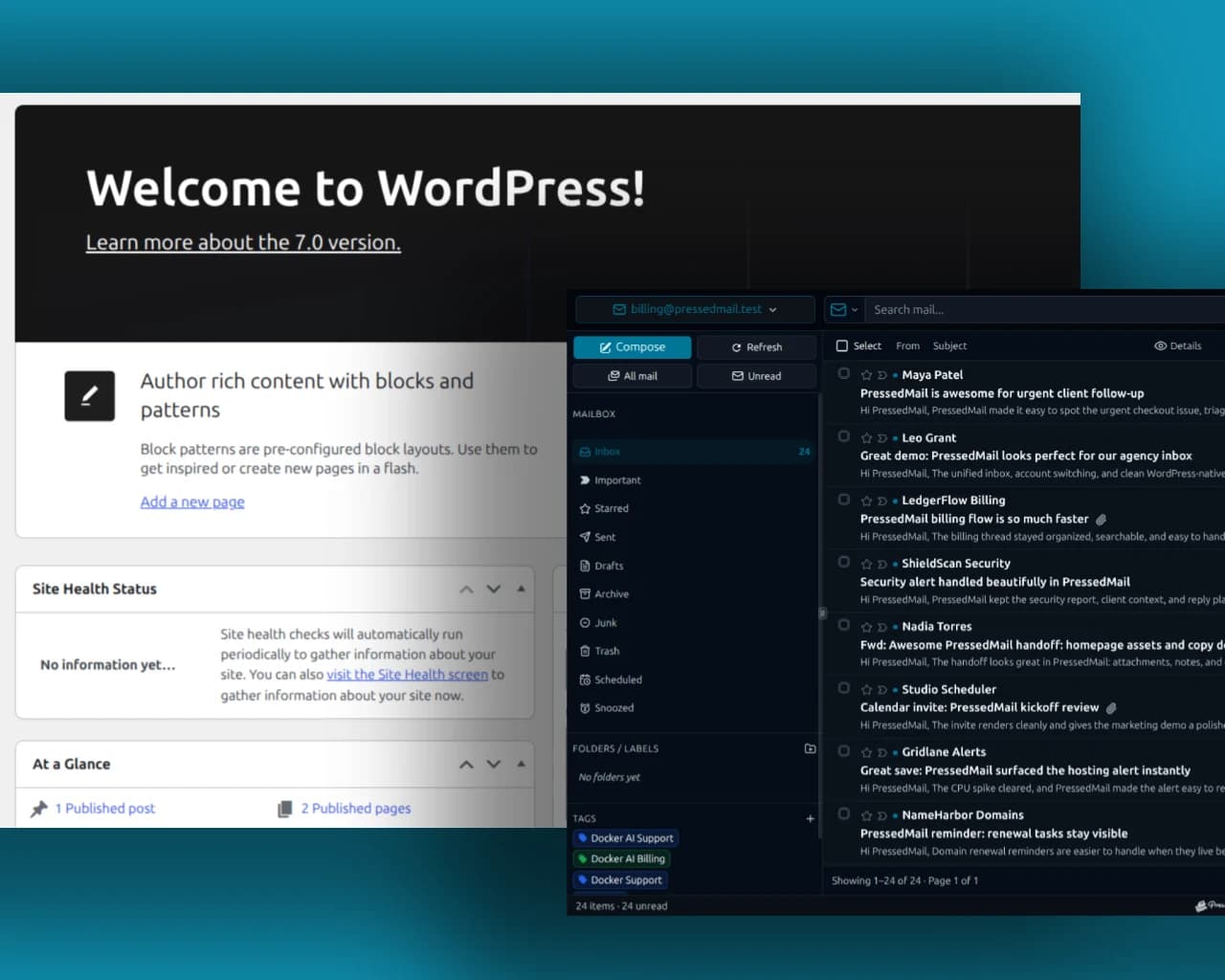
“Webmail inside WordPress” can mean two different things: a convenient way to open your provider's webmail page, or an inbox that you can read and reply to within wp-admin.
If a shortcut solves the problem, keep using the provider's interface. If you want mailbox controls inside WordPress, use an email-client plugin such as PressedMail and connect the existing mailbox.
The account still needs a provider. WordPress does not create mailbox hosting because you add a webmail link or install a client.
Choose the result you want
A hosting company may call its mail service “webmail,” even though that word describes the browser interface. Behind the page is an email account and a server that holds messages.
Three arrangements are common:
| Arrangement | Where you read and reply | What you configure |
|---|---|---|
| Provider webmail | The provider's browser page | Your existing account login |
| A shortcut from WordPress | The same provider page, opened from a link | An appropriate navigation link |
| A connected email client | The plugin's interface inside WordPress | Mailbox access and authentication |
A shortcut saves navigation. It does not bring messages into the WordPress interface or share authentication with the provider.
PressedMail takes the third approach. Its Free edition connects one compatible mailbox and provides reading, composing and basic organization in WordPress. The first-message guide shows the resulting task.
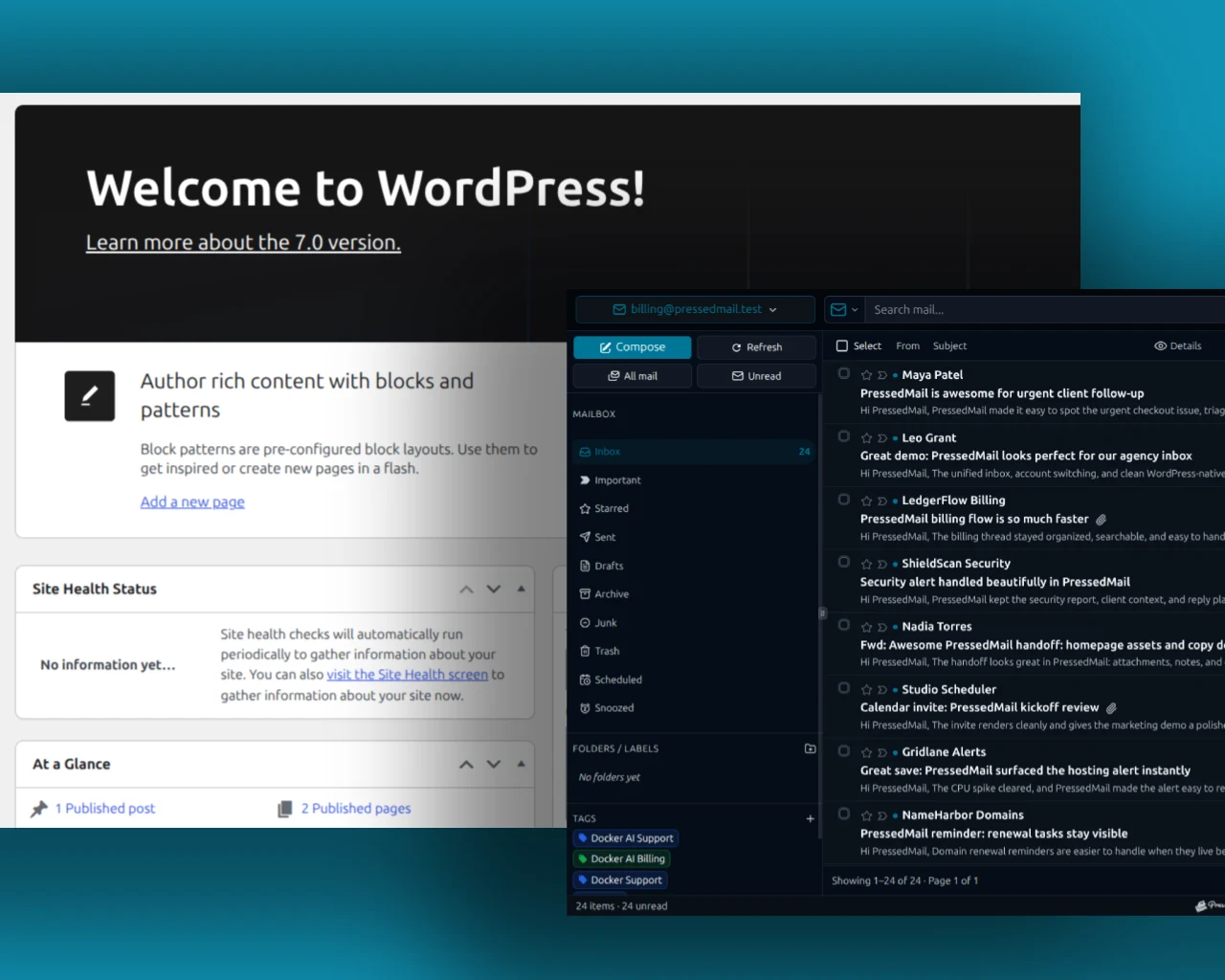
Composite of WordPress administration and a PressedMail inbox. It illustrates a connected-client arrangement rather than an embedded provider login page.
Find the mailbox's actual connection settings
Sign into the provider's webmail and confirm that the account works. Then look for settings intended for desktop or third-party email clients.
You need the IMAP server for reading messages and the SMTP server for outgoing submission. The provider also specifies ports, encryption and authentication requirements.
Do not paste the webmail page URL into the IMAP hostname field. A URL that opens a browser login is usually not the service endpoint an email client needs.
For cPanel-hosted accounts, the mailbox's Connect Devices information is the appropriate starting point. The cPanel Email Accounts documentation describes access to those client settings. The values come from that particular host, not from a universal cPanel server.
The cPanel-to-WordPress guide follows that account type in detail. For another host, use generic IMAP setup.
Connect the mailbox in WordPress
Install PressedMail Free from WordPress.org and activate it. Open Email Connections in its settings and choose Add Account.
Select a supported provider preset when one matches the account. Otherwise, choose Custom Email and enter the provider's incoming and outgoing settings.
Supply the supported credential or authentication flow. Some providers require an app password; others use OAuth or administrator-approved access. A regular webmail password is not automatically the correct credential for every client connection.
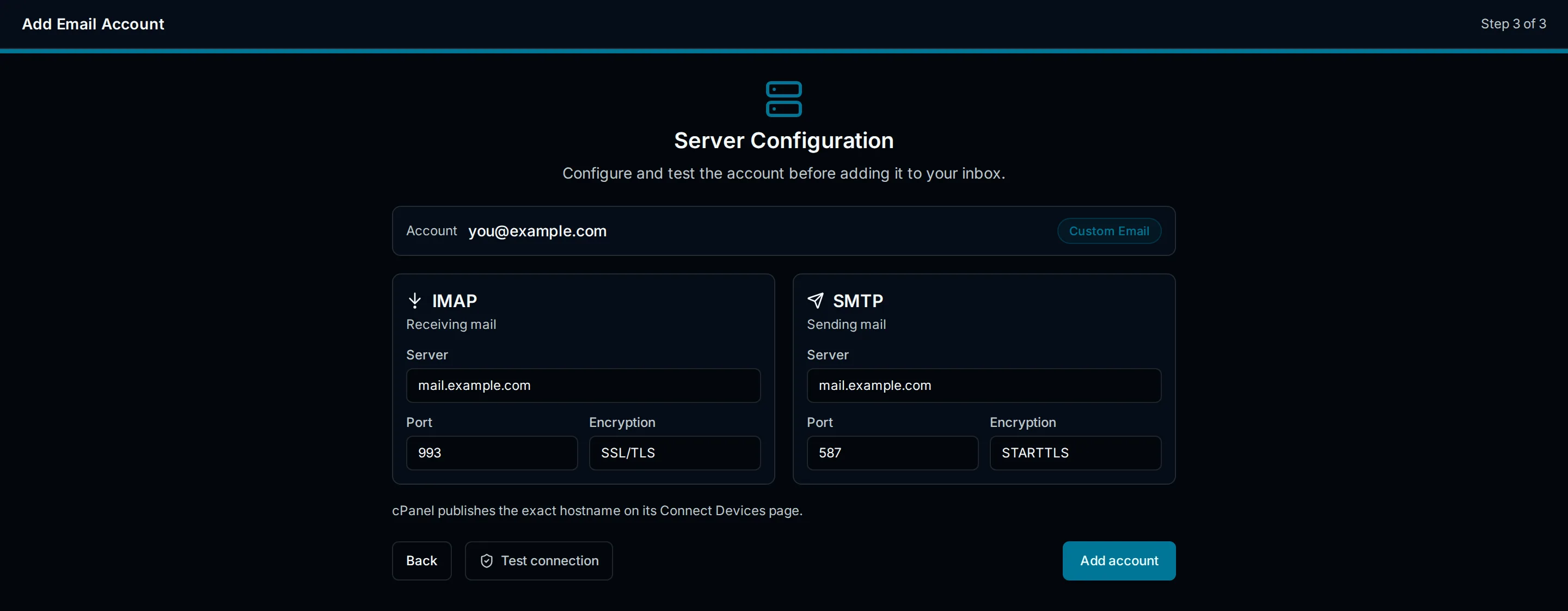
Illustration of a hosting mailbox's IMAP and SMTP configuration. It is explanatory UI, not a capture of a particular cPanel account.
Run the connection tests and read the incoming and outgoing results separately. Save the account when its checks succeed, allow synchronization and open a message you already identified in webmail.
If the message is absent, compare the folder at the provider. An empty Inbox and a failed connection are different observations. A message in Archive or Spam may not appear in Inbox.
Compare the same message in both interfaces
Use a harmless test message to learn how the two clients reflect the same mailbox.
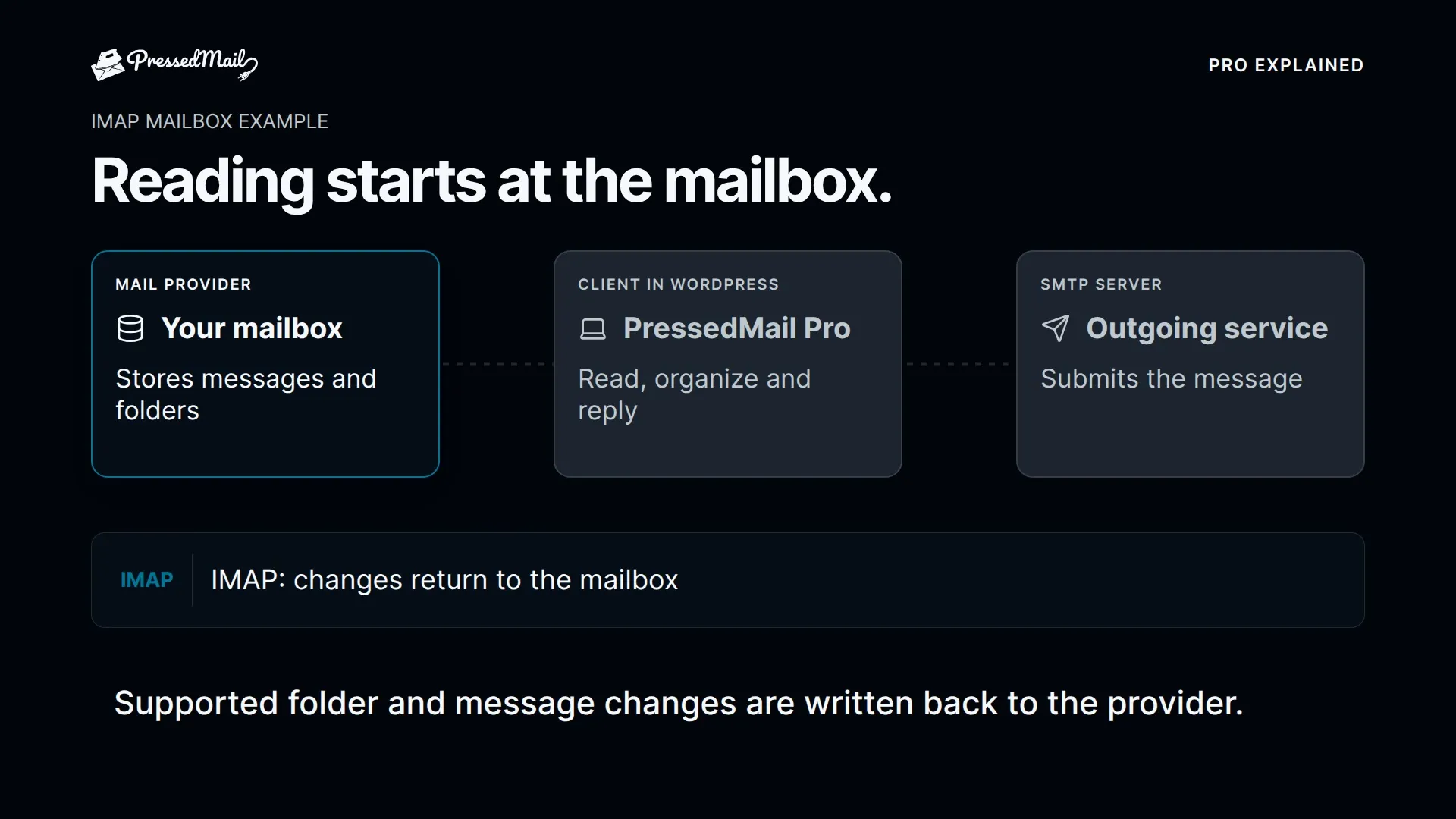
Open the message in PressedMail and inspect its sender, subject and date. Return to provider webmail and compare the state. If you try a folder action, use a nonessential message and check the outcome before applying the action to real work.
IMAP clients operate on provider-held mailboxes. The IMAP specification includes operations for mailbox contents and message flags. A connected interface therefore needs to be treated as access to the actual account, not a disposable visual copy.
For replies, use a second test address and confirm receipt there. Sending and receiving from WordPress explains the complete exercise.
Why an iframe is usually the wrong starting point
Embedding a provider's login page does not create an email-client integration. The provider still controls login, cookies and whether its page may be embedded.
Even if a page appears inside a frame, that arrangement does not supply shared account permissions, mailbox synchronization or WordPress-aware mail controls. It can also stop working when the provider changes its interface or embedding policy.
Use the provider's supported browser page as a normal link, or use a client that implements the provider's supported mailbox access. Do not put passwords in a URL or create a public page that exposes account credentials.
The webmail versus WordPress client comparison covers the longer-term tradeoffs between these arrangements.
Keep a second route to the mailbox
Retaining provider webmail is useful when WordPress is unavailable or you need a provider-specific function. You can keep both interfaces without moving the mailbox.
A desktop client is another option if you prefer an application separate from site administration. If all you need is quicker navigation, a bookmark may be sufficient.
PressedMail fits when you want to read and reply while working in wp-admin. Free supports one mailbox; additional accounts and advanced workspace features are paid features. Connecting that mailbox does not automatically configure the website's own notification SMTP server.
Frequently asked questions
Can I connect using my webmail URL?
Use the provider's email-client server settings. The browser login URL and IMAP hostname serve different purposes.
Is cPanel an email client?
cPanel is a hosting control panel that can expose mailbox management and webmail access. The actual webmail interface may be another application, such as Roundcube.
Can I keep using Roundcube?
Yes. Connecting a compatible mailbox through another client does not require abandoning the existing webmail interface. Both access the provider's account, subject to its permissions.
Does a WordPress shortcut let me reply inside wp-admin?
A shortcut opens the linked interface. To read and reply within the WordPress plugin's own screen, you need a connected email client.
Will this create an address for my domain?
No. Obtain the mailbox from an email provider first. The WordPress interface connects to that existing account.
Manage your email inside WordPress
PressedMail Free adds an email client directly to your WordPress dashboard. Connect a compatible IMAP/SMTP mailbox, read and send mail, organize messages, and configure WordPress SMTP.




