A mailbox inside WordPress raises fair questions. Where does the mail sit? Where does the password go? Who on the site can read it? This guide answers them from how PressedMail actually works, so you can decide whether it fits your site.
The short version: your mail provider keeps the real mailbox, and PressedMail keeps a working copy in your WordPress database. Mailbox passwords are encrypted. Almost nothing leaves your site except the traffic to your own mail provider.
The mailbox stays with your provider
PressedMail is an email client. It talks to your provider over IMAP to read mail and over SMTP to send it. The messages themselves live on the provider’s server, which is how IMAP is designed to work. The IMAP and SMTP guide explains the two roles.
Because of that, removing PressedMail’s data does not remove your mailbox. Deleting a message through the client can change provider mail, though, so treat that action with the same care as in any mail app.
What PressedMail copies to your site
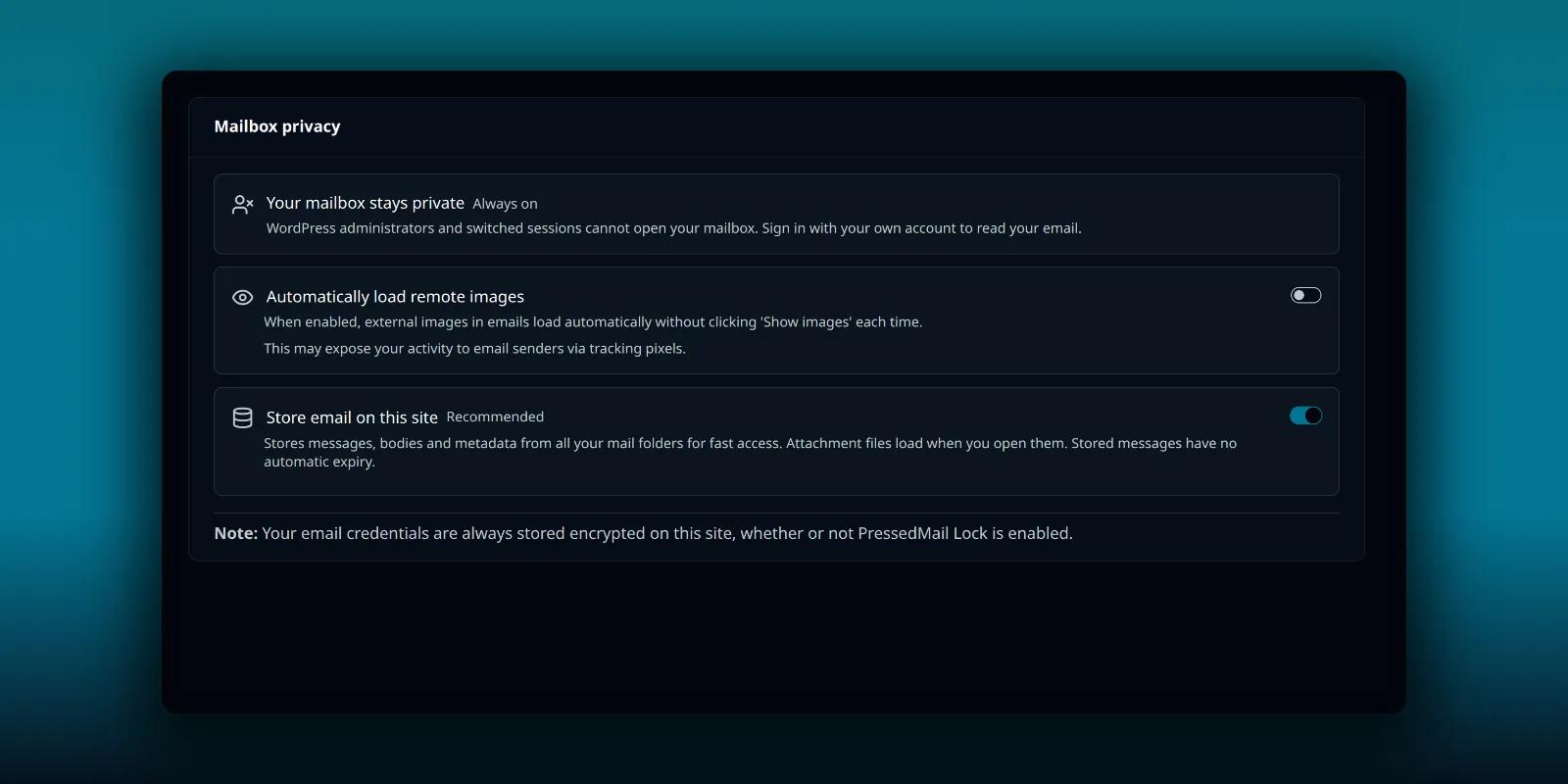
To show lists quickly and let rules and search work, PressedMail keeps a local copy of your mail in your WordPress database. Open PressedMail, then Settings, then Security.
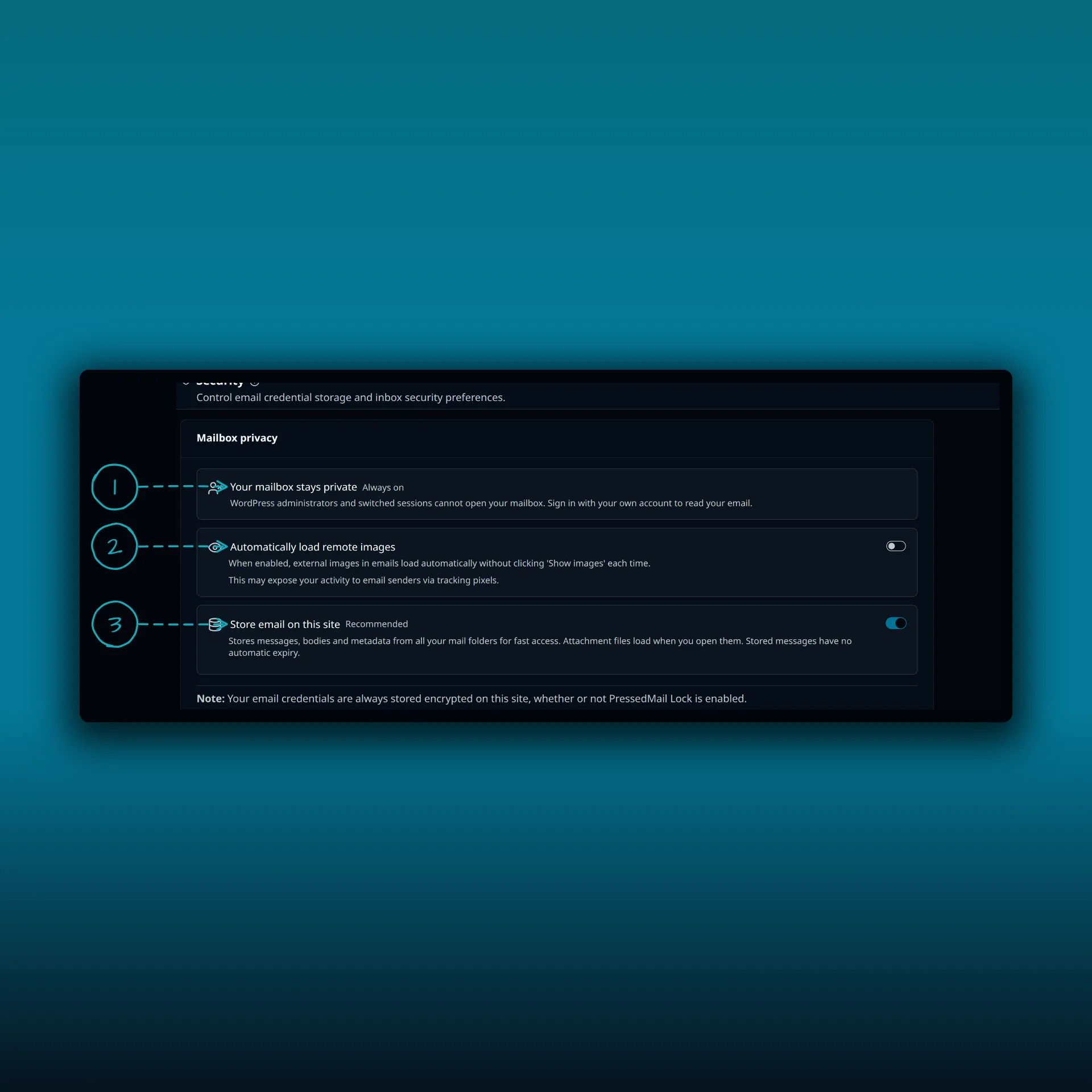
- Your mailbox stays private. This is always on. WordPress administrators and switched sessions cannot open your mailbox.
- Automatically load remote images.
- Store email on this site.
The third switch controls the copy. It is on by default and marked Recommended. The note under it says it stores messages, bodies and metadata from all your mail folders for fast access, that attachment files load when you open them, and that stored messages have no automatic expiry.
Turn it off and messages load straight from IMAP each time. That is slower, and the note warns that views and rules that need stored email become unavailable. The setting belongs to each user, and you can clear what is already stored. A developer can also force storage off for a whole site with a filter.
What else lives on your site
Contacts, calendar events and your preferences are local records too. They exist only in your WordPress database, which is why your own backups matter. Your provider’s copy of your mail does not cover them. If you plan to remove the plugin, the update and uninstall guide shows what each step keeps.
Removing a connected account deletes its saved credentials and its local copy of the mail.
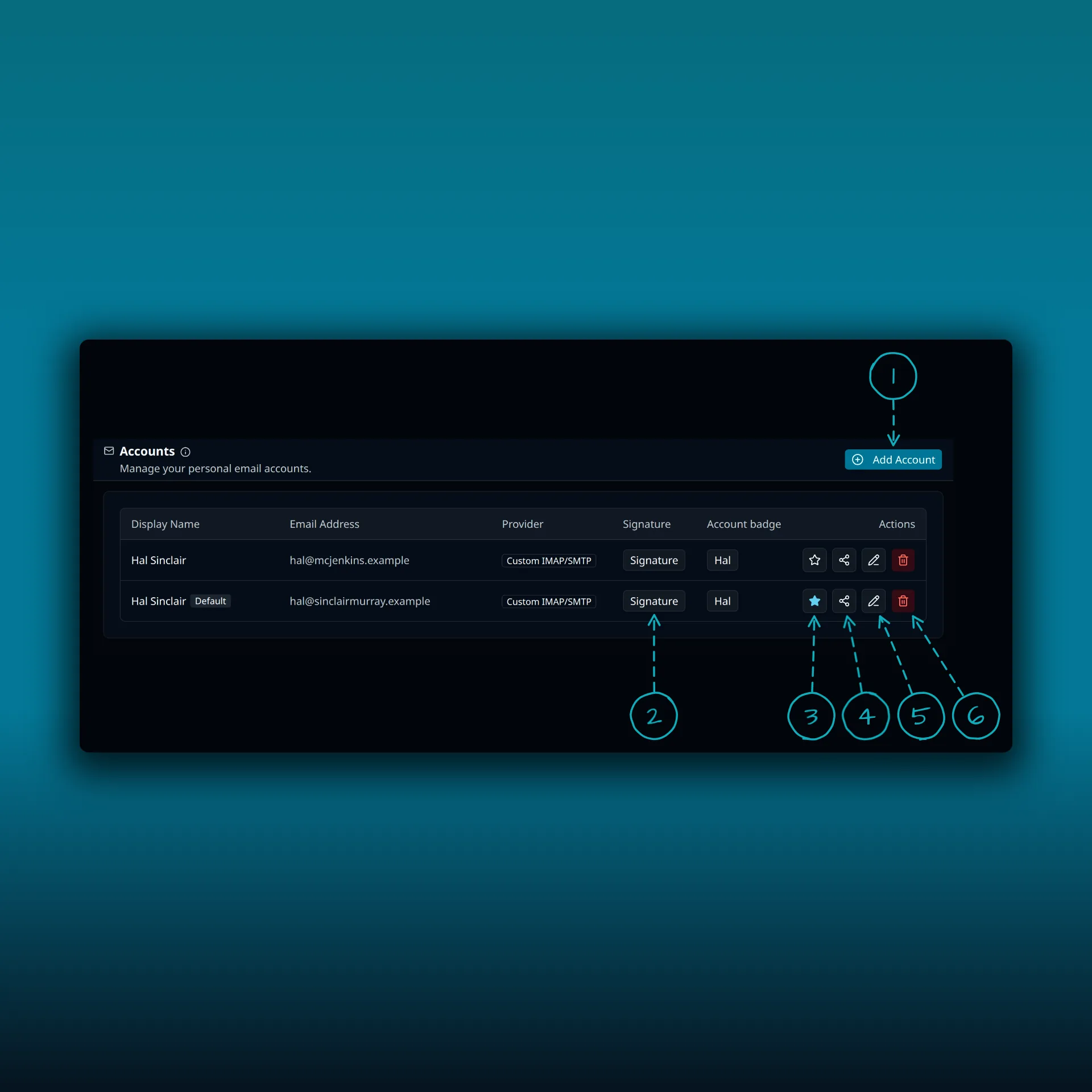
- Add Account.
- Signature. Opens the signature for that account.
- The star. A filled star marks the default account.
- Share. Sharing a mailbox needs Ultimate or Lifetime.
- Edit.
- Delete. Removes the account, its saved credentials and the local copy of its mail.
How credentials are protected
Mailbox passwords and sign-in tokens are encrypted before they reach the database. That covers the IMAP and SMTP passwords, the access and refresh tokens used by sign-in connections, and the settings of any outgoing provider. PressedMail uses AES-256-GCM, a standard authenticated encryption mode described in NIST SP 800-38D. Authenticated means tampering with a stored value is detected rather than silently accepted.
The key comes from a random secret that PressedMail generates for your site. It is separate from your WordPress login keys, and each purpose gets its own key derived from that secret.
Keep the secret out of your backups
By default the secret is stored in the database next to the data it protects. A database backup therefore holds both. You can move it out.
Define a constant named PRESSEDMAIL_SECRET_KEY in wp-config.php with a string of at least 32 characters. PressedMail then re-encrypts the stored credentials under that key in small background batches. When nothing needs the old secret any more, it removes the database copy. After that, a database backup alone cannot open your saved credentials. Keep the value somewhere safe, because credentials encrypted under it cannot be read without it.
What encryption does not do
Encryption at rest does not defend against every kind of compromise. Someone who controls the running WordPress code and its secrets can act outside the plugin’s checks. Protect the host, your backups and your administrator accounts as well.
Who can open a mailbox
Access checks require the account owner. An administrator role does not automatically open another user’s mailbox through PressedMail. On Ultimate and Lifetime, you share a mailbox on purpose from the Share button, and the sharing guide shows how roles work.
If you want a second check in front of your mailbox, the passphrase lock guide covers the lock and its protection against user switching.
Background work such as sync, scheduled sends and rules runs on the server for the mailbox owner. That is how mail keeps arriving while you are not signed in.
What leaves your site
PressedMail makes requests to these places, and only when the matching feature is in use:
- Your mail provider, for IMAP reads, SMTP sends and sign-in.
- The PressedMail licence service on paid sites, for activation, checks and downloads. These requests carry the licence key, product and plugin version, site address and WordPress and PHP versions. They carry no mailbox passwords, message bodies or attachments.
- Microsoft’s sign-in relay, when you connect a Microsoft account that way.
- Your own AI provider, when you turn on an AI action that uses one.
- PressedMail AI, when auto-tagging, spam or phishing checks are set to it. The credits guide explains how that is billed. The Licensing tab states exactly what is sent.
- A remote image host, when you allow an email’s images to load.
That last one is why remote images stay blocked until you allow them. The post on securing email display explains the controls.
This list covers PressedMail’s own paths. Your host, your backups and your other plugins have their own access and retention.
Frequently asked questions
Does PressedMail send my mail to CurbSoftware?
No. Reading and sending go between your site and your mail provider. Message content only goes to PressedMail AI when you set an AI feature to use it, and the Licensing tab lists what it sends.
Can a WordPress administrator read my mailbox?
Not through PressedMail. The Security page says administrators and switched sessions cannot open your mailbox. An administrator with direct control of the server, database or plugin code is outside what a plugin can protect against.
Are my mailbox passwords stored in plain text?
No. They are encrypted with AES-256-GCM before they are saved.
What happens to the local copy if I remove an account?
Removing an account deletes its saved credentials and the local copy of its mail. The mailbox at the provider is untouched.
Should I turn off Store email on this site?
Leave it on unless you have a reason. Turning it off makes every view load from IMAP and disables views and rules that need stored mail.
Manage your email inside WordPress
PressedMail Free adds an email client directly to your WordPress dashboard. Connect a compatible IMAP/SMTP mailbox, read and send mail, organize messages, and configure WordPress SMTP.