

WordPress can submit mail through the web server's default mail arrangement or through an explicitly configured SMTP server. The better choice depends on who operates that route, which senders it permits and what evidence you can obtain when a message fails.
Authenticated SMTP makes the selected server and credentials explicit. It does not give WordPress control over the recipient's Spam folder. A correctly operated host mail system can also work.
The practical comparison is between application submission paths. SMTP may still appear later in the journey even when the application starts with PHP's mail function.
Separate PHP mail, wp_mail and SMTP
PHP's mail function hands a message to the configured mail system. Its official manual explains that acceptance for delivery does not establish arrival at the destination.
WordPress provides wp_mail as the application-level function used by many notifications. A routing plugin can change the transport behind that interface. The wp_mail explanation follows that layer.
SMTP is the protocol used for mail submission and transfer. A provider may accept authenticated submissions from your WordPress server, then handle onward delivery.
These terms are therefore related, but they are not three competing products. The question for a site owner is which configured route should carry the site's notifications.
Compare operational responsibility
| Consideration | Host's default mail arrangement | Configured SMTP submission |
|---|---|---|
| Who selects the outbound infrastructure? | Usually the hosting configuration | The selected SMTP provider and account |
| Where do you get setup values? | Host documentation or support | Provider hostname, security and authentication settings |
| Where can failures be investigated? | Available application and host logs | Application results plus available provider evidence |
| Which sender identities work? | The host's policies and configuration | The SMTP provider's authorization rules |
This table does not rank reliability. It identifies who can answer the questions you will have during an incident.
Ask your host what currently handles outgoing mail. Some hosts provide a managed route; others expect you to configure a separate service. An unexplained default is a reason to investigate, not proof that the path is broken.
What SMTP changes
A configured SMTP route specifies where WordPress submits messages and how it authenticates. It can make server responses and account policy more visible during testing.
It also introduces dependencies: the host must reach the server, the credential must remain valid and the provider must permit the sender and intended traffic.
An expired app credential, blocked port or unauthorized From address can still prevent sending. The SMTP test guide separates those checks.
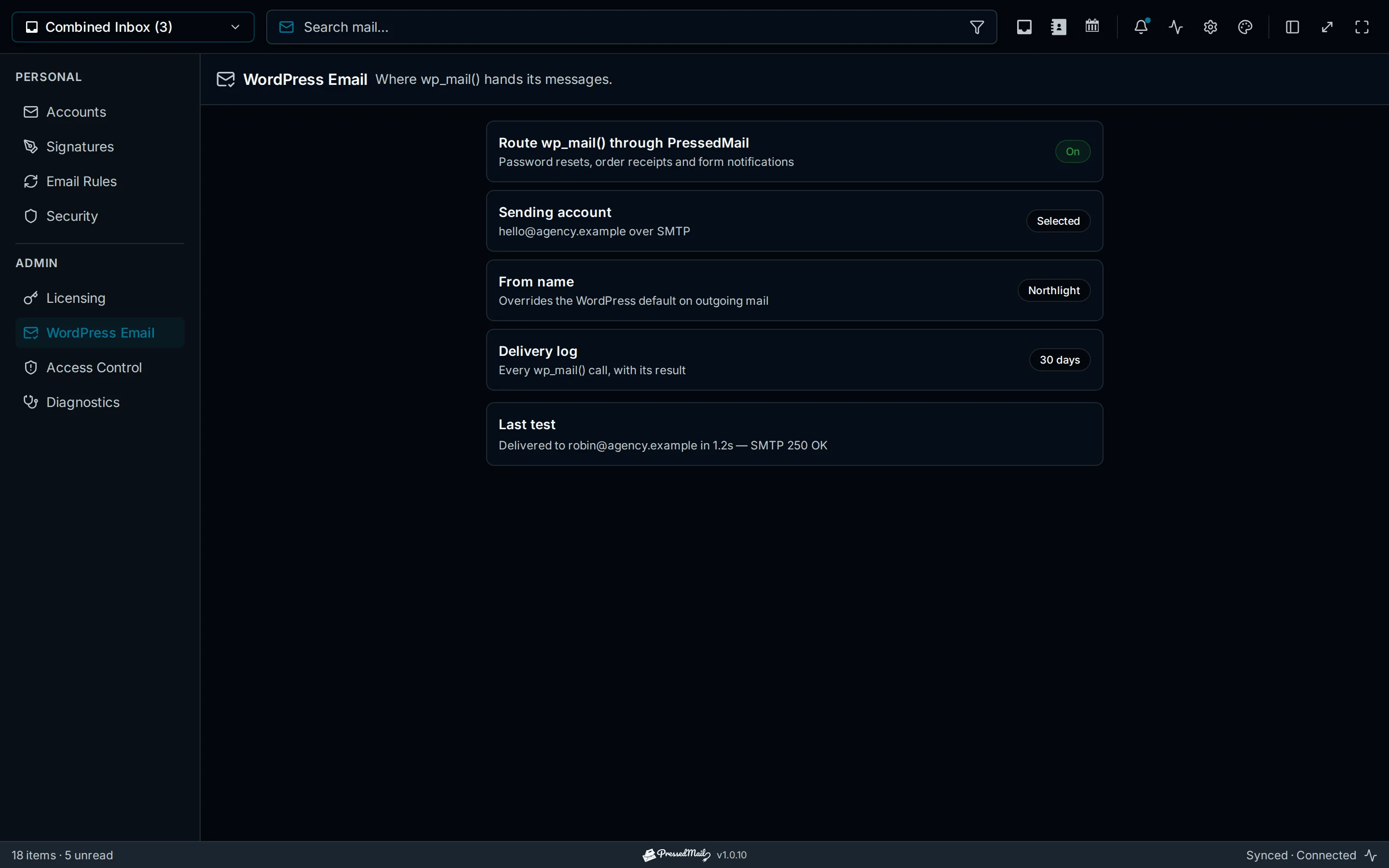
Illustration of WordPress SMTP configuration. Its example results are explanatory and do not demonstrate a successful migration.
SMTP does not automatically create an inbox, preserve all outgoing bodies or synchronize contacts. If you need a reading interface too, review IMAP and SMTP roles.
Decide whether to change the route
Consider a change when the current path is unsupported, unavailable, poorly understood or unsuitable for the site's sending needs.
If the existing route works and its operator supplies the evidence and support you need, a migration may add work without improving the task. Test the problem you are trying to solve before changing providers.
For a store or other busy site, verify the chosen service's intended use and limits. Do not assume a personal mailbox plan covers every volume of transactional mail.
A dedicated sending service or supported provider API can be appropriate. Compare actual requirements rather than selecting a provider solely because it has an SMTP hostname.
Move with a rollback record
Record the current sender and transport configuration before replacing it. Keep the previous provider access available until the new route has been checked.
Then configure one route owner. If PressedMail will handle WordPress mail, its administrator WordPress Email settings accept a separate SMTP server. Free supports one server, and Pro adds multiple-server routing.
The inbox account is not automatically reused for system mail. Treat the outgoing-server configuration as its own setup.
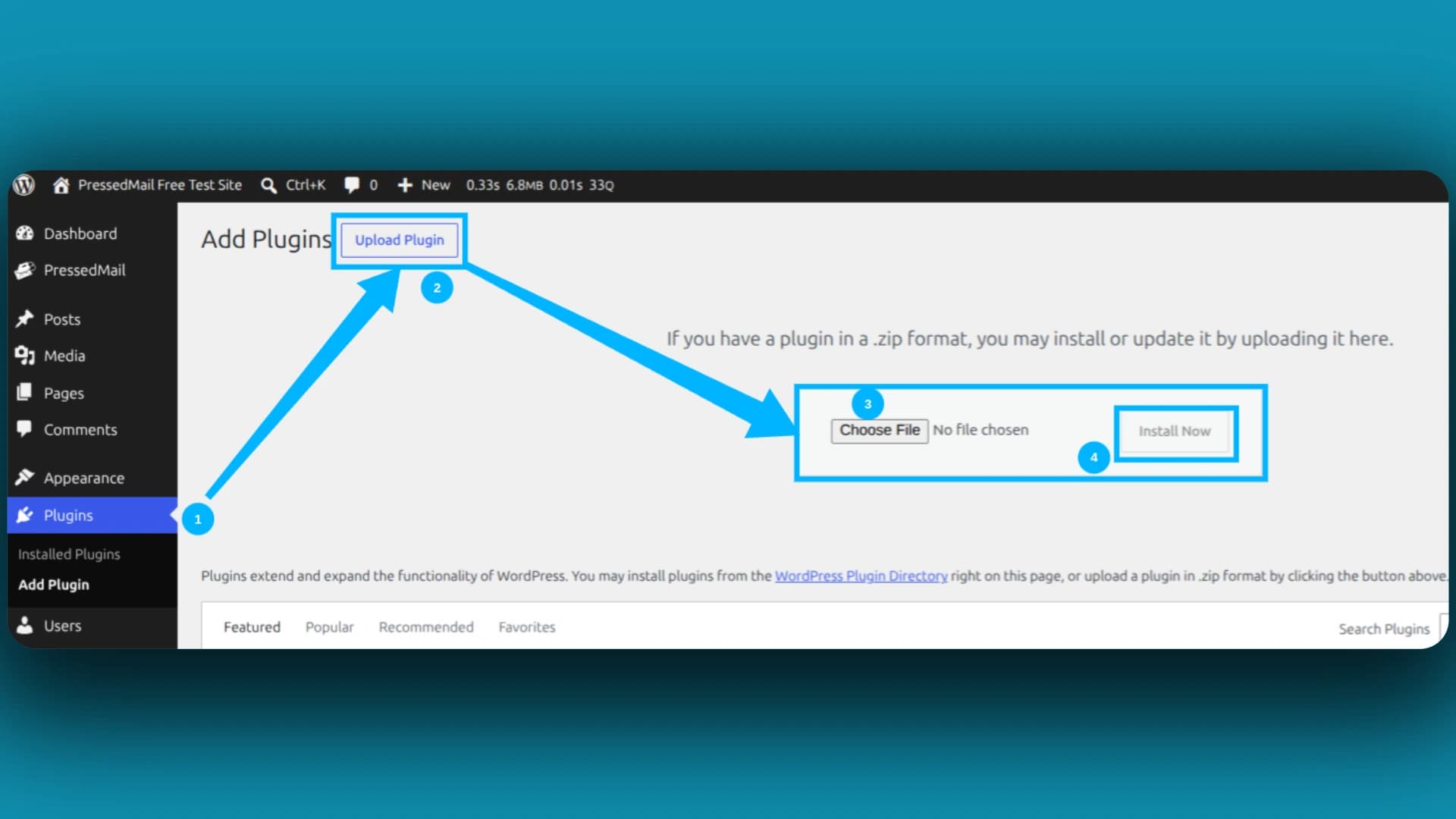
If installing the plugin from a ZIP, WordPress provides an Upload Plugin workflow:
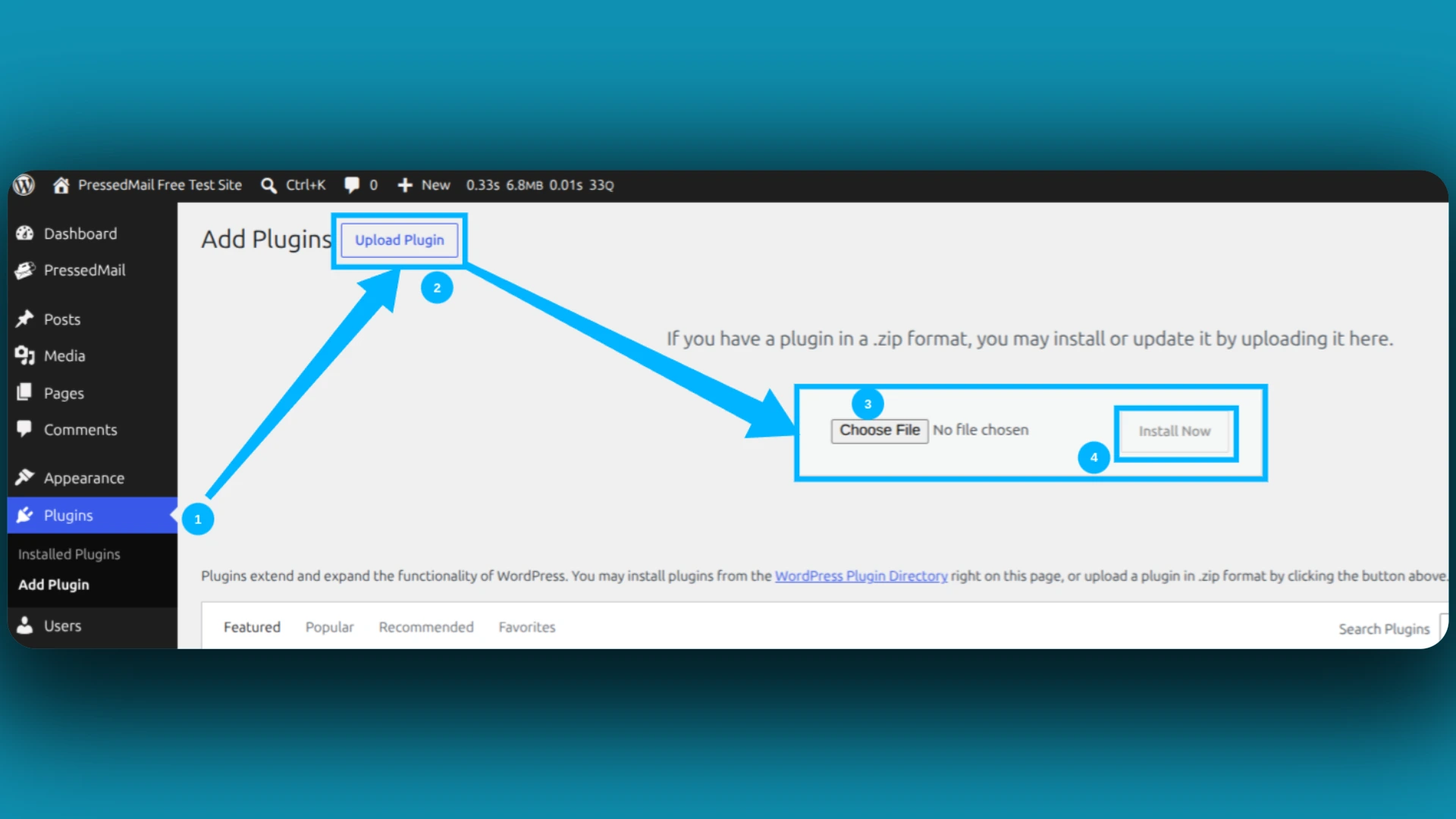
Screenshot of WordPress's ZIP-upload installer. This is an installation route, not evidence that SMTP is configured or working.
Follow the WordPress SMTP setup guide for the server, authentication and sender settings. Keep encryption consistent with the provider's documented configuration.
Test the real notifications
Start with a short test message to an external address you control. Inspect the application result and the receiving mailbox.
Then test the actual notification types the site depends on. A form may supply a different From address from a generic test. A store message may depend on an order event. The route cannot manufacture a notification the application never generated.
Record the result before removing the old active configuration. If the replacement fails, restore the documented previous arrangement and verify it rather than assuming that disabling a plugin restores every setting.
Checking whether WordPress email was sent helps distinguish a route result from actual receipt.
Keep sender identity consistent
Use an address the selected provider allows you to send as. A display name alone does not authorize an address.
For forms, keep the visitor's address in a validated Reply-To field when appropriate, while the site sends from its own authorized identity. A forced sender override may affect several plugins, so test the received headers of the real message.
Domain authentication and recipient filtering remain separate considerations. If the message reaches Spam, follow WordPress spam-placement troubleshooting instead of assuming another transport switch will fix it.
Where PressedMail fits
PressedMail Free combines a one-mailbox email client with separately configured WordPress SMTP and metadata logging. That is useful when you want both conversation handling and site-mail visibility inside WordPress.
Its WordPress log stores metadata rather than message bodies. Its current sending setup does not provide automatic fallback between servers. Choose it for the capabilities it supplies, then verify the provider arrangement that carries your mail.
Frequently asked questions
Is PHP mail always unreliable?
No. Its outcome depends on the configured host mail system. Ask who operates that system and what evidence is available.
Does SMTP guarantee Inbox placement?
No. The recipient provider still applies its own filtering and account rules.
Does changing transport rewrite my forms?
Ordinary plugins using wp_mail can keep calling the same function. Their recipients, headers and trigger conditions still need to be correct.
Can I switch back?
Keep a record of the previous configuration and provider access, restore it if necessary and test it again.
Do I need an inbox to use SMTP?
No. Sending and mailbox reading are separate capabilities. PressedMail offers both, but configures its site-wide sender separately.
Manage your email inside WordPress
PressedMail Free adds an email client directly to your WordPress dashboard. Connect a compatible IMAP/SMTP mailbox, read and send mail, organize messages, and configure WordPress SMTP.




