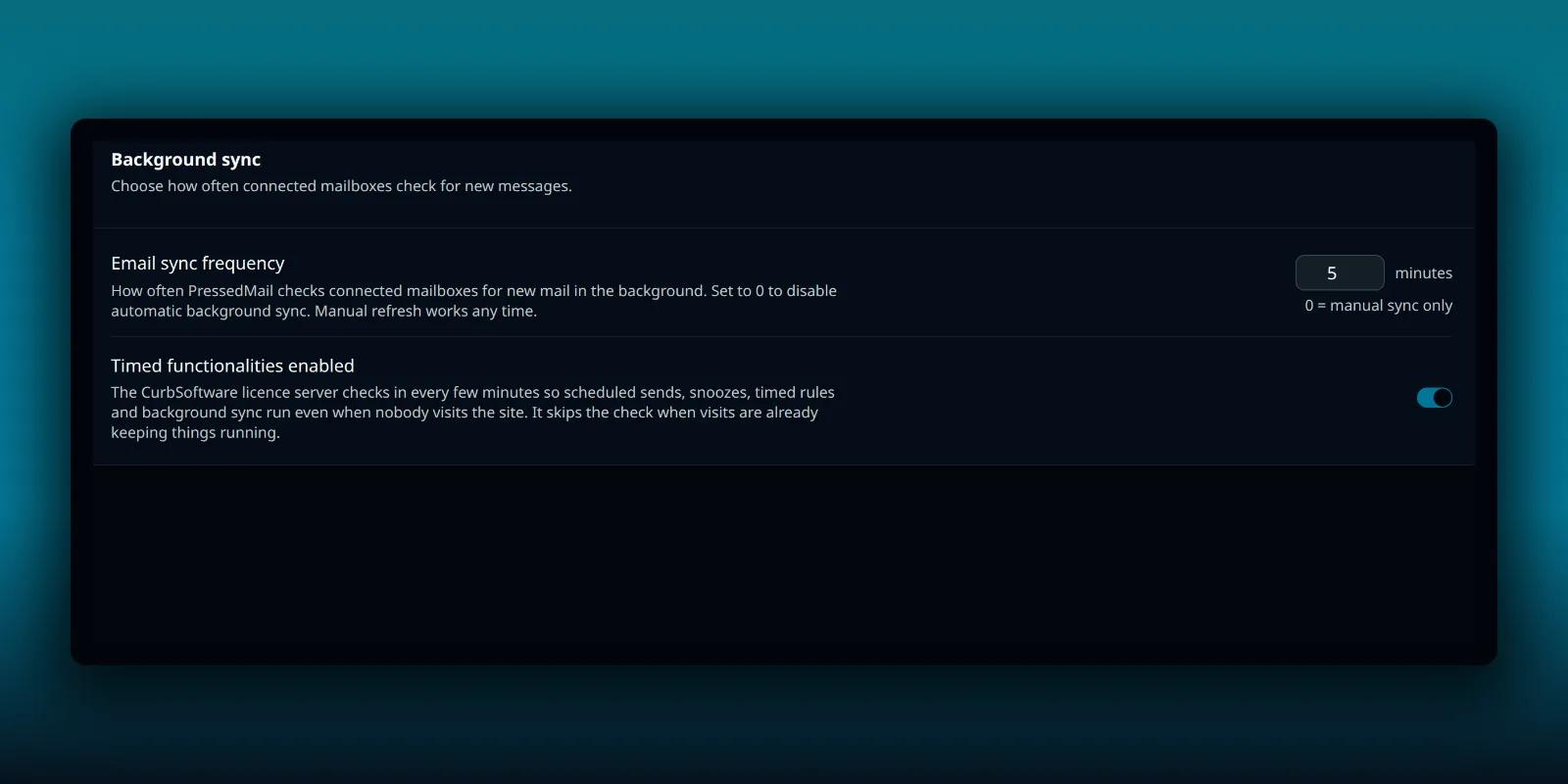
New mail does not appear in PressedMail by magic. Something has to ask your provider whether there is anything new, and on a WordPress site that something runs on a schedule you can see and change.
This guide explains the setting, what the default does, what changes on paid builds and what to check when the inbox lags behind your phone.
The Mail sync tab
Open PressedMail, then Settings, then Mail sync. The tab sits under Admin and holds one card, Background sync.
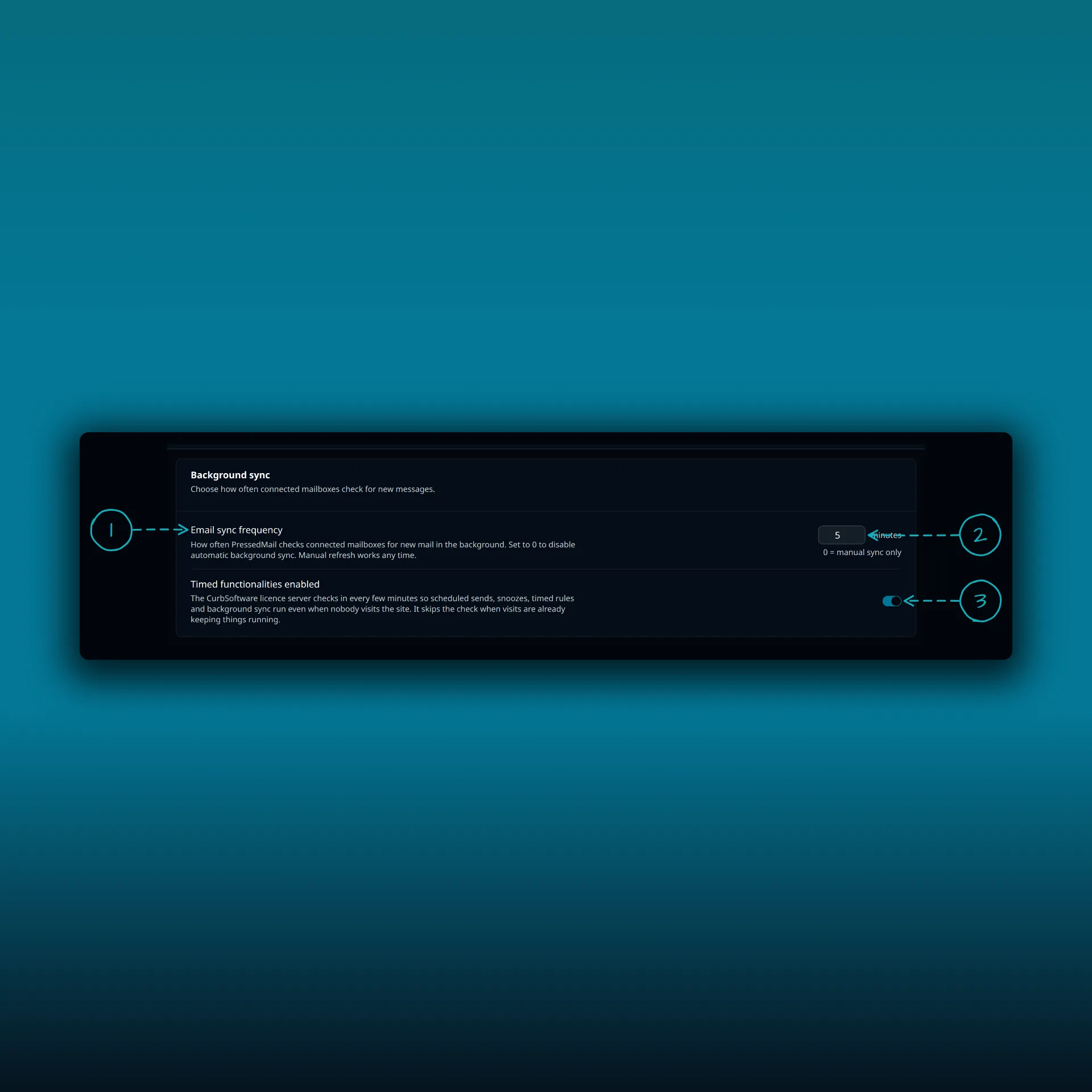
- Email sync frequency. How often PressedMail checks connected mailboxes for new messages.
- The number of minutes. It starts at 5. You can set anything from 0 to 60.
- Timed functionalities enabled, which paid builds have.
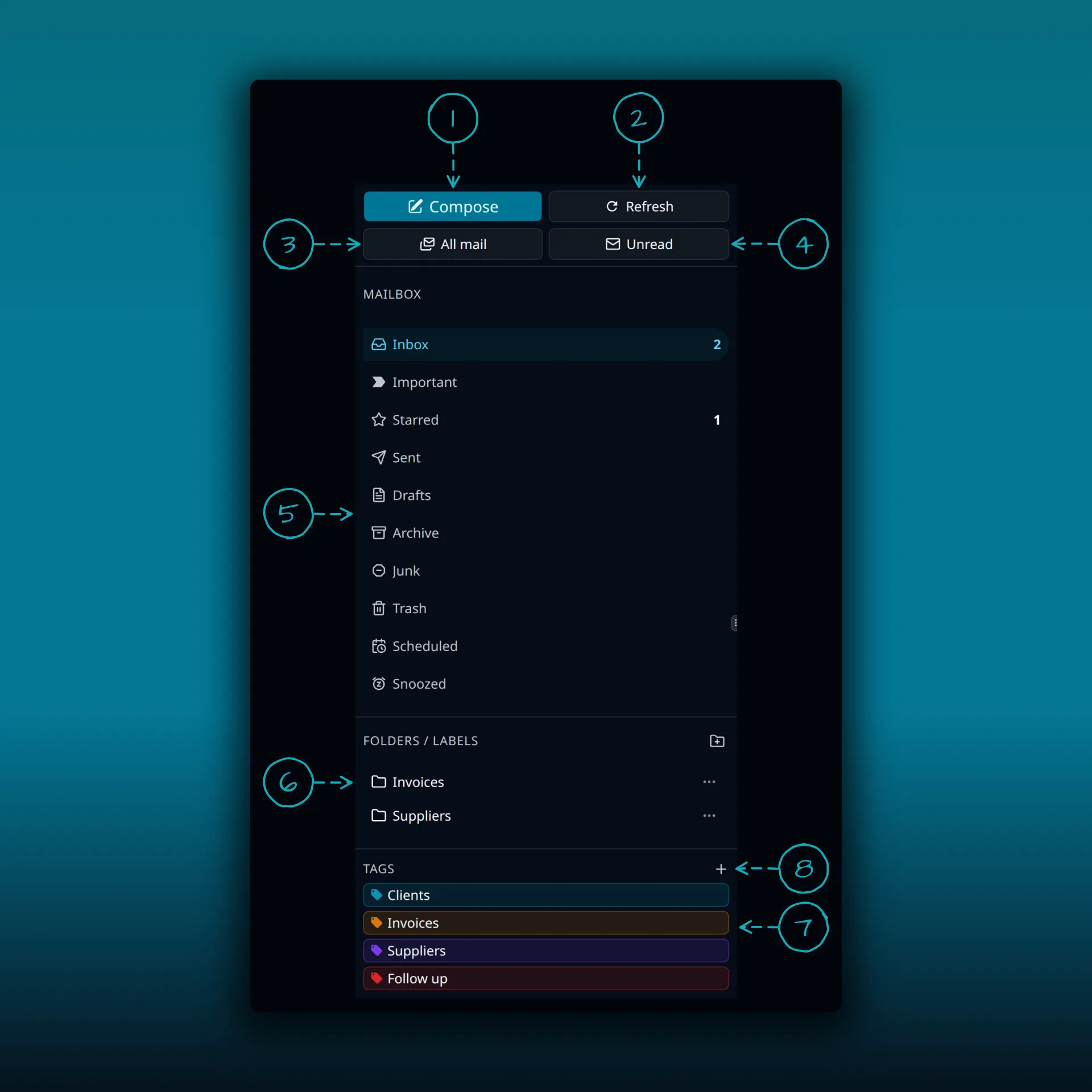
- Compose.
- Refresh. Checks for new mail now.
- All mail.
- Unread.
- The mailbox folders, with unread and starred counts.
- Folders and labels.
- Tags.
- Add tag.
Refresh is item 2, and it checks for new mail whatever the sync frequency says.
A value of 0 turns automatic checking off. The line under the box says so: 0 means manual sync only. Manual refresh works at any time, from the Refresh button at the top of the folder pane.
What the number means
On Free, the setting reads: how often PressedMail checks for new mail while it is open or when someone visits WordPress admin. So a check can only happen when something is running. If nobody opens the dashboard for an hour, nothing asks your provider for an hour.
On paid builds, the same setting reads: how often PressedMail checks connected mailboxes for new mail in the background. The wording changes because paid builds have a way to keep checking when nobody visits, described next.
Smaller numbers check more often. The default of 5 suits most sites. If you only read mail a few times a day, a larger number does less work, and a Refresh when you open the inbox is always there.
Timed functionalities
Several things in PressedMail depend on a clock: background sync, scheduled sends, snoozes that wake, and rules that run on a timer. WordPress runs scheduled work when a page loads, as its cron handbook explains. On a quiet site, scheduled work can run late because no page loaded to trigger it.
The Timed functionalities enabled switch is the paid fix. When it is on, the CurbSoftware licence server checks in every few minutes, so scheduled sends, snoozes, timed rules and background sync run even when nobody visits the site. It skips the check when visits are already keeping things running. The switch is on by default.
It has one requirement: the site must be reachable from the internet. If it is not, the switch is greyed out and the tab explains why. A site that is marked as local or development with WP_ENVIRONMENT_TYPE cannot be woken, and the message tells you to set it to staging or production. A site on a private network cannot be woken either. In both cases, timed features run only while PressedMail is open.
If your host has switched WP-Cron off, PressedMail has a WP-CLI command for that case, covered in the guide to running background jobs from real cron. If you prefer to run WordPress’s scheduler from the server instead, WordPress documents hooking WP-Cron into the system task scheduler. The post on snoozing and scheduling explains what late timed work looks like from a user’s point of view.
When new mail is slow to appear
Work down this list.
- Press Refresh. If the mail appears, the connection is fine, and the problem is how often checks run.
- Look at the status line at the bottom of PressedMail. It reads something like Synced, the number of folders and Connected. A different state points to a connection problem, and the inbox sync troubleshooting page walks through it. The IMAP setup guide shows the settings a mailbox needs.
- Open Mail sync and check the frequency is not 0.
- On Free, remember that checks happen while PressedMail is open or someone is in the admin. A site nobody visits will not check.
- On a paid build, check that Timed functionalities enabled is on and not greyed out. If it is greyed out, read the reason it gives.
- Check the account itself. A mailbox whose password changed or whose provider blocked the sign-in will not sync, whatever the frequency says. The Diagnostics tab shows what the site can and cannot do.
Mail that arrives while PressedMail does not check is not lost. It waits at your provider, and the next successful check brings it in. If a person loses access to PressedMail, their sync waits too, as the guide to who can open PressedMail explains.
Frequently asked questions
What is the default sync frequency?
Five minutes.
Can I turn automatic checking off?
Yes. Set the frequency to 0. Mail then updates when you press Refresh.
Why does a paid build check without visitors?
Timed functionalities lets the licence server wake the site every few minutes. Free has no such wake.
Why is the Timed functionalities switch greyed out?
The site cannot be reached from the internet, or WP_ENVIRONMENT_TYPE marks it as local or development. The tab states which.
Does the setting change how fast I can send?
No. It only controls how often new mail is fetched.
Manage your email inside WordPress
PressedMail Free adds an email client directly to your WordPress dashboard. Connect a compatible IMAP/SMTP mailbox, read and send mail, organize messages, and configure WordPress SMTP.