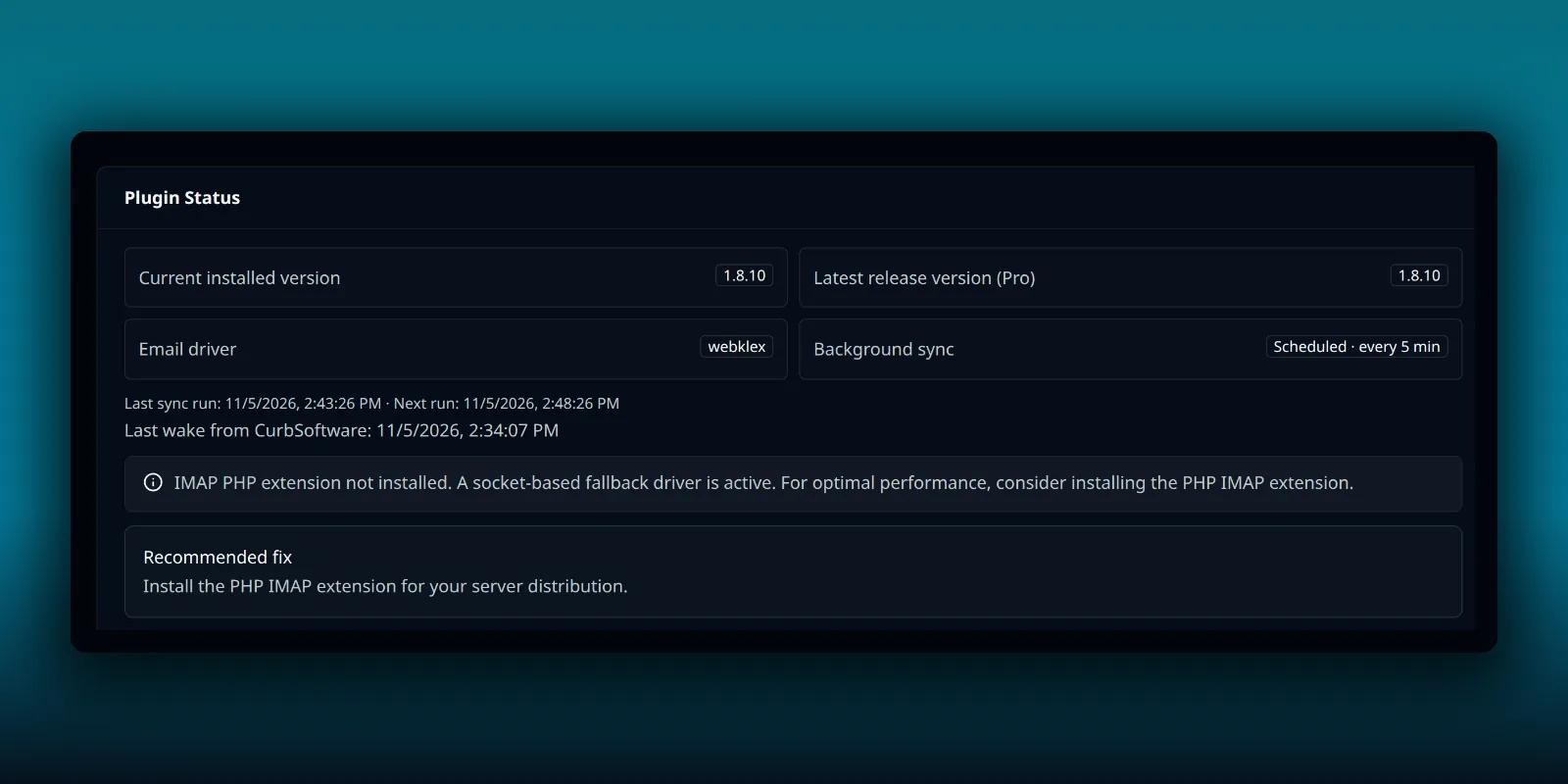
PressedMail does a lot of work when nobody is looking. It fetches new mail, sends scheduled messages, wakes snoozed ones and runs rules. That work rides on WordPress’s own scheduler, WP-Cron, and most sites never have to think about it.
A few do. If your host has switched WP-Cron off, or your site gets too few visits to trigger it, scheduled work waits. This guide shows how to tell, and how to hand the job to a real system cron with a single command.
Do you need this?
Probably not. PressedMail books its own recurring event with WP-Cron and drives every due job from it, with no setup. It also catches up while someone has PressedMail open. A small, bounded number of overdue jobs are run on the spot when a mailbox is read, so an open inbox heals itself.
The cases where a real cron helps are narrow:
- Your wp-config.php sets DISABLE_WP_CRON, and nothing else runs WordPress’s scheduler.
- WP-Cron cannot start, for instance because the site cannot call itself over the network.
- You want jobs to run to the minute on a site with very little traffic.
Signs of trouble are scheduled sends that go out late, snoozed mail that wakes late, and an inbox that only updates when you open it. The guide to snoozing and scheduling shows what late timed work looks like.
Read the Diagnostics lines
Open PressedMail, then Settings, then Diagnostics. The Plugin Status card tells you how background work is going.
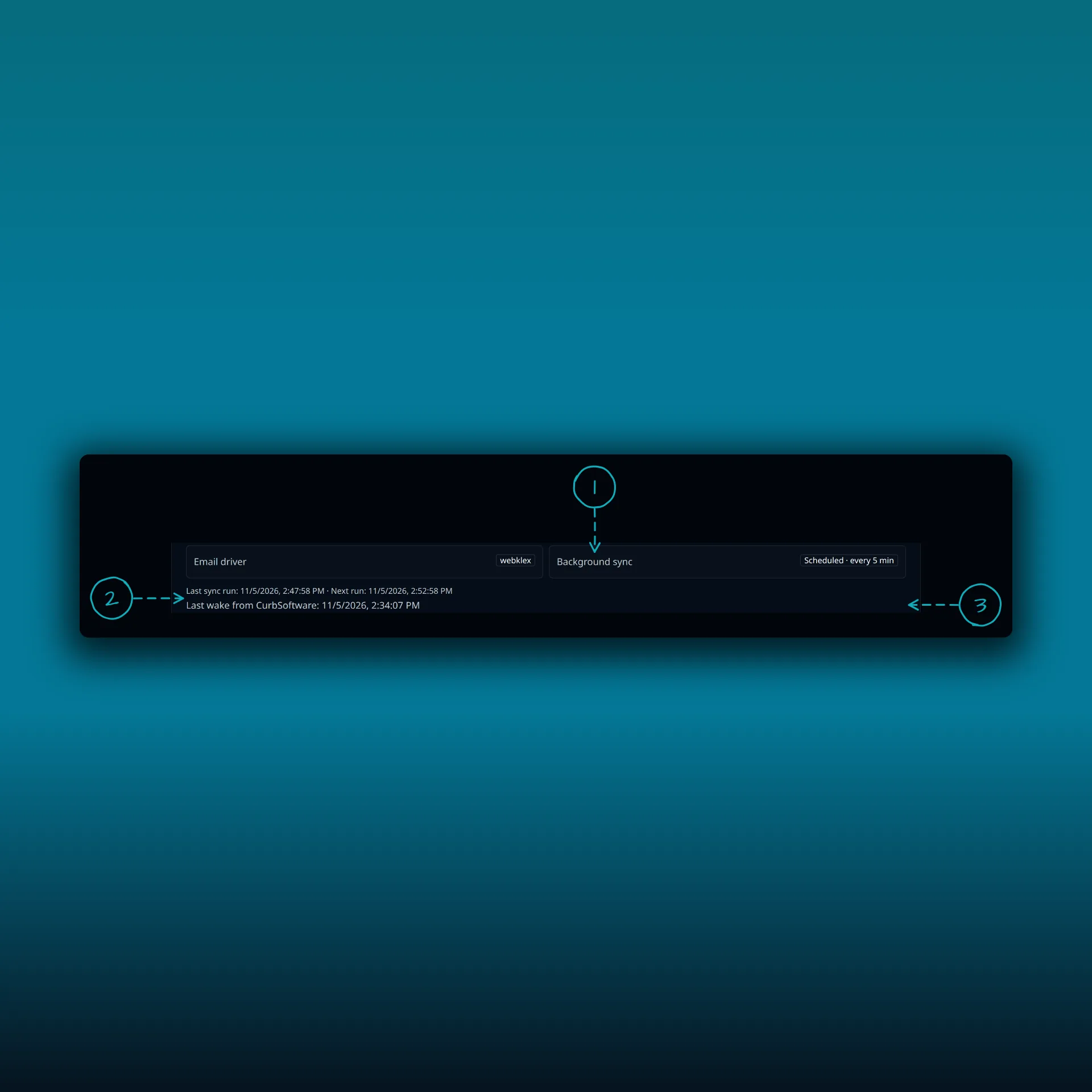
- Background sync. On this paid build it reads Scheduled, every 5 min.
- Last sync run and Next run. If the last run is long ago and the next run is already past, the schedule is stuck.
- Last wake from CurbSoftware. Paid builds can be woken from outside, which the sync guide explains.
These lines belong to paid builds. A Free site reads differently. It says PressedMail checks for new mail while it is open and when someone visits the WordPress admin, and that nothing runs on a timer.
When a paid site is overdue, Diagnostics adds a hint. It says WordPress runs background jobs only when your site gets a visit, so a quiet site falls behind, and that PressedMail catches up while it is open. For steady syncing, it says, have your host run wp pressedmail cron run-due every minute.
The sync interval is a separate setting
The command does not change how often PressedMail checks for mail. That interval lives under Settings, then Mail sync.
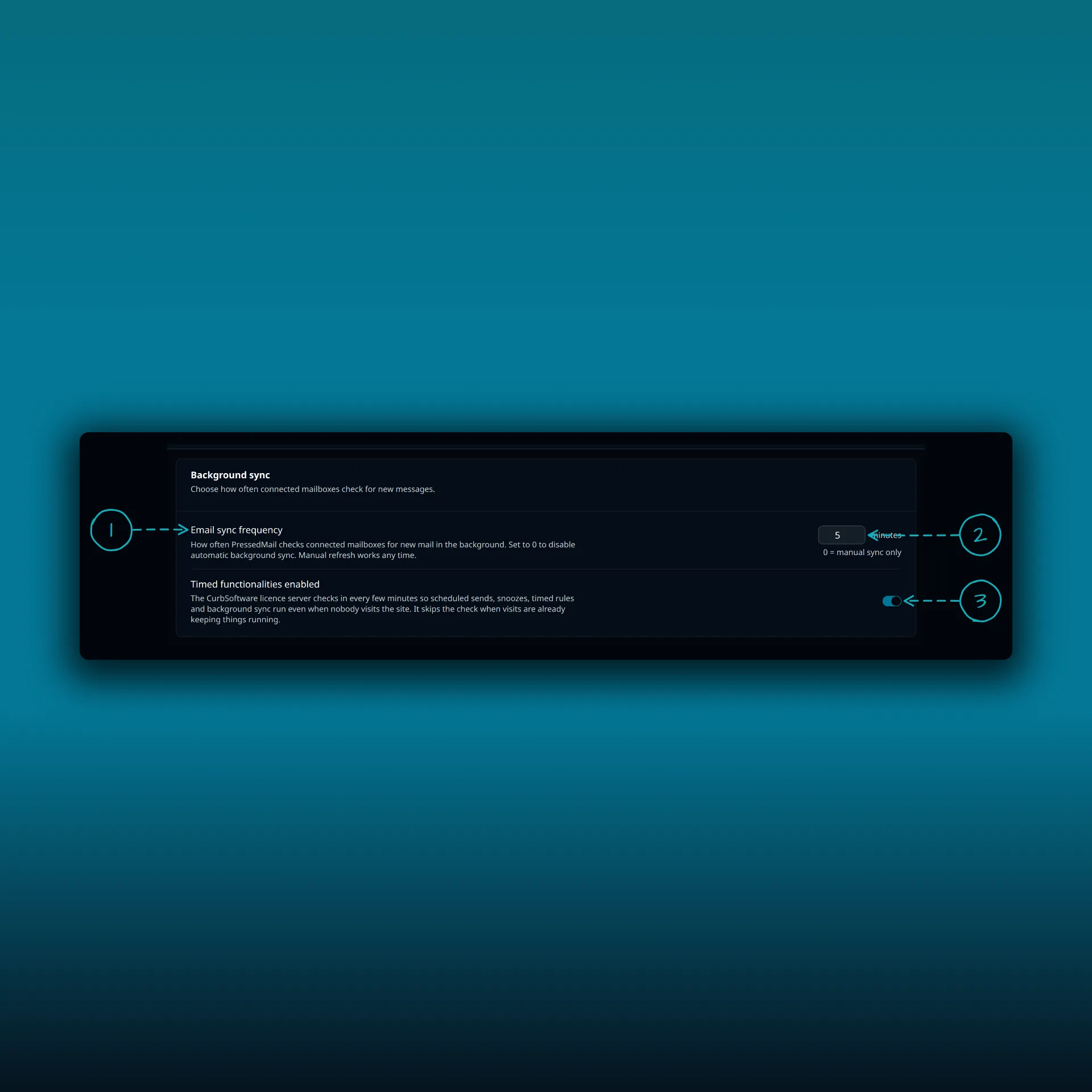
- Email sync frequency. How often PressedMail checks connected mailboxes for new messages.
- The number of minutes. It starts at 5, and 0 means manual sync only.
- Timed functionalities enabled, which paid builds have.
A real cron decides when due jobs get a chance to run. This setting decides how often a mail check is due.
The command
You need WP-CLI on the server. From the WordPress folder, run:
wp pressedmail cron run-due
PressedMail drains the jobs that are due, then drives its own process queue. A good run ends with a line such as “Processed 3 due job(s); 0 still due.”
Two flags tune it. --max-jobs sets how many jobs one pass may run. It defaults to 25 and accepts 1 to 200. --time-budget sets the seconds the pass may take. It defaults to 45 and accepts 1 to 300. A flag with a garbage value is rejected with a warning instead of being quietly clamped, so a broken shell variable in a crontab does not degrade every run unnoticed.
The older spelling wp pressedmail cron run_due still works, so a crontab written for it keeps running.
Put it on a schedule
Add one line to the crontab of the user that owns the site files:
* * * * * cd /path/to/wp && wp pressedmail cron run-due >/dev/null 2>&1
Replace the path with your WordPress folder. On shared hosting, add the same command through the host’s cron screen. If your host does not know wp, give the full path to the WP-CLI binary.
Every minute suits the default budget. Longer gaps are fine too. Scheduled sends and sync then run at the next tick rather than to the minute.
If you disable WP-Cron, WordPress itself still needs a real scheduler for everyone else’s jobs. WordPress documents how to do that in hooking WP-Cron into the system task scheduler. PressedMail’s command covers PressedMail’s own work. It does not run other plugins’ scheduled events.
It is safe beside WP-Cron
You do not have to choose. The command takes the same named lock as the inline catch-up, recurring jobs are rescheduled before they run, and every worker can safely run twice. If a job races a WP-Cron pass, the claim and lock rules stop it applying twice. A host that disables WP-Cron and runs this line loses no scheduled PressedMail work.
Two messages are normal and harmless. One says another drain holds the queue lock right now, so nothing was lost and due jobs run next minute. That happens when your cron overlaps WP-Cron or a second run. The other says background automation is paused by settings or by a filter, so no workers ran. If you see that one and did not expect it, check whether a plugin or a code snippet pauses PressedMail automation.
Check that it worked
- Run the command once by hand and read the closing line.
- Open Diagnostics and look at Last sync run. It should move to a time close to now.
- Wait one cron interval and check again.
- Schedule a test email a few minutes ahead and confirm it leaves on time. The SMTP test guide shows a safe way to check the sending side.
If rules seem to sit in a queue, the rules troubleshooting guide covers the other causes. For the wider checklist of server requirements, see the server requirements guide.
Frequently asked questions
Do I need a real cron on a normal WordPress site?
No. PressedMail uses WP-Cron on its own and catches up while it is open. Add a real cron only if WP-Cron is off or unreliable.
Is the command safe to run every minute?
Yes. It holds a lock, skips cleanly when another pass is running, and its workers tolerate a repeat.
What does it not do?
It does not run other plugins’ scheduled events, and it does not change how often PressedMail checks mail. That interval is a setting, covered in the sync guide.
The command says it is paused. What now?
Automation is switched off by a setting or a filter. Find the code or plugin that pauses it, or ask whoever manages the site.
Does it work without WP-CLI?
The command needs WP-CLI. Without it, point a system cron at WordPress’s own scheduler as WordPress documents.
Manage your email inside WordPress
PressedMail Free adds an email client directly to your WordPress dashboard. Connect a compatible IMAP/SMTP mailbox, read and send mail, organize messages, and configure WordPress SMTP.