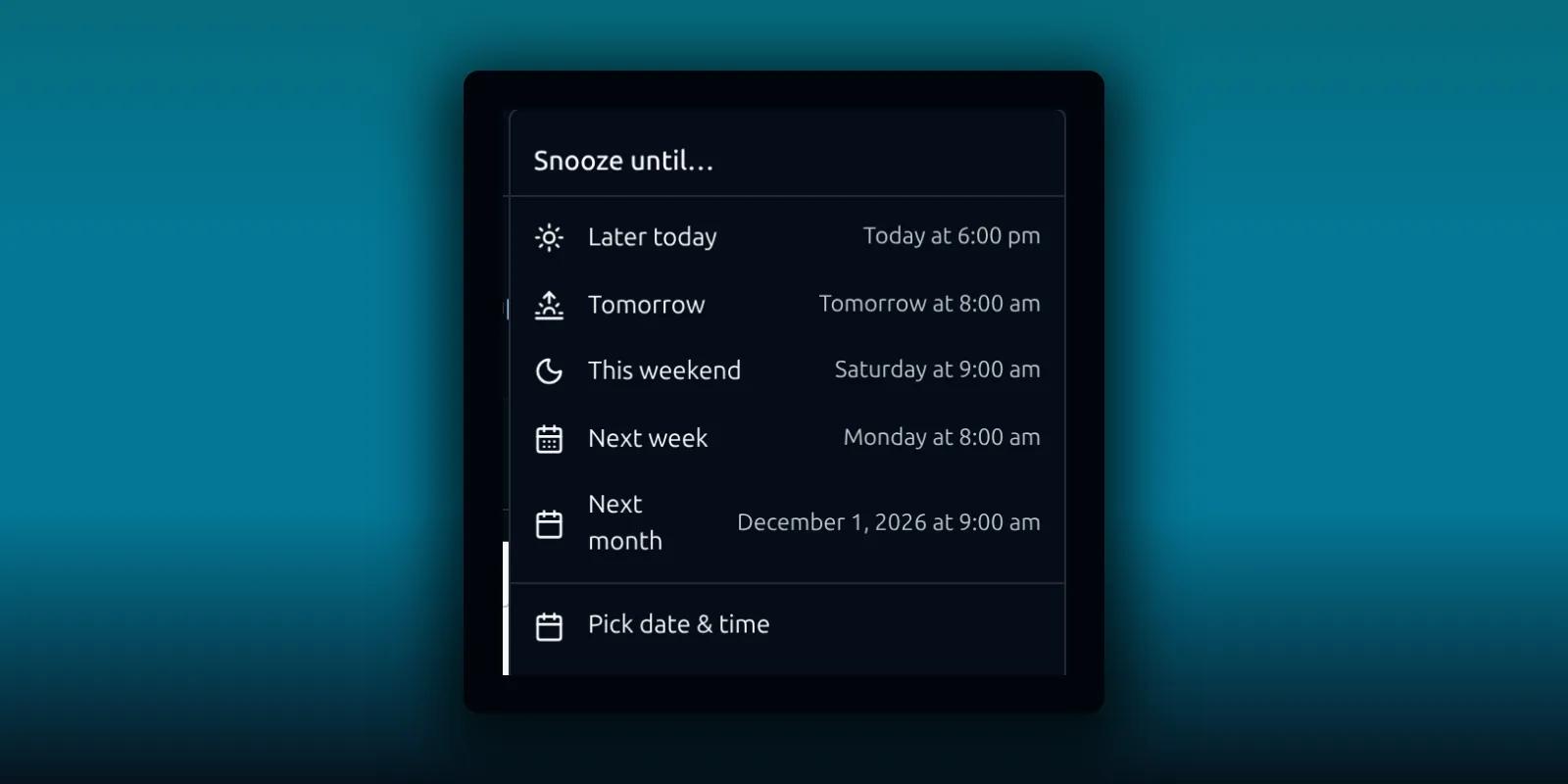
Snooze, scheduled send and undo send all move work to later. They are paid features, and they share one limit: they depend on background processing. A time you pick is the time you ask for, not a guaranteed delivery deadline. This guide shows how each one works, where to find what you queued and what to check when something runs late.
Snooze a message
Snoozing takes a message out of your inbox until the time you choose. It comes back when the time arrives.
- Open or select a message.
- Choose Snooze email in the toolbar above the message.
- Pick a suggested time or choose Pick date & time.
- Open the Snoozed folder to check the message and its return time.
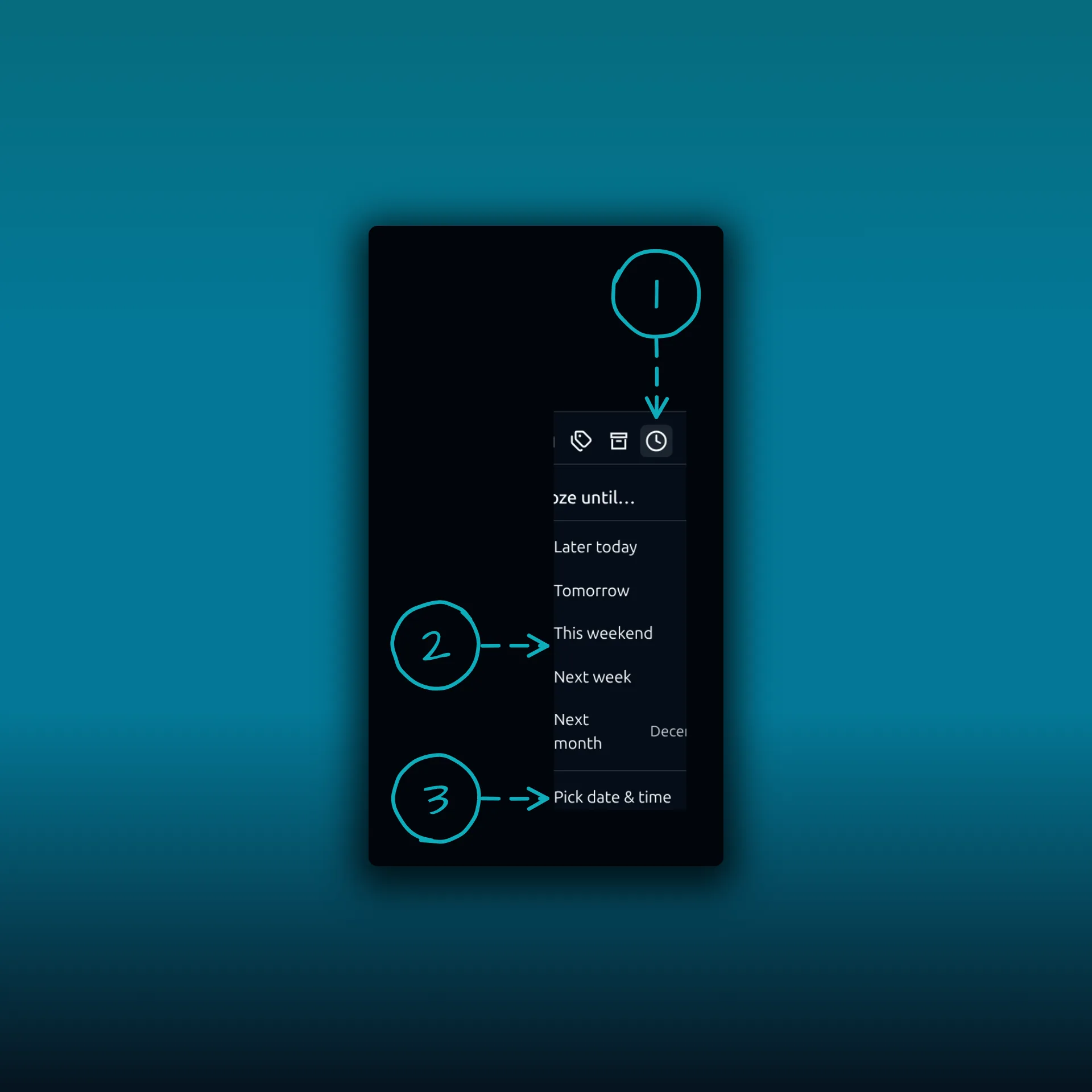
- The Snooze email button in the toolbar above an open message.
- The suggested times: Later today, Tomorrow, This weekend, Next week and Next month. Each row shows the exact time it means.
- Pick date & time, for a moment the list does not offer.
The picture comes from a paid build on a test site. The times shown next to each suggestion are the defaults for that site, and they will differ on yours.
If you need a snoozed message sooner, open it from Snoozed and use the unsnooze action.
Schedule an outgoing message
Scheduled send holds a message and sends it later. Write the message as usual, then choose Schedule send in the composer and set the date and time.
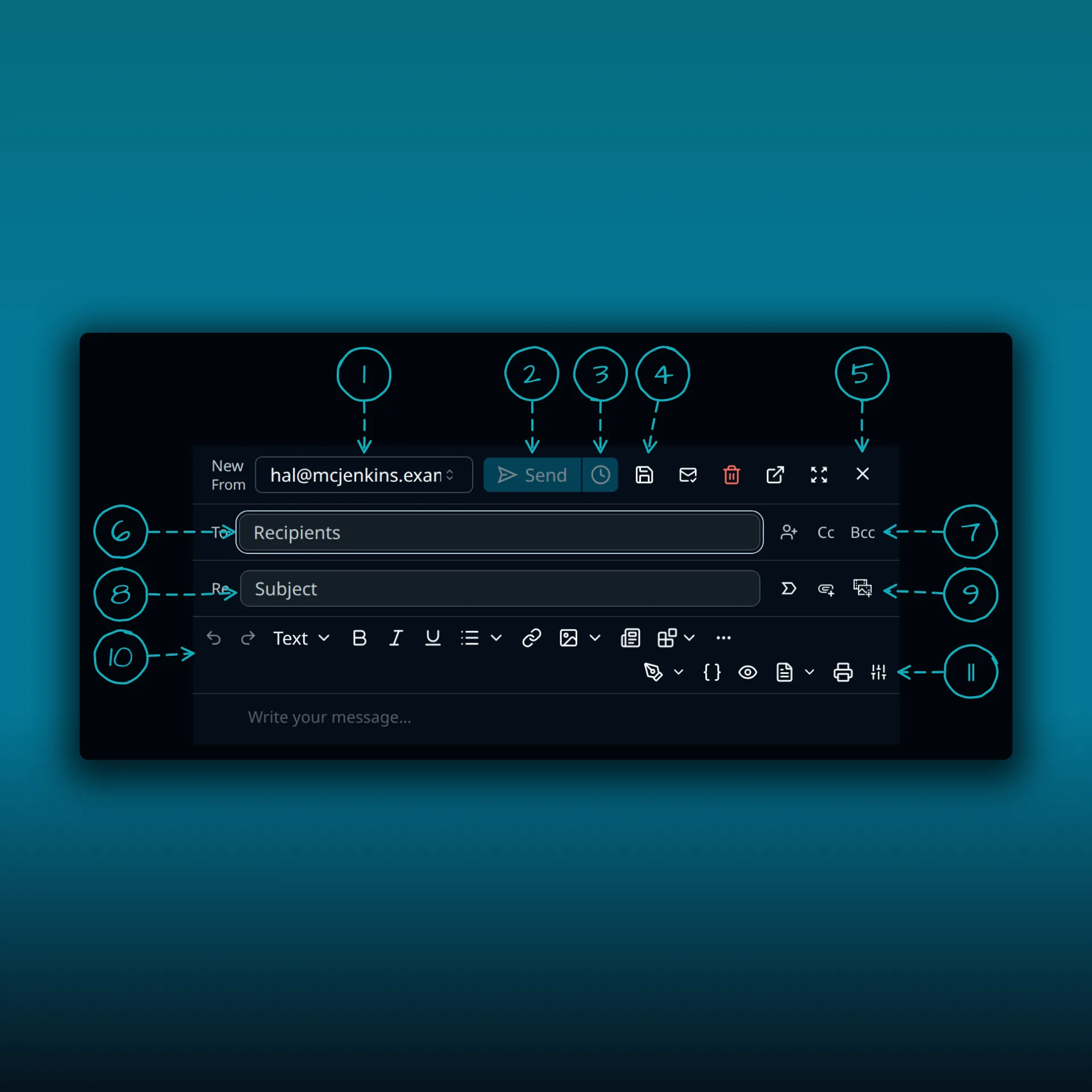
- From account. Pick which of your connected mailboxes sends the message.
- Send.
- Schedule send. Pick a later time instead of sending now.
- Save draft.
- Close.
- To.
- Cc and Bcc.
- Subject.
- Mark as important and the attach buttons.
- The formatting toolbar.
- The second toolbar row: Signature, Fields, Preview, Format, Print and Customize toolbar.
After you schedule it, open the Scheduled folder to confirm it was queued. Until the message leaves, you can review, edit or cancel it from that folder. Before you leave the composer, check the From account, the recipients, any attachments that are still uploading and the time.
Undo send
Undo send is a separate paid feature. It holds a message for a short period before it is handed to SMTP, so you can cancel it. It cannot pull a message back once your provider has accepted it.
Follow-up reminders
The plugin contains a paid reminder service that triggers due reminders. It does not check whether a reply arrived, so do not rely on “remind me only if nobody replies”. For a message you need to come back to, snooze it, or put a reminder in your calendar. Read the conversation yourself before you contact the recipient again.
When a snoozed or scheduled item is late
Snooze and scheduled send run on WP-Cron, WordPress’s scheduled-task system, which WordPress documents as running when someone loads a page. On a low-traffic site it can run late, and a disconnected mail provider can delay sending even more. A mailbox lock does not stop authorized background work, but a deactivated plugin cannot keep processing it.
Check these in order:
- Look at the Scheduled or Snoozed folder for the item’s time, account and status.
- Look in the provider’s Sent folder, so you do not send a duplicate.
- Open Diagnostics and read the background sync status.
- Ask your host to inspect the site’s cron configuration and recent errors.
Do not assume cron is the cause just because several actions are late. Confirm the mail connection still works. The delivery troubleshooting guide and the post on a failed send cover the connection side.
Which plan do I need?
Snooze, scheduled send and undo send need a paid plan. Free has none of them. The plan comparison lists what each plan adds. The combined inbox guide covers working across several mailboxes, and the phone guide covers the touch layout.
Frequently asked questions
Will a scheduled message send at the exact minute?
No. The time you choose is the time you ask for. WP-Cron runs the work and may run it late on a low-traffic site.
Can I cancel a scheduled message?
Yes, until it leaves. Open it from the Scheduled folder to review, edit or cancel it.
What happens to a snoozed message?
It leaves your inbox and returns at the time you chose. Open it from Snoozed to bring it back sooner.
Can undo send recall a message after it was sent?
No. It only works during the short holding period before the message is handed to SMTP.
Does PressedMail remind me when nobody replied?
Not automatically. Use snooze or a calendar reminder and check the conversation yourself.
Manage your email inside WordPress
PressedMail Free adds an email client directly to your WordPress dashboard. Connect a compatible IMAP/SMTP mailbox, read and send mail, organize messages, and configure WordPress SMTP.