

Use code "LIGHTHOUSE20" to save 20% on all plans forever. Get it now!
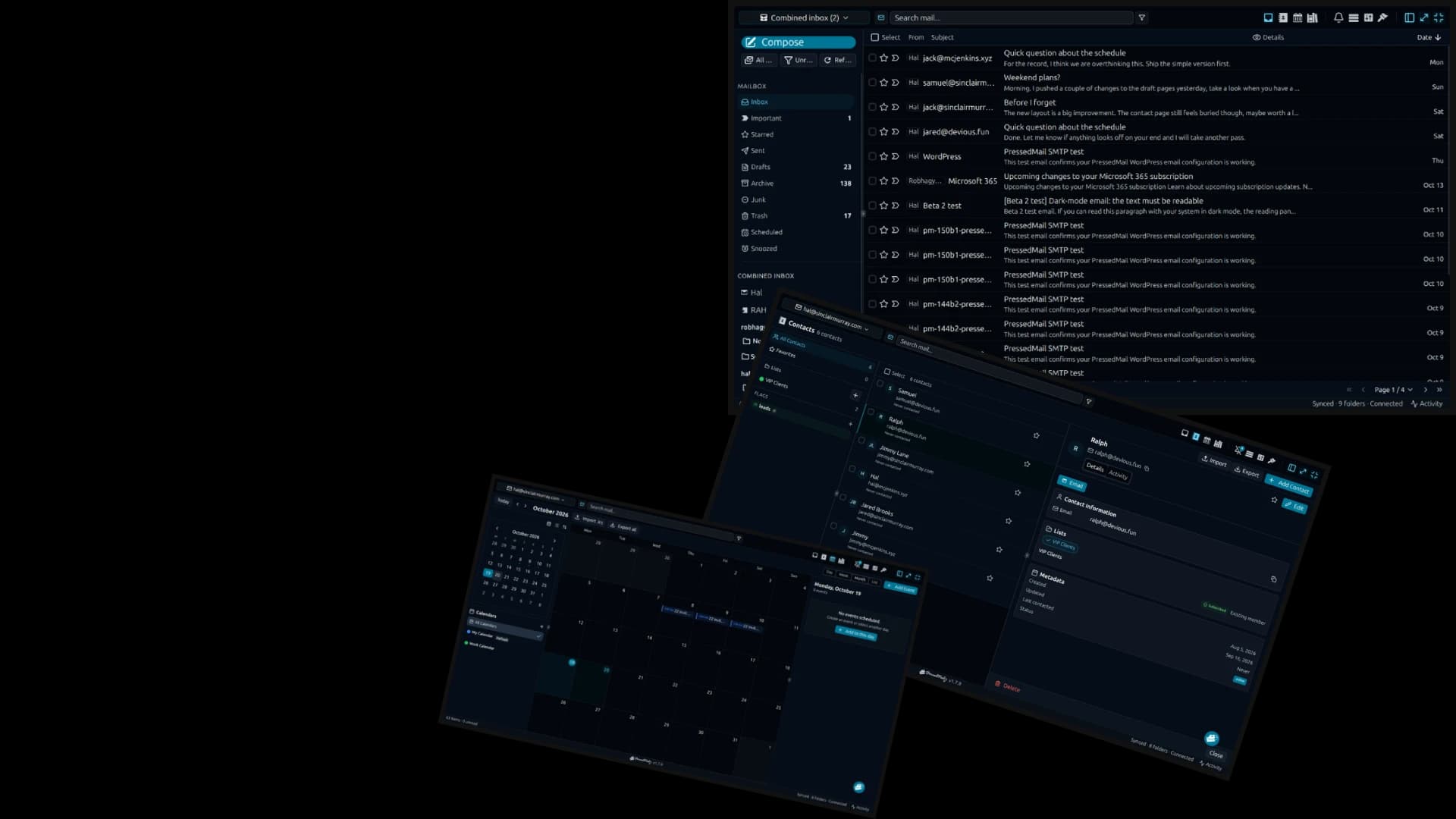
Your Inbox is Just the Beginning.
PressedMail goes beyond email management. From SMTP delivery and marketing campaigns to intelligent automation, AI tools, security, and customization, everything works together in one powerful WordPress plugin.
Discover how PressedMail replaces scattered tools, simplifies everyday tasks, and gives you more control over your email.
Manage all your email inside WordPress.
Turn your WordPress dashboard into a complete email workspace. PressedMail brings the familiar functionality of a modern email client directly into WordPress, so you can read messages, manage conversations, compose replies, and work with your contacts and calendar without switching applications.
Connect your existing email accounts and enjoy a fully featured email experience right where you already work.
Hi there,
Three rooms are free that week and I am holding all of them until Friday afternoon. Costs and floor plans are attached, along with the access notes for the loading bay.
The Garden Room seats 80 and opens onto the terrace, which is the one people always ask about. The Long Gallery seats 120 but the acoustics are hard work without the panels, and those are hired separately. The Studio is the cheapest of the three and the only one with its own kitchen.
Catering can be booked through us or brought in. If you bring your own, we need the supplier details a week ahead for the insurance.
Let me know which one you want and I will confirm with the venue. If you need to see them first, I can get you in on the Tuesday or the Thursday.
Best regards, Paco
Complete email client
Send, receive, reply, forward, search, and organize email with conversations, attachments, folders, and labels.
Multiple email providers
Connect Gmail, Outlook, Yahoo, iCloud, and other IMAP/SMTP-compatible accounts.
Contacts & calendar
Keep contact details, notes, appointments, and events alongside your conversations.
Advanced email features
Schedule messages, snooze conversations, use signatures, and undo sends.
Replace your other WordPress email plugins.
Why manage separate plugins for sending WordPress emails, creating newsletters, collecting subscribers, and managing conversations?
PressedMail brings these essential email capabilities into one integrated WordPress solution. Route WordPress system emails through authenticated SMTP, create marketing campaigns, manage subscriber lists, build reusable templates, and send and receive email from a fully featured inbox.
Instead of maintaining a collection of disconnected plugins, you get one powerful email system designed to work together.
| Display Name | Email Address | Provider | Signature | Actions |
|---|---|---|---|---|
CurbSoftwareDefault | admin@northlight.example | Custom IMAP/SMTP | Signature | |
curbsoftware | mailbox@northlight.example | Gmail | Signature | |
Hal Murray | hal@sinclairmurray.example | Custom IMAP/SMTP | Signature | |
Sarah Chen | sarah@agency.example | Outlook | Signature | |
Paco Vidal | paco@vidalvenues.example | Gmail | Signature | |
Alex Morgan | alex@morgandesign.example | Custom IMAP/SMTP | Signature |
SMTP & WordPress email
Route WordPress notifications, password resets, WooCommerce emails, and form notifications through authenticated SMTP, with delivery logging and testing.
Email marketing & newsletters
Build and send email campaigns, manage mailing lists, configure double opt-in, and offer unsubscribe controls.
Transactional email
Manage the WordPress transactional email sending workflow through your configured SMTP provider.
Forms, templates & blocks
Create subscriber forms, reusable templates, and email content blocks with personalized fields.
Full email client
Send, receive, organize, and reply to emails without another application or plugin.
All your inboxes. One organized workspace.
Stop jumping between email providers and sorting through overflowing inboxes.
PressedMail connects your existing accounts into one unified workspace, making it easier to see everything, find important conversations, and keep messages organized.
Use folders, labels, smart rules, AI-powered tagging, and bulk Sweep actions to take control of your inbox. Keep contacts and calendar events nearby, so important information stays connected to the people and conversations that matter.
Alex Morgan
Morgan Design · Principal
Last contacted 1d ago
Mia Harris
Publisher Weekly · Editor
Last contacted 3d ago
Daniel Lee
Studio North · Producer
Last contacted 1w ago
Lisa Park
Brandworks · Creative lead
Last contacted 2w ago
Alex Morgan
alex@morgandesign.example
Morgan Design · Principal
Contact Information
Notes
Prefers invoices as PDF. Reviewing the Q2 launch package this week.
Combined inbox
View messages from multiple email accounts together, or focus on an individual account.
Automatic organization
Create rules to categorize, move, tag, or otherwise process messages based on conditions.
AI-powered tagging
Automatically classify incoming messages using your own tags and descriptions when AI is enabled.
Bulk Sweep & search
Find, select, organize, archive, or clean up large groups of messages efficiently.
Contacts & calendars
Keep conversations, contact information, and scheduling in one workspace.
Smarter email protection. Greater privacy and control.
Your inbox contains business communications, customer details, and potentially sensitive information. PressedMail gives you more visibility and control over how email is accessed, processed, and protected.
From AI-assisted phishing detection to blocked remote tracking images, encrypted credentials, and detailed access controls, PressedMail brings practical security features into your everyday email workflow.
Choose when to enable AI, configure your preferred AI provider, and control how your users access email functionality.
Why it is likely spam
- Promises unrealistic gains
- Pressures for action
- No sender history on this site
What it's selling
Cold outreach
Spam & phishing detection
Analyze suspicious messages with optional AI-powered threat assessments and detailed reports.
Link & content protection
Inspect suspicious links, block remote images by default, and sanitize unsafe message content.
Privacy & data control
Keep searchable email data on your own WordPress hosting environment, with encrypted email credentials.
User & admin permissions
Configure account visibility, access restrictions, administrative settings, and organizational policies.
Optional AI & BYOK
Enable only the AI tools you need, with supported options for your own AI provider and API key.
Automate the busywork. Get more done.
Your email should help you get work done, not create more of it.
PressedMail simplifies everyday communication with intelligent rules, flexible workflows, bulk actions, reusable templates, scheduling, and AI-assisted writing.
Automatically organize incoming messages, process repetitive tasks, prepare professional replies, and manage large volumes of email in fewer steps.
from contains "@acme-client.example" → add tag "Billing", move to Clients
Runs when mail arrives
subject contains "newsletter" → archive after 7 days
Runs on a schedule
from contains "receipts@" → mark read, add tag "Billing"
Manual
Powerful email rules
Create conditional workflows triggered by incoming messages, schedules, or manual actions.
Bulk Sweep actions
Clean up and organize large groups of messages, with the option to turn repeated cleanup actions into rules.
AI writing & summaries
Draft, rewrite, summarize, and refine messages with your configured AI provider.
Reusable templates
Build professional replies using templates, content blocks, and personalized fields.
Smart scheduling
Snooze messages, schedule outgoing emails, and manage follow-ups more conveniently.
Your inbox. Your devices. Your way.
Everyone works differently, and your email client should adapt to your preferences.
PressedMail gives you the freedom to personalize your email experience with different layouts, themes, typography, display settings, and accessibility options.
Whether you're working from your desktop, tablet, or phone, enjoy a responsive email workspace with Progressive Web App support that makes PressedMail feel at home on supported devices.
Desktop & mobile access
Use PressedMail through your browser or install it as a Progressive Web App on supported devices.
Multiple inbox layouts
Choose the arrangement, navigation, and viewing experience that suits your workflow.
Themes & appearance
Customize colors, typography, light and dark modes, and interface preferences.
Mobile-friendly experience
Navigate responsive inbox layouts with touch-friendly actions and mobile-specific controls.
Accessibility
Adjust contrast, typography, reduced motion, keyboard navigation, and other supported preferences.