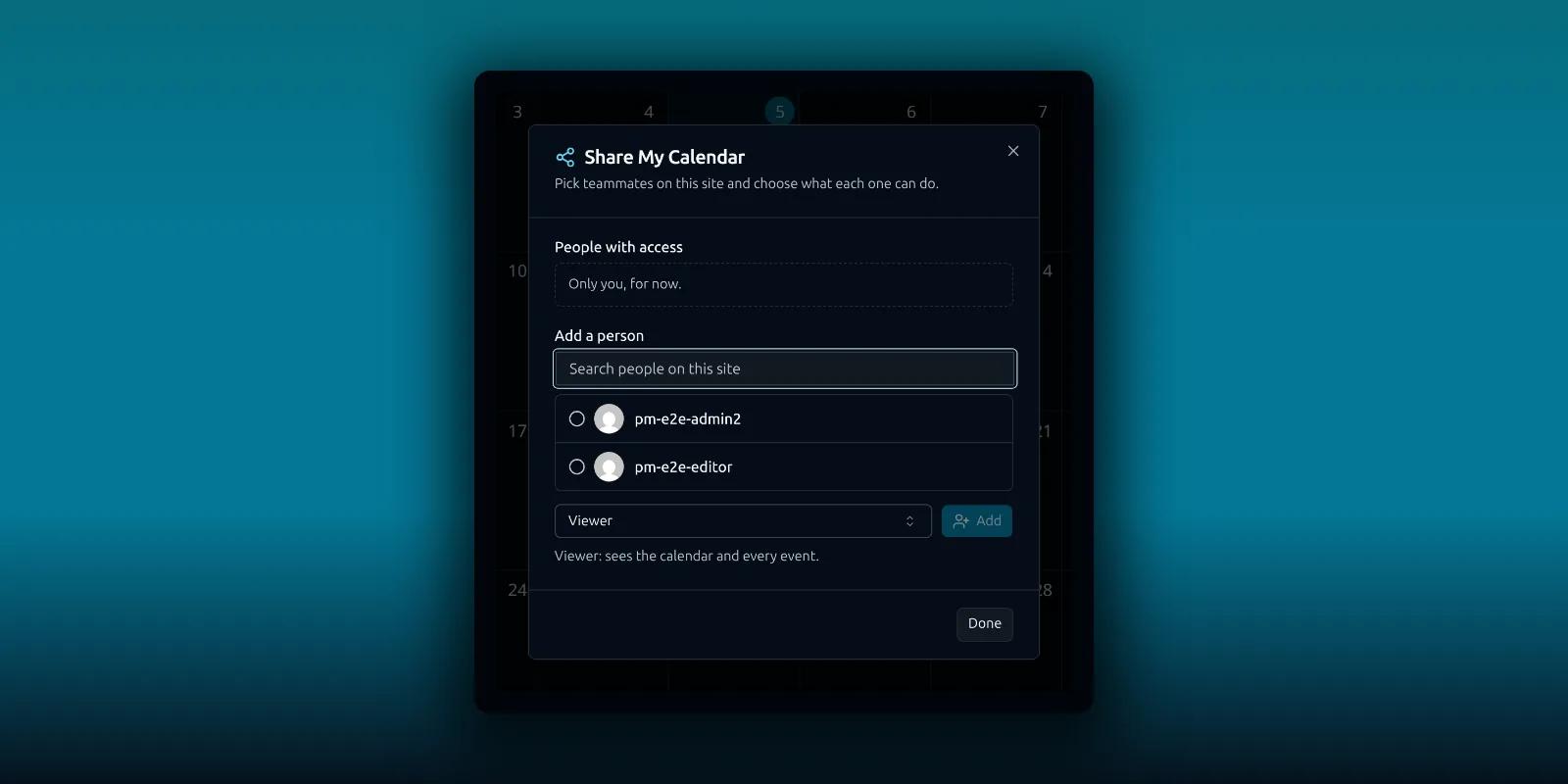
A shared support inbox is the obvious thing to put in front of a team. Calendars and contact lists are the quieter half. A team calendar everyone can read, or a client list a colleague can add to, saves a lot of forwarding.
PressedMail Ultimate and Lifetime can share both. This guide shows where the Share button is, what the two roles allow and what stays private. Nobody hands over a password, and nothing leaves your WordPress site.
What you need
Sharing needs an Ultimate or Lifetime license. Starter and Premium sites do not show it, and neither does the Free plugin.
You can only share with other people on the same WordPress site who can open PressedMail. An administrator controls that under Access Control, and the roles guide explains the screens. There is no invitation email. Once you add someone, the item shows up for them the next time PressedMail loads.
Share a calendar
Open Calendar. In the list on the left, open the menu next to one of your calendars and choose Share.
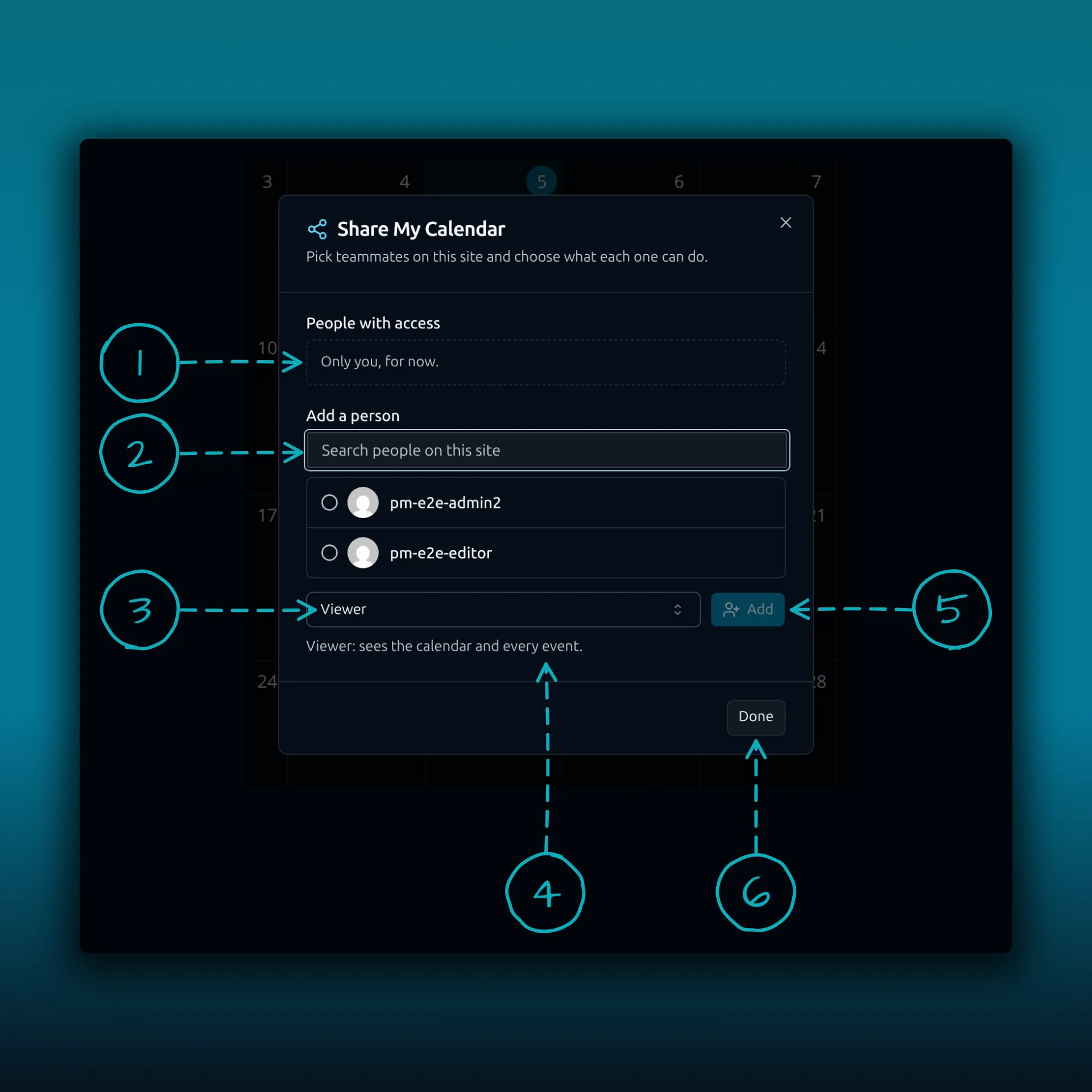
- People with access. It says Only you, for now until you add someone.
- Search people on this site. Only people who can open PressedMail appear.
- The role menu.
- A one-line reminder of what the chosen role can do.
- Add.
- Done.
A calendar has two roles.
- Viewer sees the calendar and every event.
- Editor also adds, changes and deletes events. An Editor can move an event to another calendar with the same owner, as long as they can edit that calendar too.
The calendar appears for them under Shared with me in their calendar list. Invitations, updates and cancellations for its events still go out from you, because you remain the owner. The guide to events and ICS files covers creating events.
Share a contact list
Open Contacts. Under Lists, open the menu next to a list. The same menu has Email list, Edit, Share, Set as default and Delete.
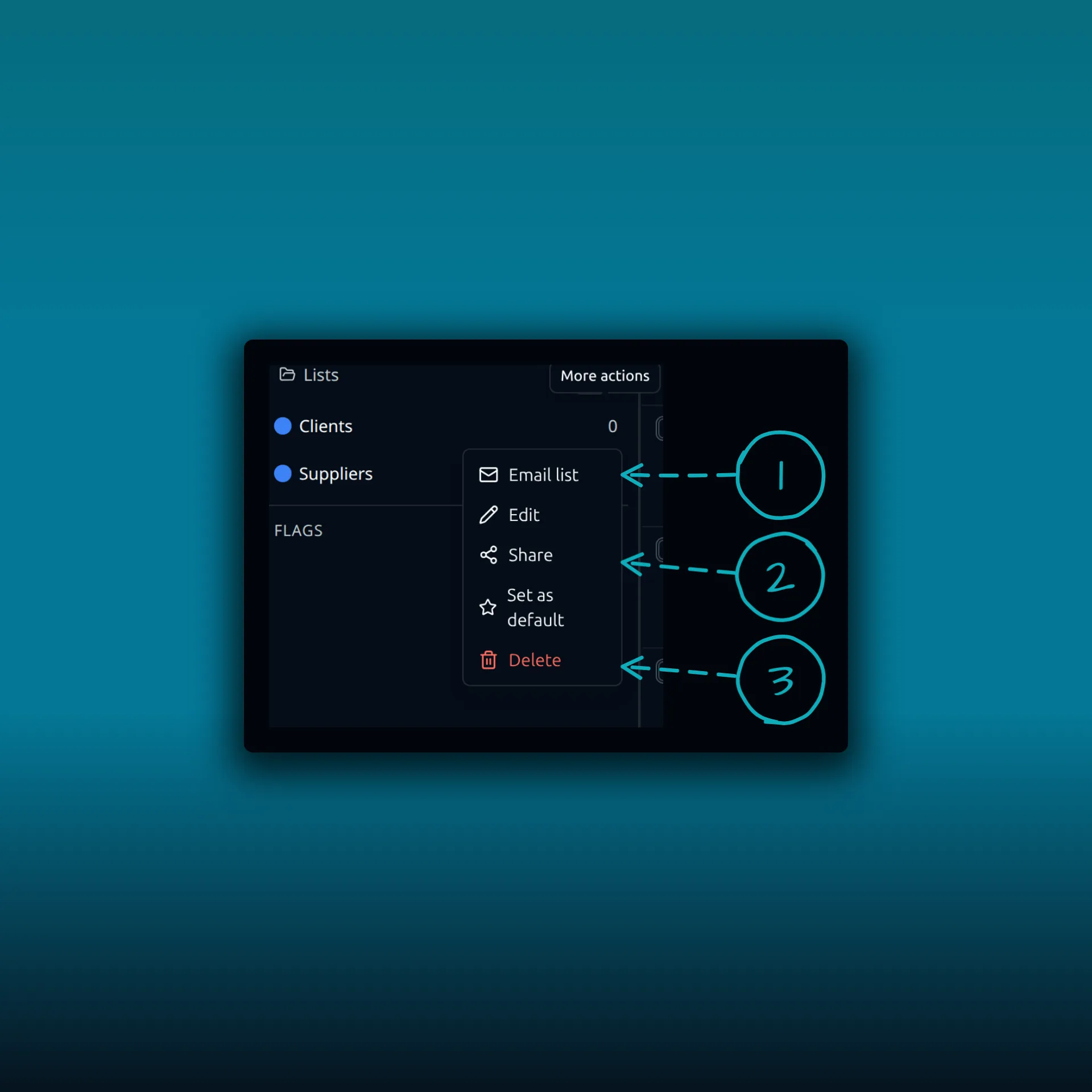
- Email list. Starts a message to the list.
- Share. Opens the same kind of dialog as the calendar.
- Delete.
Edit and Set as default sit in the same menu.
A list has two roles as well.
- Viewer sees the list’s members and can send to the list.
- Editor also adds people, changes a member’s name, company, phone, job title and website, and removes members. An Editor cannot change a member’s email address.
An Editor adds someone by email address. That creates a new contact card in your address book, and the card counts against your contact limit. An Editor cannot pull in a contact you already have outside the list.
What teammates see, and what they do not
A teammate sees the card details of the people on the shared list and nothing else from your address book. Your notes, tags, custom fields and message history for those contacts stay private. Taking someone off a shared list never deletes your contact.
A send to a shared list follows the same rules as your own lists. One send reaches at most 100 unique people, counted across every list you pick. For larger audiences, use a campaign, which the campaign setup guide walks through. The contacts guide explains lists and opt-outs.
Change or remove access
Open the same Share dialog. Change a person’s role or remove them, and it takes effect on their very next request. Anyone can walk away from something shared with them by choosing Leave in its menu.
If someone leaves the WordPress site, their shares are removed too, and adding them back does not restore the access. If the Ultimate license lapses or the site moves to a lower plan, teammates lose access and everything stays with its owner. The shares are kept, so they return when Ultimate does.
Where this sits next to mailbox sharing
Mailboxes have three roles, Viewer, Responder and Manager, and the mailbox sharing guide covers them. Calendars and lists have only two. Templates and saved blocks can be shared too, with teammates getting the Viewer role. They can use the item in their own emails and save their own copy.
Privacy
Shares are stored in your WordPress database. Nothing about who shares what leaves the site. Grants, role changes and removals are recorded in the site’s security audit log. WordPress’s personal data export and erasure tools include share records.
When Settings, then Discussion shows avatars, the Share dialog loads each person’s avatar from Gravatar. The image address carries a hash of the person’s email address, and Gravatar sees the viewer’s IP address. With avatars off, PressedMail shows initials and requests nothing. Automattic’s privacy policy describes what Gravatar does with that.
Common questions
Do I need Ultimate to share a calendar or list?
Yes. Ultimate or Lifetime. Starter, Premium and Free do not show the Share button.
Can a teammate see my whole address book?
No. They see the people on the shared list, and only their card details.
Can an Editor change someone’s email address?
No. An Editor can change name, company, phone, job title and website, but not the email address.
What happens if someone leaves the site?
Their shares are removed. Adding them back does not bring the access back.
Is there an invitation email?
No. The item appears for the teammate the next time PressedMail loads.
Manage your email inside WordPress
PressedMail Free adds an email client directly to your WordPress dashboard. Connect a compatible IMAP/SMTP mailbox, read and send mail, organize messages, and configure WordPress SMTP.