Your WordPress site already knows who your users are. Customers who bought something, members, authors, staff. Importing them into PressedMail by hand would be a chore, and the file would be out of date the next time someone registers.
One setting does it for you. It puts every user of the site on a list in Contacts, and it keeps that list current as people join, change their profile or leave. It is on the paid builds, and only administrators can see it.
Turn it on
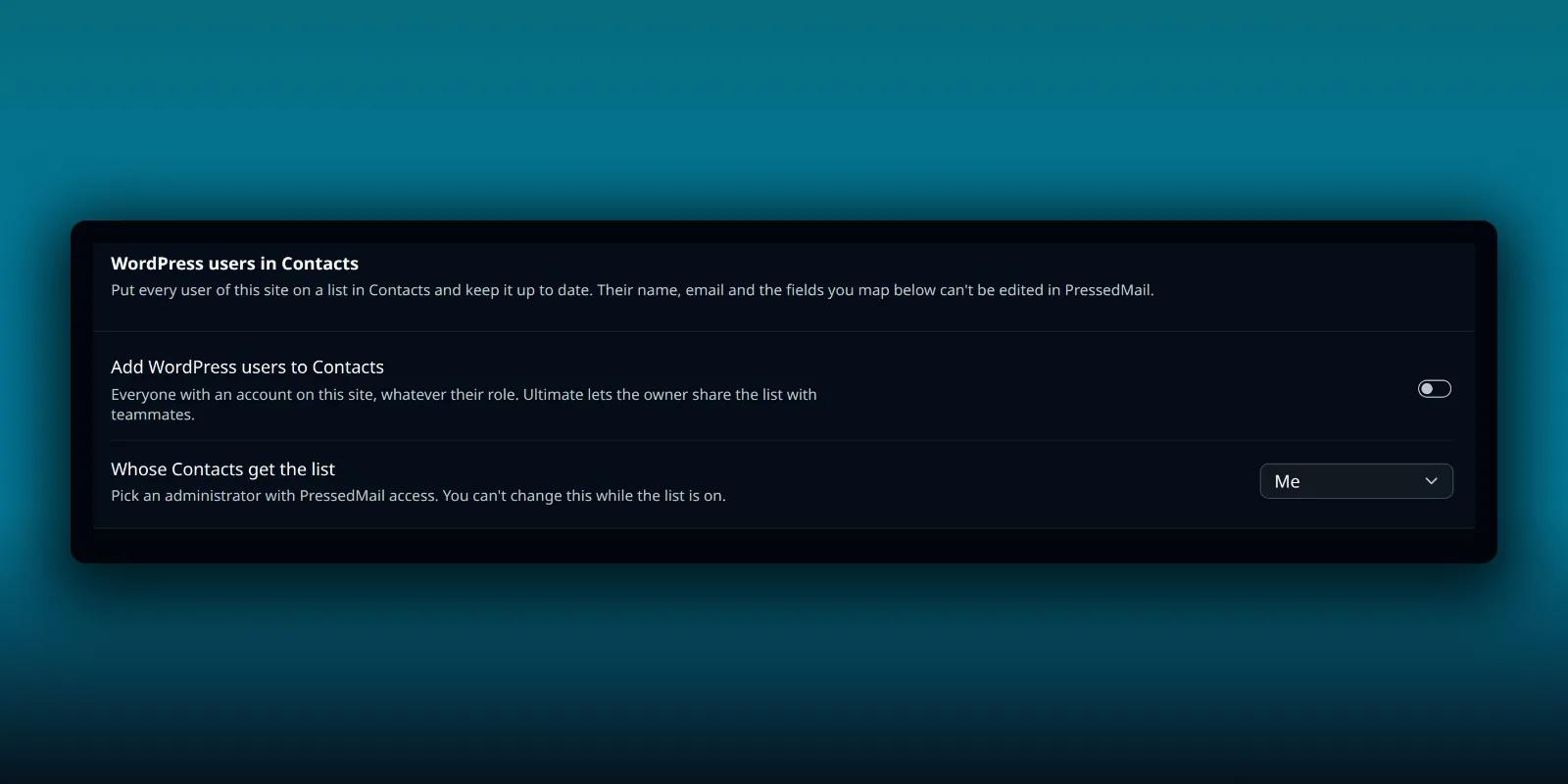
Open PressedMail, then Settings, then Data and uninstall. The WordPress users in Contacts card is at the top of that tab, above the danger zone.
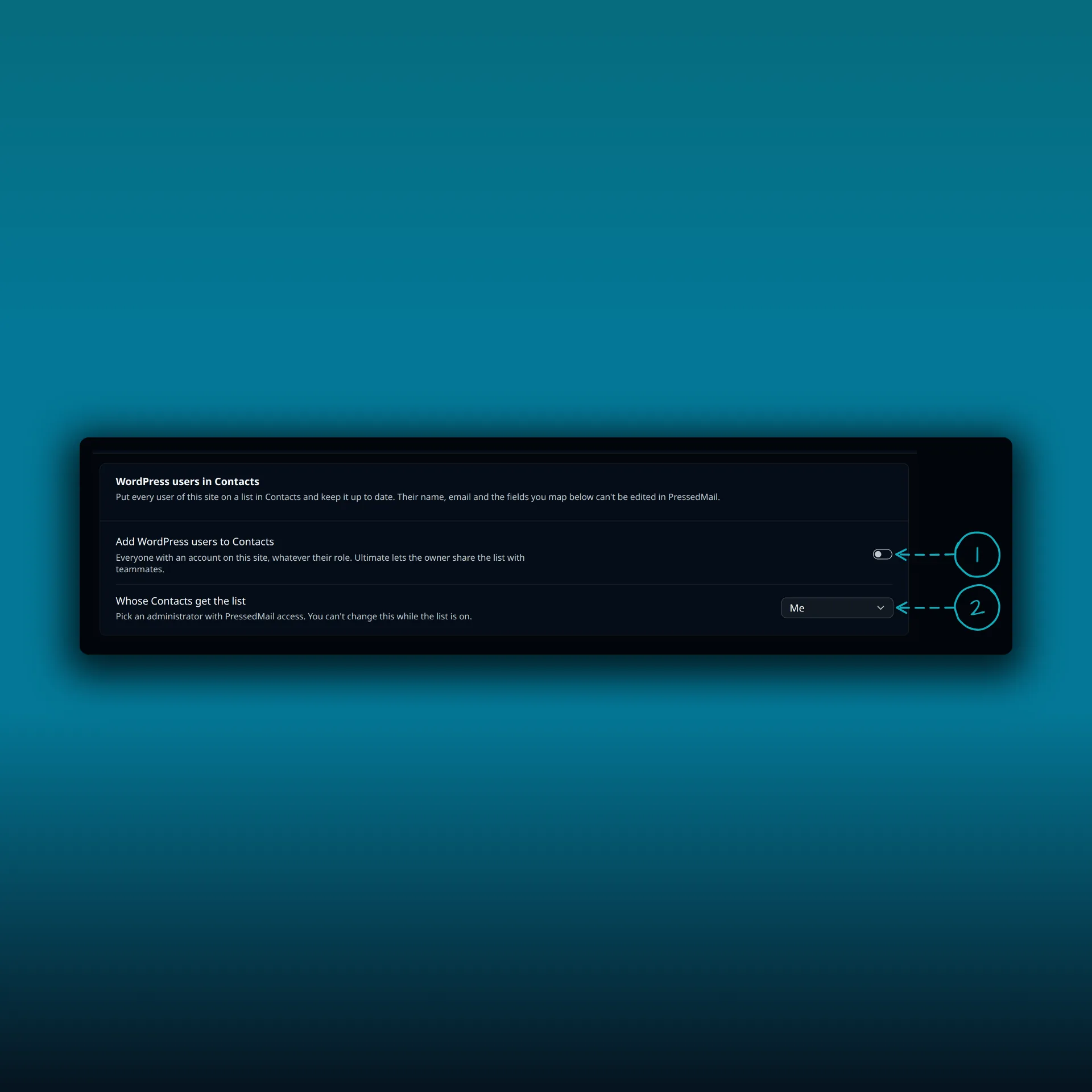
- Add WordPress users to Contacts. The note says it covers everyone with an account on this site, whatever their role, and that Ultimate lets the owner share the list with teammates.
- Whose Contacts get the list. It says to pick an administrator with PressedMail access, and that you cannot change this while the list is on.
The list goes into one person’s address book, the owner’s. By default that is you. If a different administrator should hold it, choose them before you switch the setting on, because the contacts it makes belong to the owner and cannot move. The owner has to be an administrator who can open PressedMail.
Turning it on makes a list called WordPress users and starts the first pass. A status line on the card tells you how it is going: syncing, how many users are done, and Up to date when it finishes. A big site takes a while, because the work runs in the background.
What a contact gets
The list appears in Contacts like any other, under Lists.
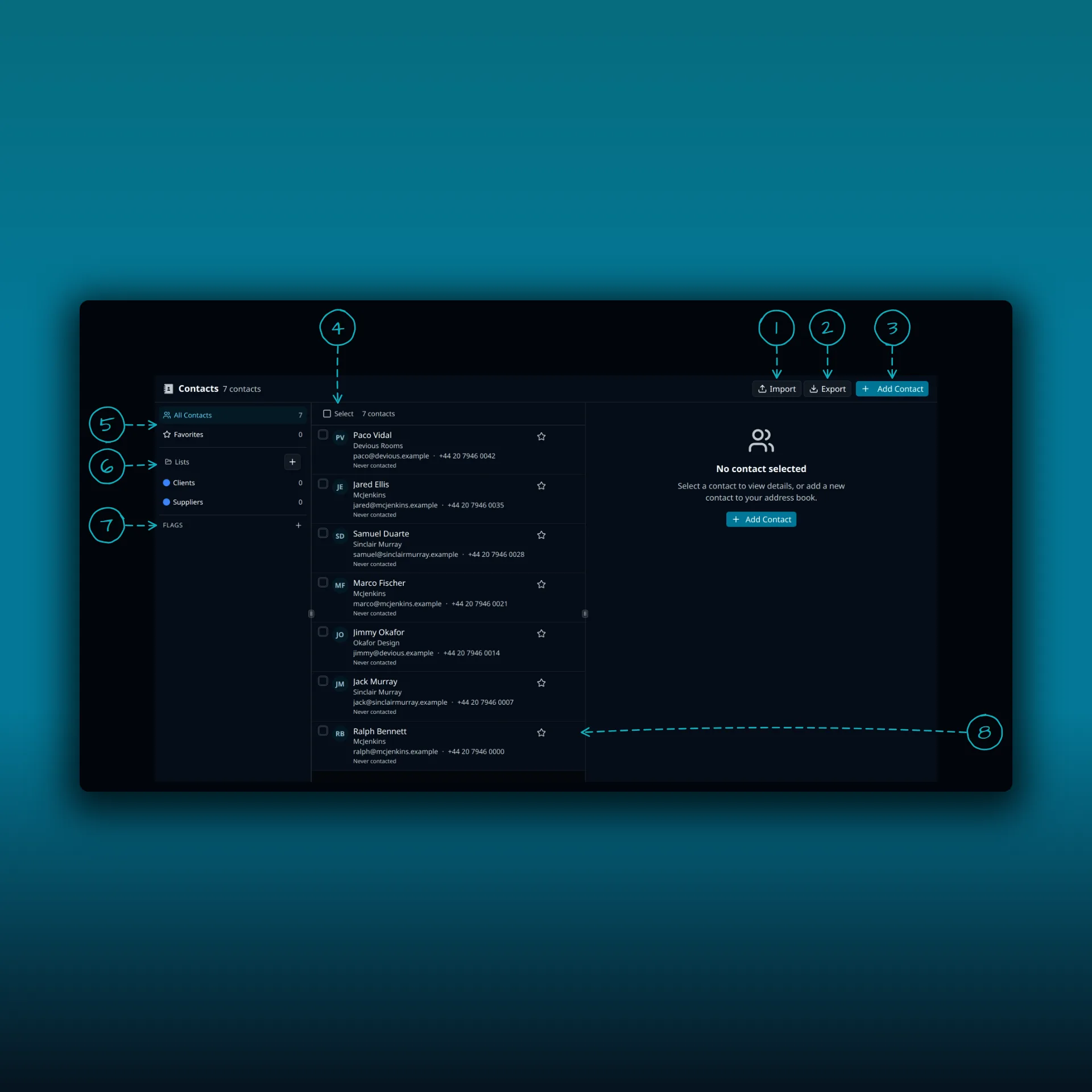
- Import. Brings contacts in from a file.
- Export. Saves your contacts to a file.
- Add Contact. Opens the add form in the right pane.
- Select contacts. Turns on selection so you can tick several rows.
- All Contacts and Favorites.
- Lists. The WordPress users list is listed here once it exists.
- Flags.
- The buttons at the right end of a row.
The screenshot is from a demo site without the WordPress users list turned on.
Each contact carries the user’s email address and name. If the profile has no name, the display name goes in the first name field. The username, the WordPress role and the sign-up date are always copied too, into custom fields.
You can copy more. Under Copy more from each user, pick a source and a target. The source is a profile field such as display name, nickname or the website on the profile, or any user meta key. The target is a standard contact field, which means company, phone, job title or website, or a custom field you name. User meta is the extra data WordPress and its plugins store for each person, and the WordPress reference for get_user_meta() explains it.
Two limits apply. You can add up to 20 mappings, with one source for each target. And a meta key that looks like a secret cannot be mapped. Keys containing words such as pass, token, secret, key, nonce, session, salt or hash are refused, and so are values that are not plain text.
Locked fields
Every field filled from WordPress is locked. The contact form shows it disabled, and the server refuses a change. That keeps the list honest, because the source of truth is the WordPress user. Notes, keywords, favourites and any custom field nobody mapped stay yours to edit.
The list itself is locked as well. You cannot rename or delete it, add or remove a member, import into it or delete a linked contact. Its members change only when the user does.
Turning the setting off keeps the list and its contacts and makes them editable again. They stop following WordPress from then on.
How it stays current
New users, profile changes, role changes, changes to a mapped meta key and users leaving or being deleted all update the list. The change is queued and applied when the request ends. A request that touches many users at once, such as a bulk import, applies a batch and leaves the rest to the next pass.
A scheduled pass reads users in batches of 500, removes contacts whose user is gone and books itself again a day later. Saving new mappings, turning the setting on and a bulk change each start a fresh pass. A site with 100,000 users takes about 200 batches, and the card shows the count as it goes.
Mailing the list
Members are subscribed, and there is no consent record, because they did not sign up to a list. The composer and Ultimate campaigns can both reach them. Think about whether emailing your users fits the promises you made when they registered. A transactional note about their account is a different thing from a newsletter. The contacts guide explains lists and opt-outs.
Someone who unsubscribes through a campaign link stays unsubscribed. The sync never changes that, whatever else it updates on their contact.
The composer sends to at most 100 recipients at a time, so a site with more users than that cannot email the whole list from the composer. Use a campaign. The roundup guide shows one, and the double opt-in guide covers how unsubscribe links work.
Contacts that were already there
If a user’s address is already one of the owner’s contacts, that contact is claimed. WordPress fills the locked fields, so a name you typed by hand is replaced. Its notes, keywords and source stay. When the user later goes, a claimed contact stays in your address book, off the list and no longer linked.
A contact that the sync made goes away with its user.
Sharing and access
On Ultimate and Lifetime, the owner can share the list with teammates, who can view it. The list holds every user’s address, so only administrators see this setting. The sharing guide covers roles for shared lists, and the guide to who can open PressedMail covers access to the app itself.
Frequently asked questions
Does it add users from every role?
Yes. It covers everyone with an account on the site, whatever their role.
Can I edit a contact that came from a WordPress user?
Not its WordPress fields. Name, email, username, role, sign-up date and anything you mapped are locked. Notes and unmapped fields are yours.
What happens if I turn it off?
The list and its contacts stay, and they become editable. They stop updating from WordPress.
Can I change the owner later?
Not while the list is on. Turn it off, then on again with a different administrator.
Can I email all my users from the composer?
Only up to 100 recipients at a time. Use a campaign for a bigger list.
Manage your email inside WordPress
PressedMail Free adds an email client directly to your WordPress dashboard. Connect a compatible IMAP/SMTP mailbox, read and send mail, organize messages, and configure WordPress SMTP.