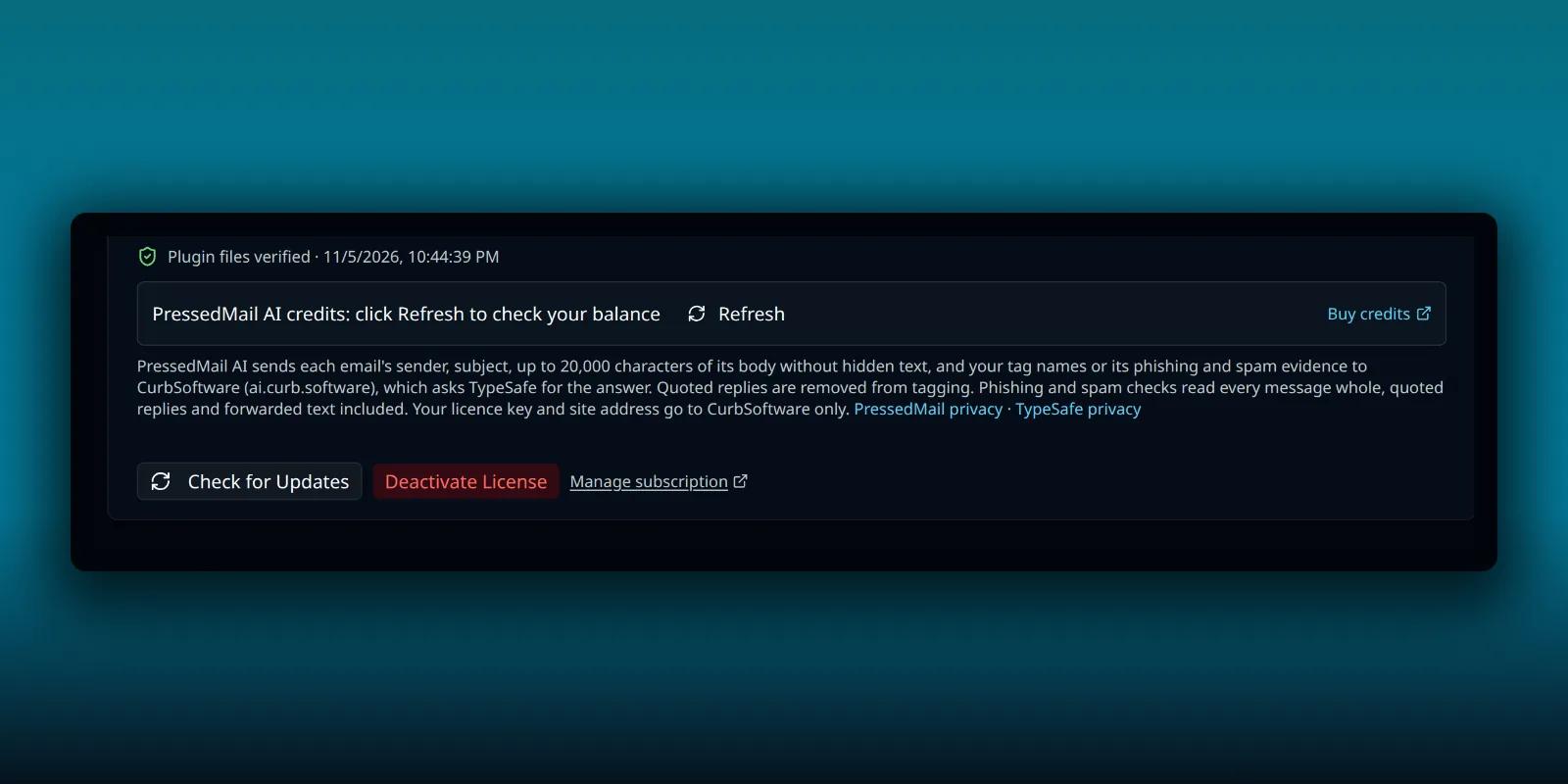
A paid PressedMail license belongs to a site address. Move the site, change its domain or retire a staging copy, and the license has to follow. Get the order wrong and you either lock the new site out or leave a seat tied to a site that no longer exists.
This guide shows where the license lives, what Deactivate License does, and how the Move this license here button saves you a round trip. It is about paid builds. The Free plugin needs no key.
Find the license screen
Open PressedMail, then Settings, then Licensing in the Admin group. At the top of the card, a green License Active badge sits beside the plan name.
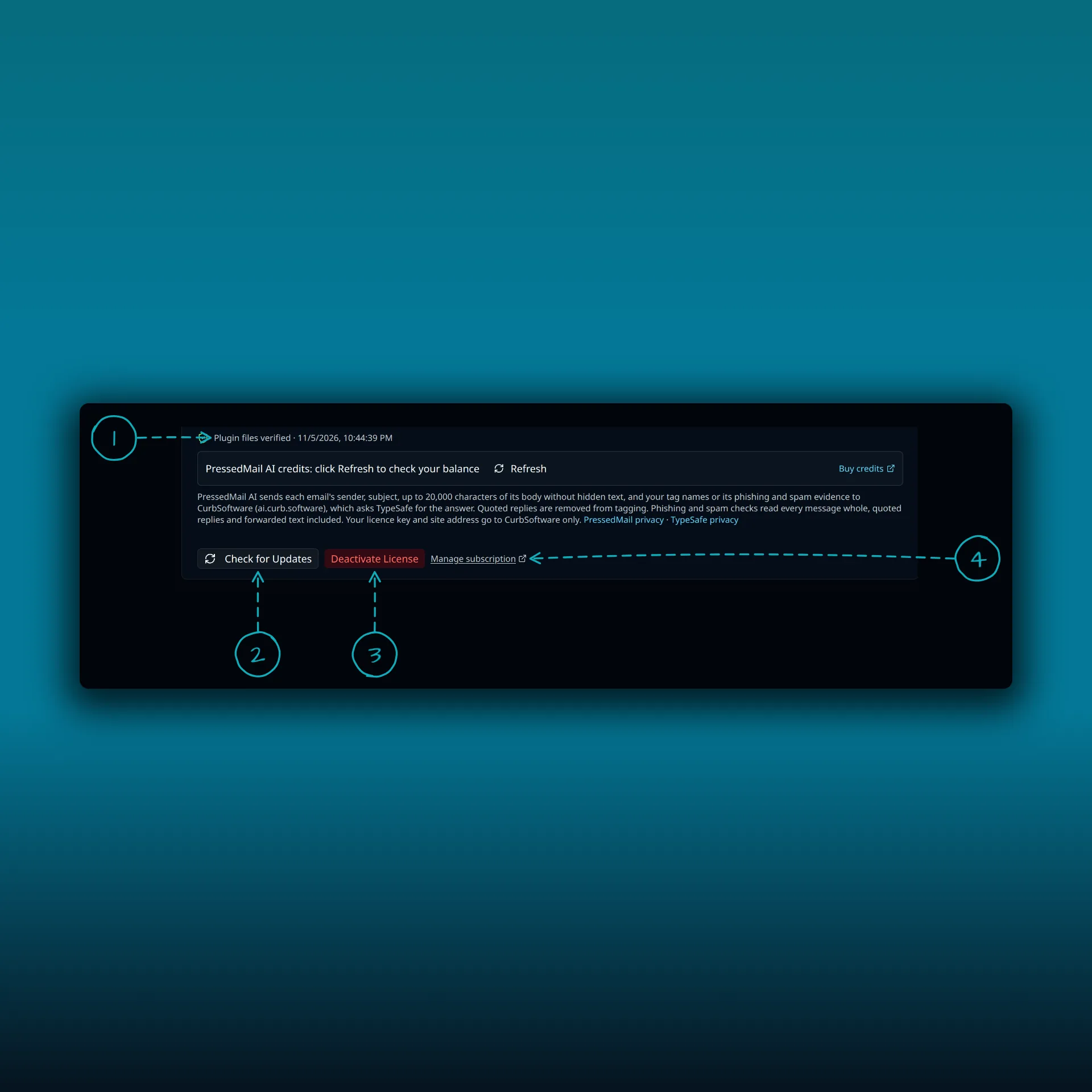
- Plugin files verified, with the time of the last check.
- Check for Updates. It asks the license server whether a newer version exists.
- Deactivate License.
- Manage subscription. A link that opens your account on pressedmail.com in a new tab.
The row between them belongs to PressedMail AI credits, which the credits guide covers. When the license server reports them, the card also shows Site Activations as two numbers, used over allowed. That is the quickest way to see whether you have a free seat before you activate a second site.
Deactivate on the old site, then activate on the new one
This is the tidy order when the old site still works.
- On the old site, open Settings, then Licensing, and select Deactivate License.
- Confirm in the dialog.
- On the new site, activate with your key.
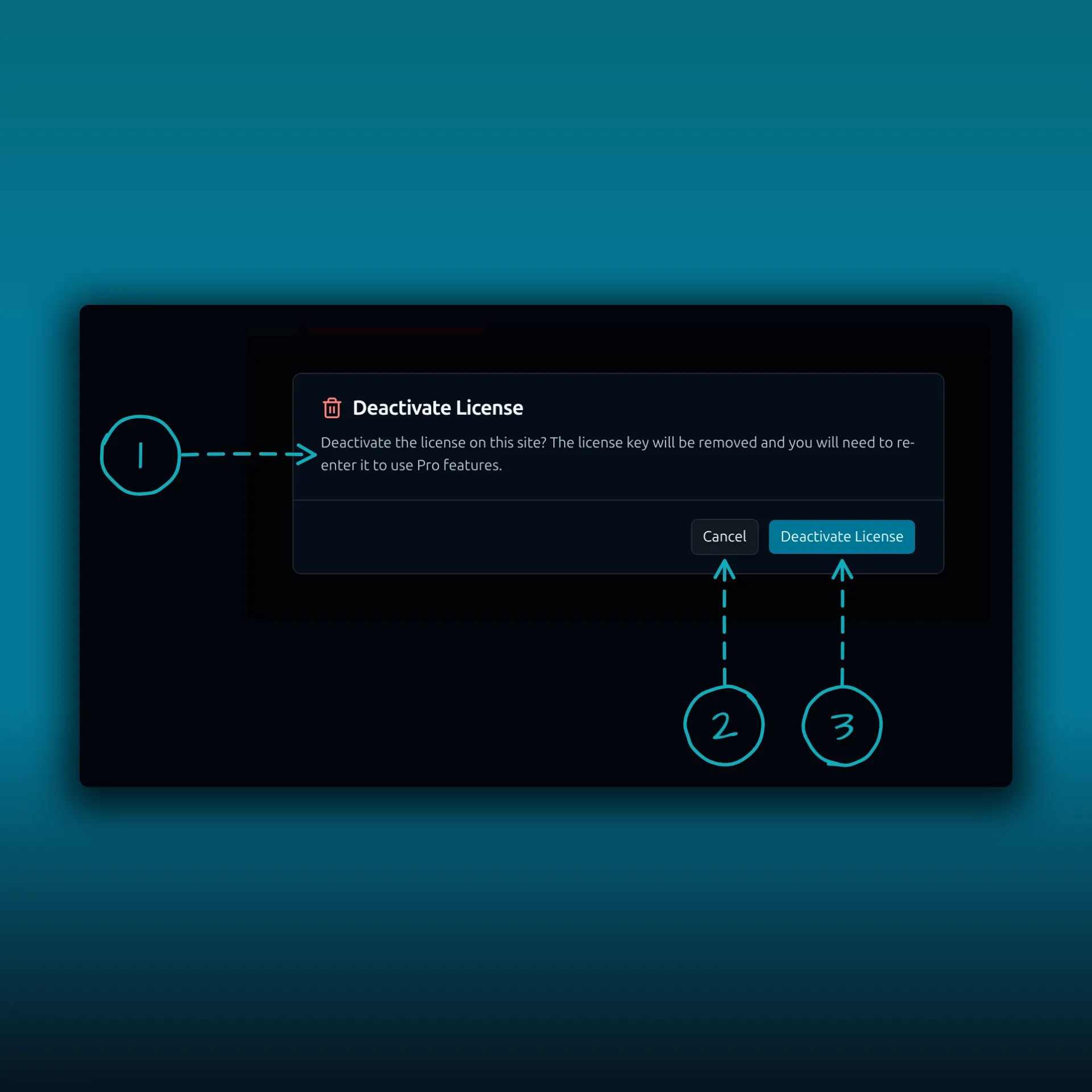
- The message. The license key will be removed, and you will need to enter it again to use Pro features.
- Cancel. Nothing changes.
- Deactivate License. This is the button that does it.
Confirming does two things. PressedMail tells the license server at curb.software to free the activation, and it clears the license from the site. The paid features lock until a key is entered again. Your Pro-only settings, such as AI settings, white-label settings, theme settings and custom themes, are backed up first. If you activate a license on the same site later, PressedMail restores them.
If the license server cannot be reached, the local cleanup still happens. You get a warning that says the seat is not freed yet and points you to the Sites page in your pressedmail.com account, where you can remove the site by hand.
Activate on the new site
Sign in at pressedmail.com, open Your Plan and copy the key for the plan you want. In WordPress, open PressedMail. A paid build with no license shows an activation screen, or you can go to Settings, then Licensing. Paste the key into License Key and select Activate License.
Then open the Sites page in your account and check that the new address is listed. Use the site’s real URL. A migrated domain or a staging copy can need its own activation, so do not assume the old one carried over.
Skip the deactivation: move the license
You do not always get to deactivate first. The old site may be gone, a host migration may have wiped it, or you may only notice after the move. PressedMail has a shortcut for that.
Enter your key on the new site and select Activate License. If the key is still bound to the old address, the license server refuses, and PressedMail shows its reason followed by a sentence such as “It is currently bound to old.example.com.” Below it comes a question: moved this site from that address? Move the license here to activate it on this site. The Move this license here button does exactly that.
The server rebinds the license only when it confirms the move. A wrong key or a wrong old address changes nothing. When it works you see “License moved to this site.”
The banner a copied database triggers
Copy a site’s database to a new address and the copy arrives still holding the old license instance. PressedMail notices, and puts a warning at the top of the app that you cannot dismiss: PressedMail Pro was activated at the old address, but this site is at the new one.
The banner explains why. Automatic rules and Pro features do not follow a copied or moved database to another site. That protects customers from a license being used on a copy they did not pay for.
If you really did move the site, the same Move this license here button is in the banner. It asks for your key when the site no longer has one stored. The banner goes away after the move is confirmed. WordPress’s own guide to moving a site covers the database and URL side of a migration, which is worth reading before you flip DNS.
Staging copies
A staging copy carries the live site’s license instance in its database. PressedMail sends that instance id to the license server only from the site it belongs to. So pressing Deactivate License on a staging copy cannot free the live site’s seat. You get a warning instead, saying the license belongs to the other address, with a pointer to the Sites page.
Moving rebinds the license to the site where you press the button. Keep that button for the site you intend to keep.
When you run out of seats
Every plan allows a set number of sites. Activate one too many and the refusal ends with a hint: remove a site from your pressedmail.com account or upgrade your plan. Open the Sites page, remove an old or retired site, and try again. The plan guide lists what each plan allows.
Regenerating a key
Regenerating a key in your account is a different action from freeing one site. It invalidates the old key everywhere, and every site using it has to activate again with the new one. Reach for it when a key has leaked.
What the license check sends
Activation and validation requests can include the license key, the site URL and identifiers, the product and plugin version, and the WordPress and PHP versions. They do not include mail bodies, attachments, email passwords or OAuth tokens. The site needs outbound HTTPS to curb.software. A valid purchase cannot activate if your server cannot reach it. The guide to where PressedMail keeps your mail lists what stays on your own site.
Deactivating a license does not uninstall the plugin. For what happens to your data when you update, deactivate or delete PressedMail itself, read the uninstall guide. If you use AI features, the credits guide shows the same Licensing screen from the credits side, and the white-label guide covers the branding settings that get backed up.
Frequently asked questions
Do I need to deactivate before moving a site?
No. Deactivating first is tidy and frees the seat at once. If you cannot, enter your key on the new site and use Move this license here.
Will my AI and white-label settings survive?
PressedMail backs up the Pro-only settings when you deactivate and restores them if a license is activated on that site again. A different site starts with its own settings.
Can I use one key on two sites?
That depends on your plan’s site allowance. The Licensing card shows Site Activations as used over allowed, and the Sites page in your account lists each address.
The old site is gone and still holds a seat. What now?
Use Move this license here on the new site, or remove the old site from the Sites page in your pressedmail.com account.
Does Free need a license?
No. Free does not use a key, and license deactivation exists only in the paid build.
Manage your email inside WordPress
PressedMail Free adds an email client directly to your WordPress dashboard. Connect a compatible IMAP/SMTP mailbox, read and send mail, organize messages, and configure WordPress SMTP.