
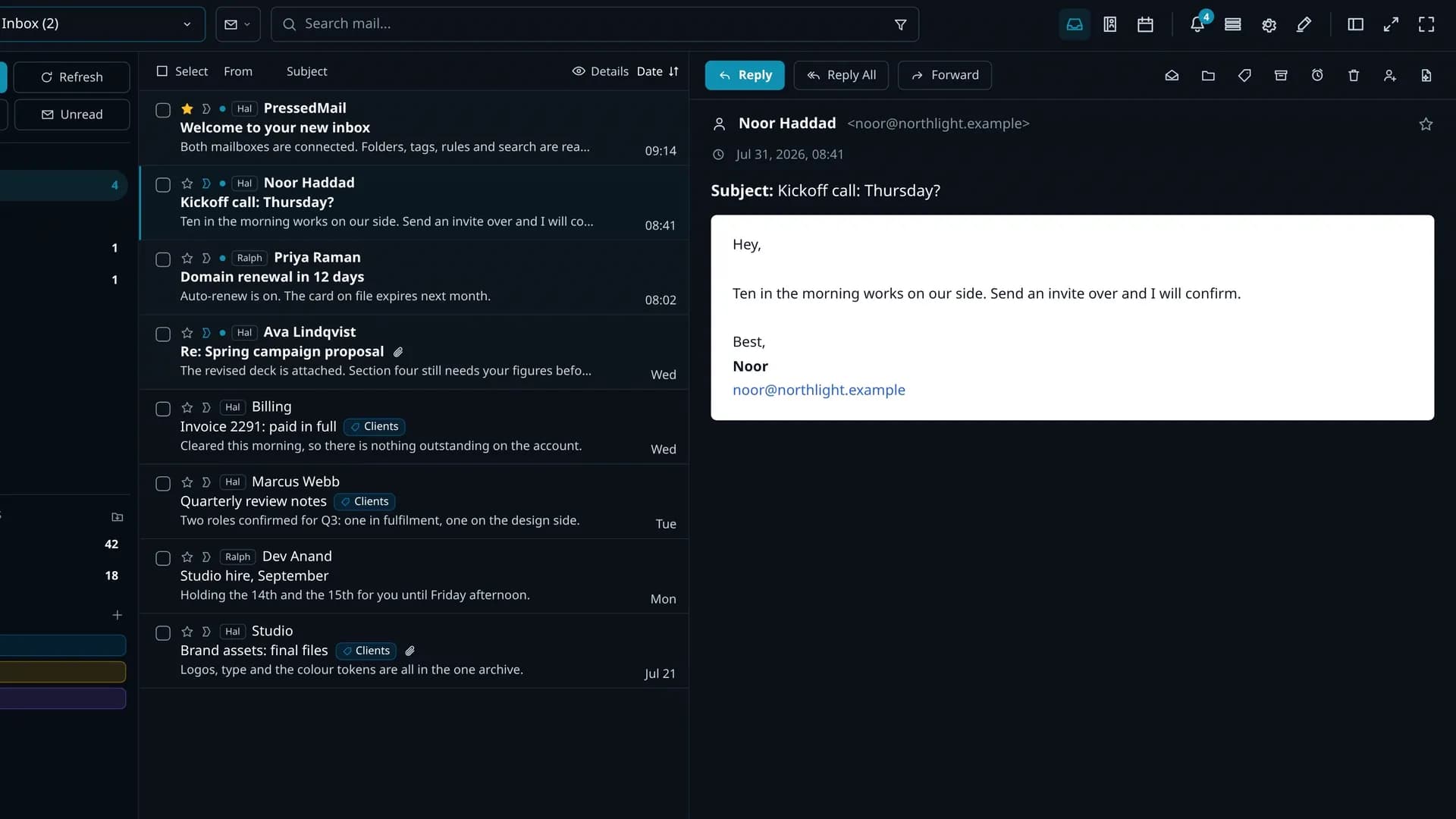
01WordPress admin
Keep the conversation beside the site work.
Orders, clients, content, and support already live in WordPress. PressedMail keeps the related email close enough to act on it.
the site you already run
Verstuur, ontvang en beheer e-mail in het WordPress-dashboard dat je al gebruikt. Koppel je bestaande e-mailprovider, geen nieuwe accounts nodig.
Hi there,
Please review the invoice and source package for the redesign milestone. The archive includes the responsive layouts, brand exports, and implementation notes.
If everything looks correct, we can queue the final deployment package for the client workspace.
Best regards,
Alex Morgan
Folders, tags & accounts. Every account, one list. Read, reply & organize.
Control all aspects of your email workflows
Sync directly to your email provider
Write, Summarize, Organize, and Detect Phishing
Use a custom system SMTP with granular control
All accounts in one place
Safe and secure, including email sandboxing and admin settings
...I save hours & it's easy to use...
I have a lot of email accounts and it's annoying to manage them through different providers. I installed PressedMail, added my accounts, and automated the cleanup of over 3000 emails. PressedMail has saved me hours of work.

Robert H. Alexander
...Helps get more clients...
As a freelancer I need to manage several clients' accounts. I installed PressedMail on WordPress on localhost and use it as my main email client. I manage everything for clients from PressedMail. And several clients use PressedMail now after I have set their WordPress instances up.

Gene Piki
...Email Swiss Army Knife...
We use PressedMail as a value added service for clients and potential clients as a feature of our agency's offering helping put us ahead of competition. We love the white-labelling feature, automation, and security controls. It also replaces several of the other plugins we used to use and it's like a small CRM.

Kit M. InCurb Digital Solutions.
Using PressedMail in your own work? Submit a testimonial.
Beheer communicatie via uw bestaande e-mailproviders, rechtstreeks in WordPress.
IMAP · SMTP · OAuth where supportedSee one email become a contact, a calendar event, and an invitation to the full list, all inside WordPress.
A message lands in the combined inbox, ready to read beside the rest of your site work.
Add the sender to Contacts and a list without retyping the name or address.
Create a calendar event with the guest and message details already in place.
Email an editable invitation to the full list with a standard .ics attachment.
One mailbox, one signature, IMAP folders, the basic composer and basic rules, two themes and one layout. Contacts, calendar, scheduling and the AI tools stay with the paid plans.
1 account · 1 signature · 2 themes · basic rulesWordPress-core, WooCommerce, formulieren en elke plugin versturen via de SMTP-server die u kiest, onafhankelijk gerouteerd op het Van-adres van elk bericht.
Maar modern e-mailwerk is verspreid over te veel inboxen, apps, tools en niet-verbonden workflows.
Keep your provider. PressedMail brings accounts, contacts, calendars, follow-ups, and related WordPress work into one dashboard.
Orders, clients, content, and support already live in WordPress. PressedMail keeps the related email close enough to act on it.
the site you already runBring provider, client, support, and billing accounts into one combined inbox. Filter down to a single mailbox whenever you need to focus.
inbox, contacts, calendar, rules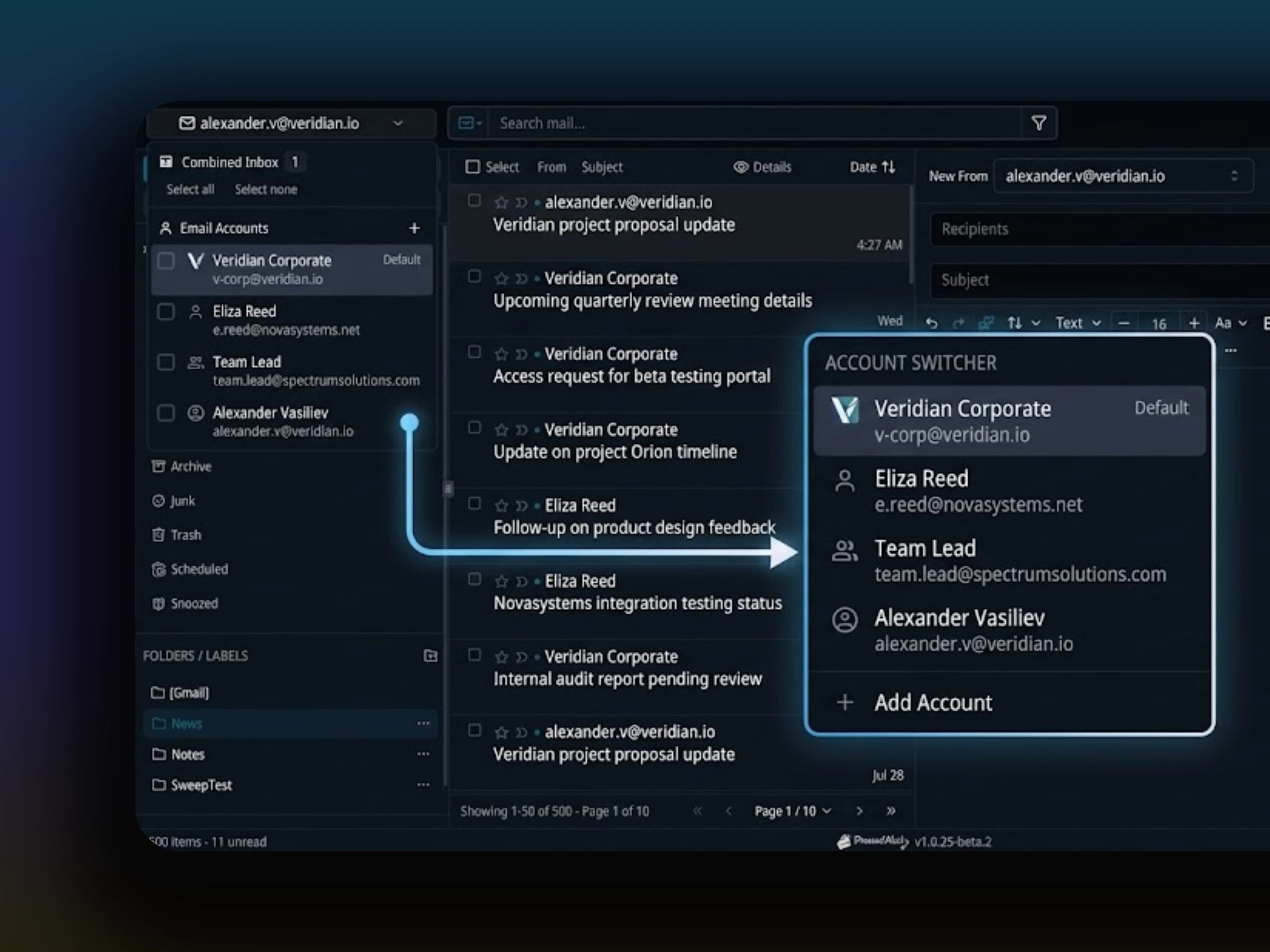
Themes, layouts, font sizes, and density are saved per user. One shared WordPress site can still feel comfortable for everyone using it.
themes, layout, density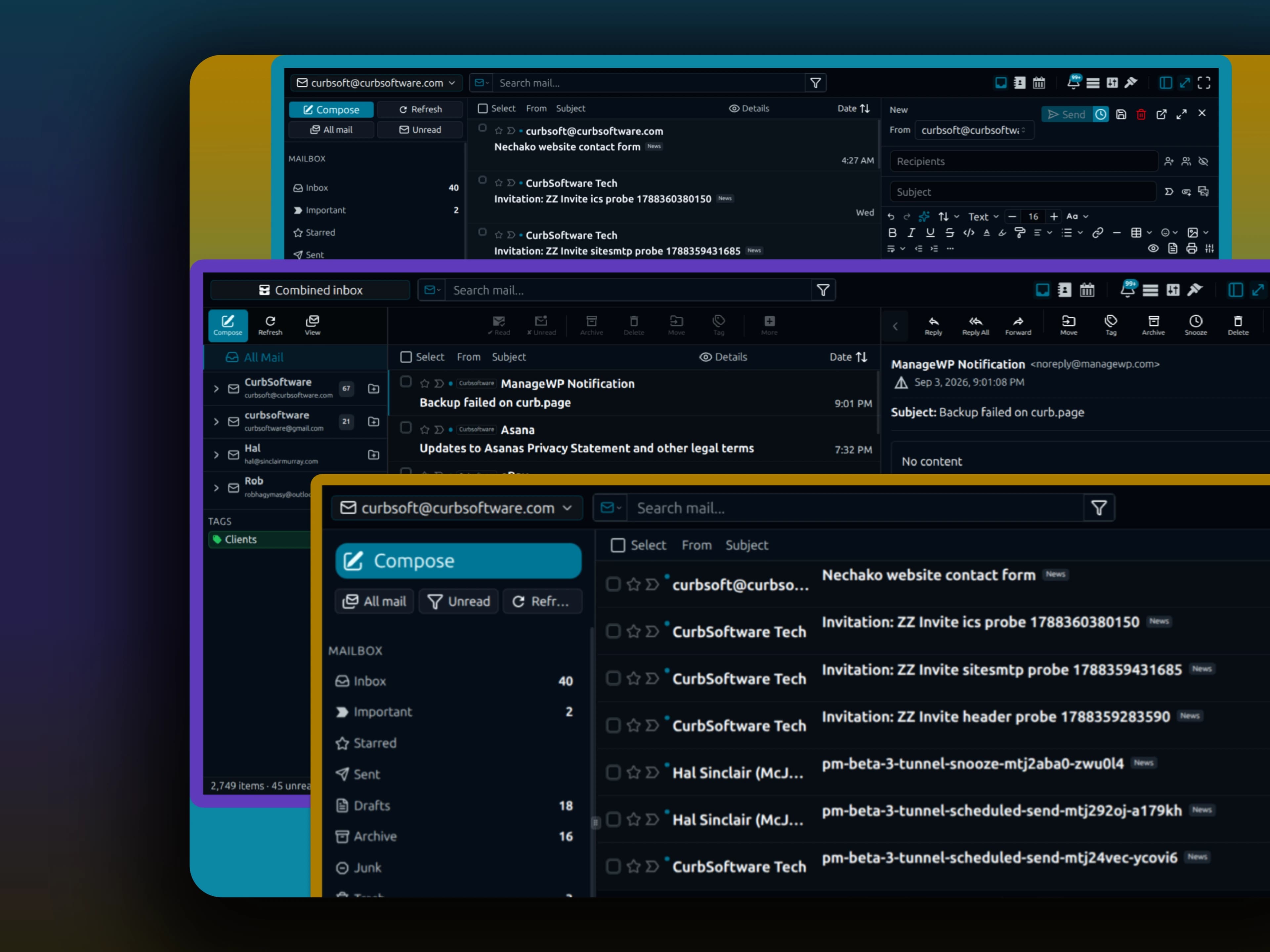
Move from a message to a contact or calendar event without changing tools. The same accounts and preferences follow you through.
Everything the Inbox DoesEvery connected account in one merged list, or one mailbox on its own when you want to focus.
Read and reply beside the list. Threads group on Message-ID, not on matching subject lines.
Your provider’s folder tree, nested exactly as it is on the server, with your own tags alongside it.
Open a contact from any message and the company, the notes and the last exchange are already there, on the same accounts.
Alex Morgan
Morgan Design · Principal
Last contacted 1d ago
Mia Harris
Publisher Weekly · Editor
Last contacted 3d ago
Daniel Lee
Studio North · Producer
Last contacted 1w ago
Lisa Park
Brandworks · Creative lead
Last contacted 2w ago
Contact Information
Notes
Prefers invoices as PDF. Reviewing the Q2 launch package this week.
A thread usually becomes a person to remember or a date to keep. Contacts and calendar hold both in the same workspace, on the same accounts, under the same preferences.
The workspace lays itself out for the screen it is on. Three panes or one. And it installs to a home screen as an app.
Android Chrome can add PressedMail to the home screen, ready to open in its own app window.
Supported browsers may offer PressedMail when you open a mail link, with the address and subject carried into compose.
Draft, summarize, tag, and review suspicious mail with the provider and API key you choose. Every AI feature starts off and requires Pro.
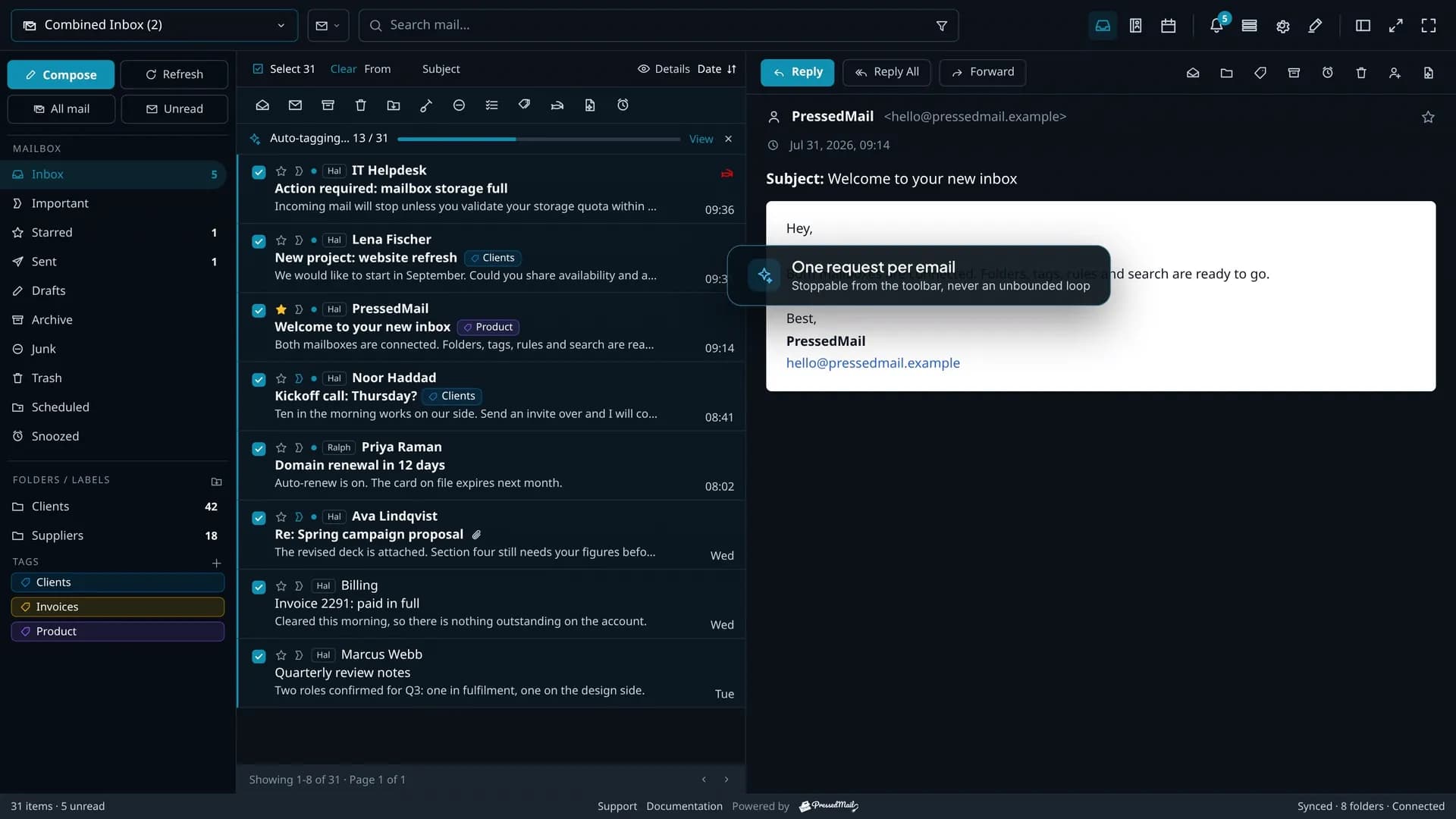
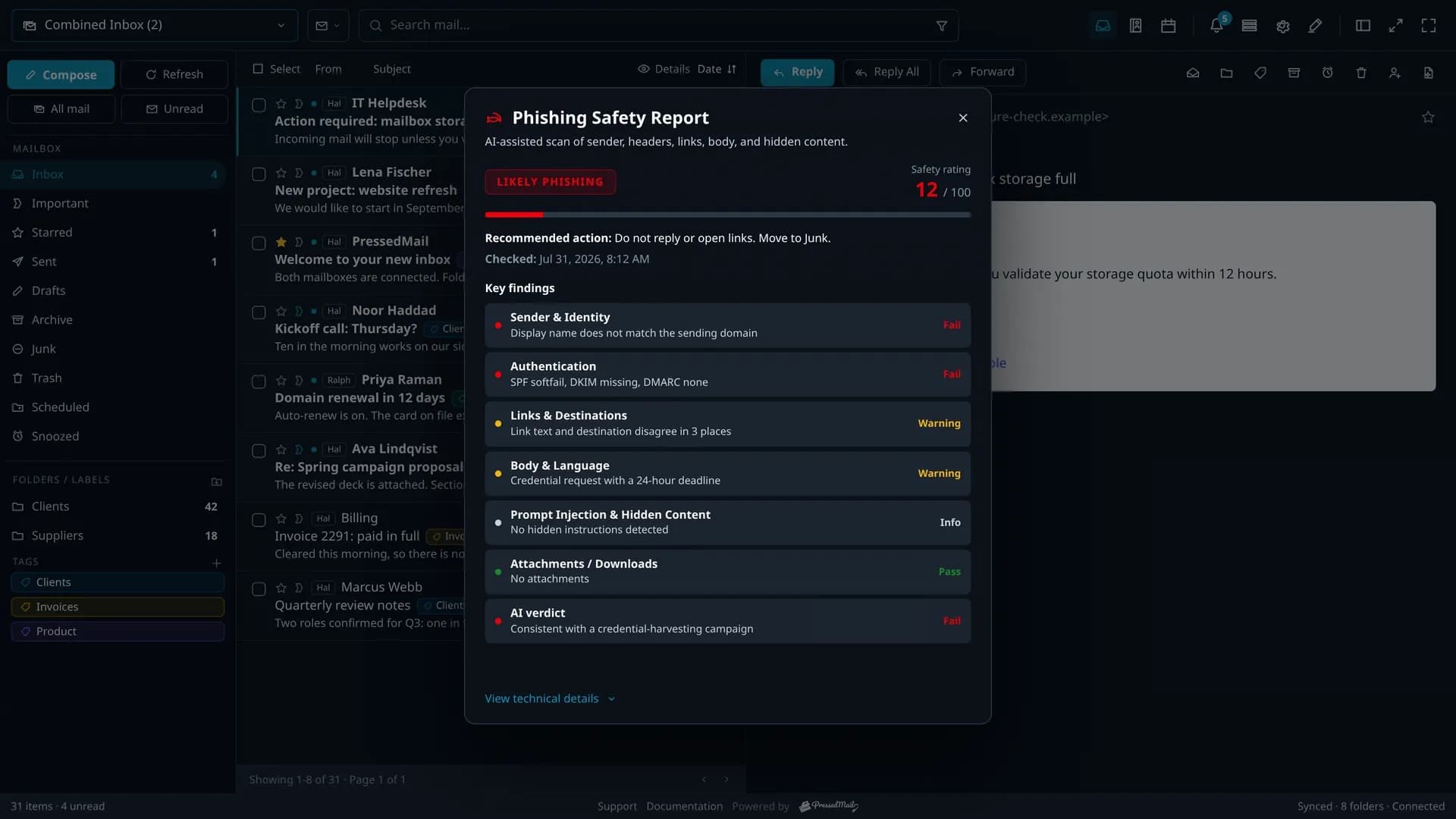
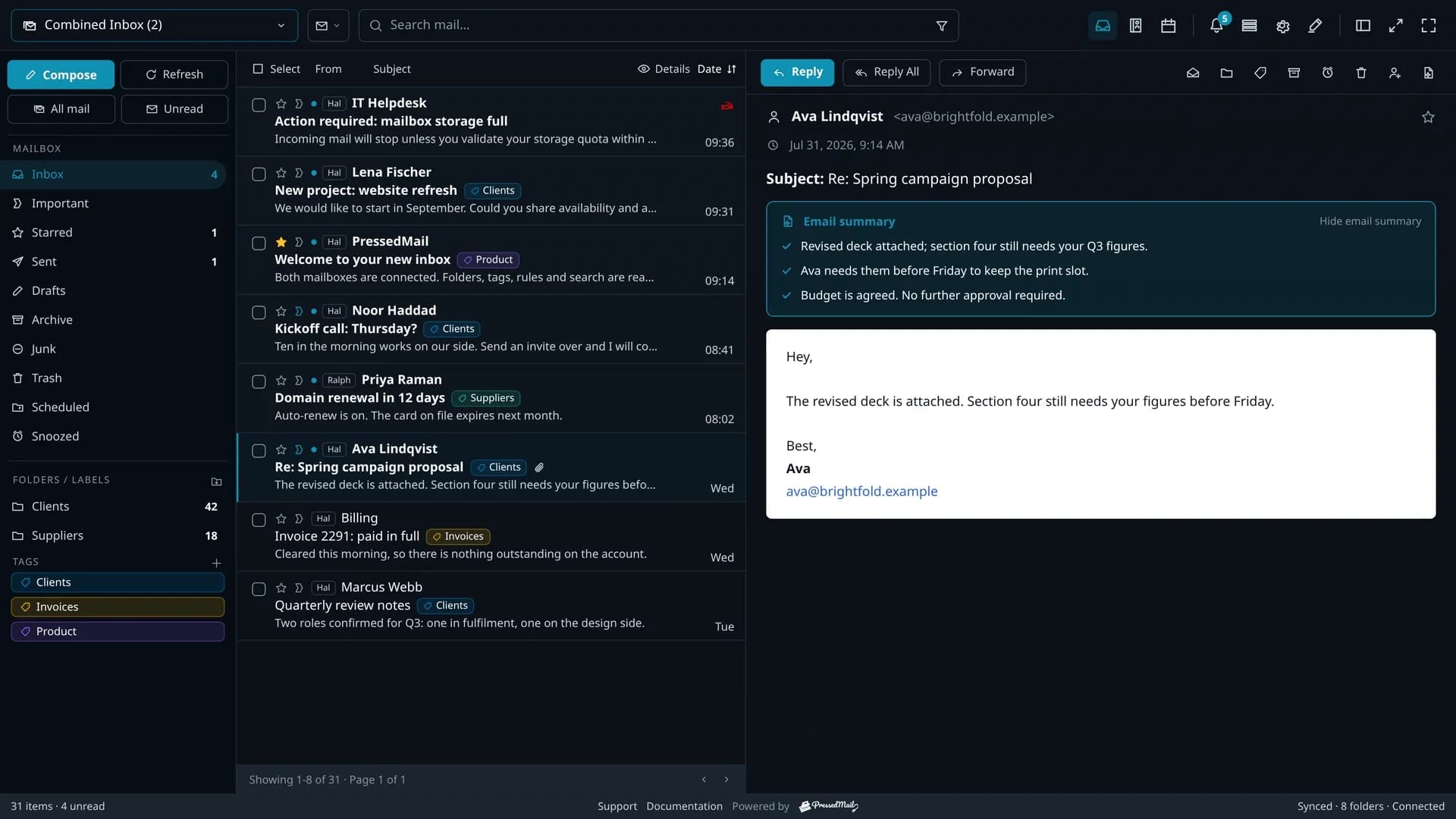
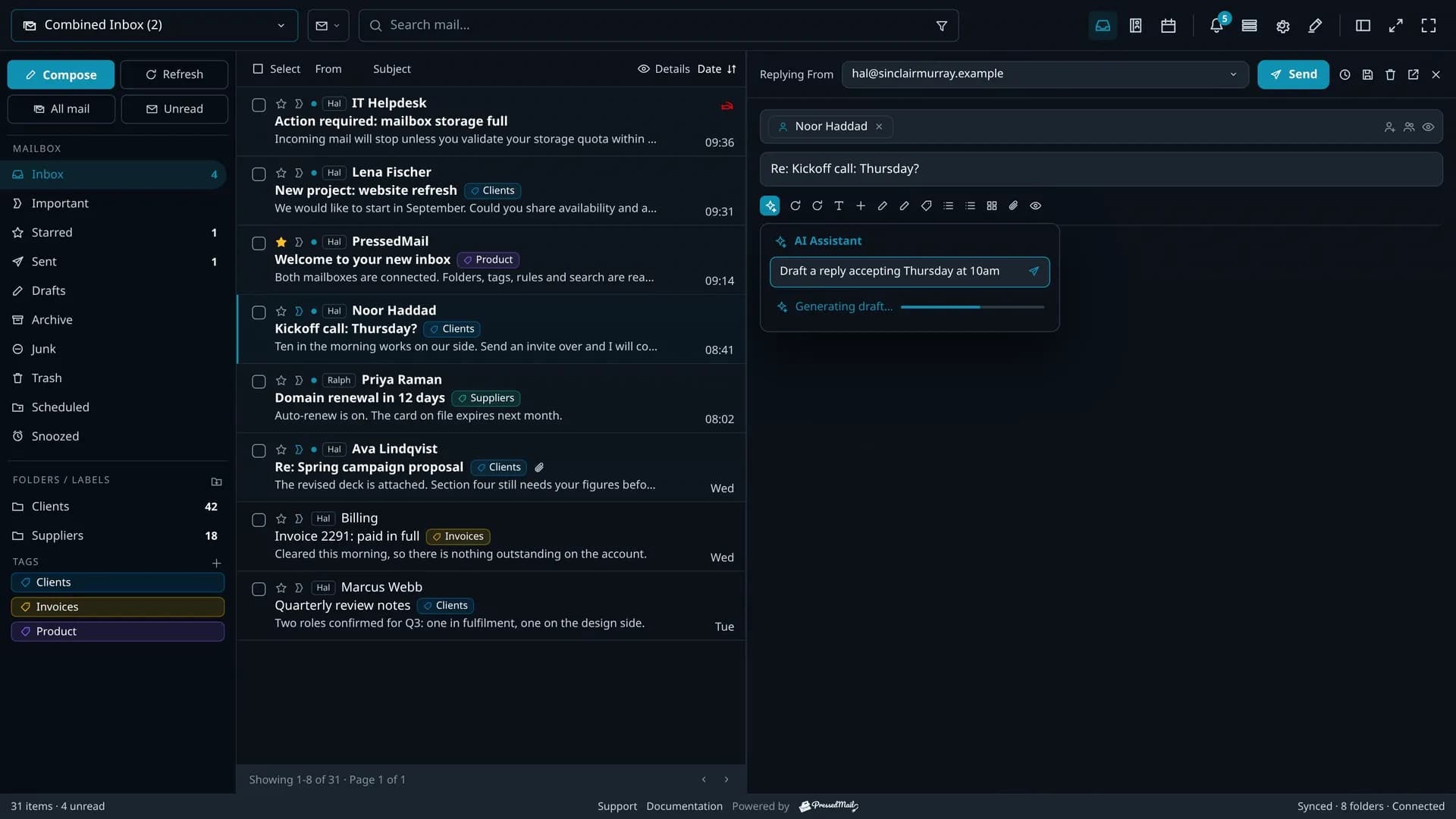
PressedMail connects your WordPress site directly to the mail account you already have. Your provider remains the source of the mailbox and handles delivery.
PressedMail reads your mailbox over IMAP and mirrors what it finds into your own WordPress tables. Your provider stays the record; the site holds a copy.
Each person can lock their mailbox, block impersonated admin sessions, choose when remote images load and decide whether message bodies are cached on the site.
PressedMail Lock
Require a separate passphrase before connected mailboxes can be read
Block admin impersonation access
Keep switched administrator sessions out of this user's mail
Remote image loading
Ask before a message loads images from another server
Cache email content
Keep message bodies in this site's database for faster reading
Administrators set attachment permissions and limits, sync frequency, remote-image defaults, WordPress role access and whether plugin data is purged on uninstall.
Attachment permissions
Local uploads, Media Library files and received downloads
Max attachment size
Bounded by the lower PressedMail or server upload limit
Email sync frequency
Background mailbox checks, with manual refresh always available
Remote image defaults
Allow users to reveal remote content in received messages
WordPress role access
Choose which roles can open PressedMail
Purge on uninstall
Remove PressedMail tables and settings when the plugin is deleted
Ontvang productupdates, aankondigingen van nieuwe functies, tips voor e-mailworkflows en begeleiding voor WordPress-inboxen.
Geen spam. Alleen PressedMail-updates en nuttige WordPress e-mailtips.
Elk abonnement bevat de volledige PressedMail-werkruimte. Kies op basis van het aantal sites dat je beheert.
Jaarlijkse plannen worden geprijsd op basis van het aantal sites. Levenslang is een eenmalige betaling voor maximaal 100 sites.
Voor één site
Voor meerdere sites
Voor bureaus
...I save hours & it's easy to use...
I have a lot of email accounts and it's annoying to manage them through different providers. I installed PressedMail, added my accounts, and automated the cleanup of over 3000 emails. PressedMail has saved me hours of work.
Robert H. Alexander
...Helps get more clients...
As a freelancer I need to manage several clients' accounts. I installed PressedMail on WordPress on localhost and use it as my main email client. I manage everything for clients from PressedMail. And several clients use PressedMail now after I have set their WordPress instances up.
Gene Piki
...Email Swiss Army Knife...
We use PressedMail as a value added service for clients and potential clients as a feature of our agency's offering helping put us ahead of competition. We love the white-labelling feature, automation, and security controls. It also replaces several of the other plugins we used to use and it's like a small CRM.
Kit M. InCurb Digital Solutions.
...Fast inbox organization with phishing detection...
PressedMail helps us organize our inboxes fast. We especially like the phishing detection feature.

John & Andrea
...One source of truth for every client...
As a VA, I use PressedMail to keep each client's inbox separate while managing everything from one app. It gives me a single source of truth without mixing client work together.

Edhrea A.
...Teaching and client work stay organized...
I balance teaching with social media marketing clients. PressedMail helps me keep both sides of my work organized in one place.

J.A. Payo
Using PressedMail in your own work? Submit a testimonial.
Follow planned work, current progress, and recently completed features.
Share a single inbox with teammates so support, order, and operations email can be monitored and handled together from WordPress.
PlannedGive teammates access to shared calendars so meetings, time off, and internal event planning can stay coordinated inside WordPress.
PlannedPlanned two-way calendar sync with external providers like Google Calendar, Outlook, iCloud, and CalDAV so PressedMail stays in step with calendars users already have.
PlannedCompare Premium and Ultimate features, then choose a paid plan for the number of WordPress sites you manage.