Thunderbird and PressedMail can read the same mailbox at the same time. They are different kinds of program. One is a desktop app you install on a computer. The other is a plugin that lives inside your WordPress dashboard.
So this is not a contest to win. It is a question of where you want your mail to open: on your desktop, or next to the website you manage. Many people use both.
What each one is
Thunderbird describes itself as an email, calendar and contacts app for Windows, Linux and macOS, with a separate Thunderbird Mobile for Android. It is open source and funded by user donations. Its page lists a unified inbox, tags, filters and customization, and it can manage accounts separately or together.
PressedMail is a WordPress plugin. It connects to a compatible mailbox over IMAP and SMTP and shows it in a screen inside wp-admin. The mail stays with your provider.
| Thunderbird | PressedMail | |
|---|---|---|
| Runs as | A desktop app, plus an Android app | A plugin inside WordPress |
| Installed on | Your computer | Your WordPress site |
| Opens from | The app on your machine | wp-admin, in a browser |
| Who updates it | You, on each computer | Whoever looks after the site |
| Mail hosting | Not included | Not included |
| Price | Free, funded by donations | Free plugin, with paid plans for more |
Where the overlap is
Thunderbird lists a unified inbox, tags, filters, calendars and contacts. PressedMail has versions of each, with some on paid plans.
- A combined inbox that merges several mailboxes is a paid feature. Free connects one mailbox.
- Tags exist on every plan, and they are PressedMail’s own, so Thunderbird will not show them.
- Email rules, the PressedMail version of filters, run on the mailbox PressedMail reads.
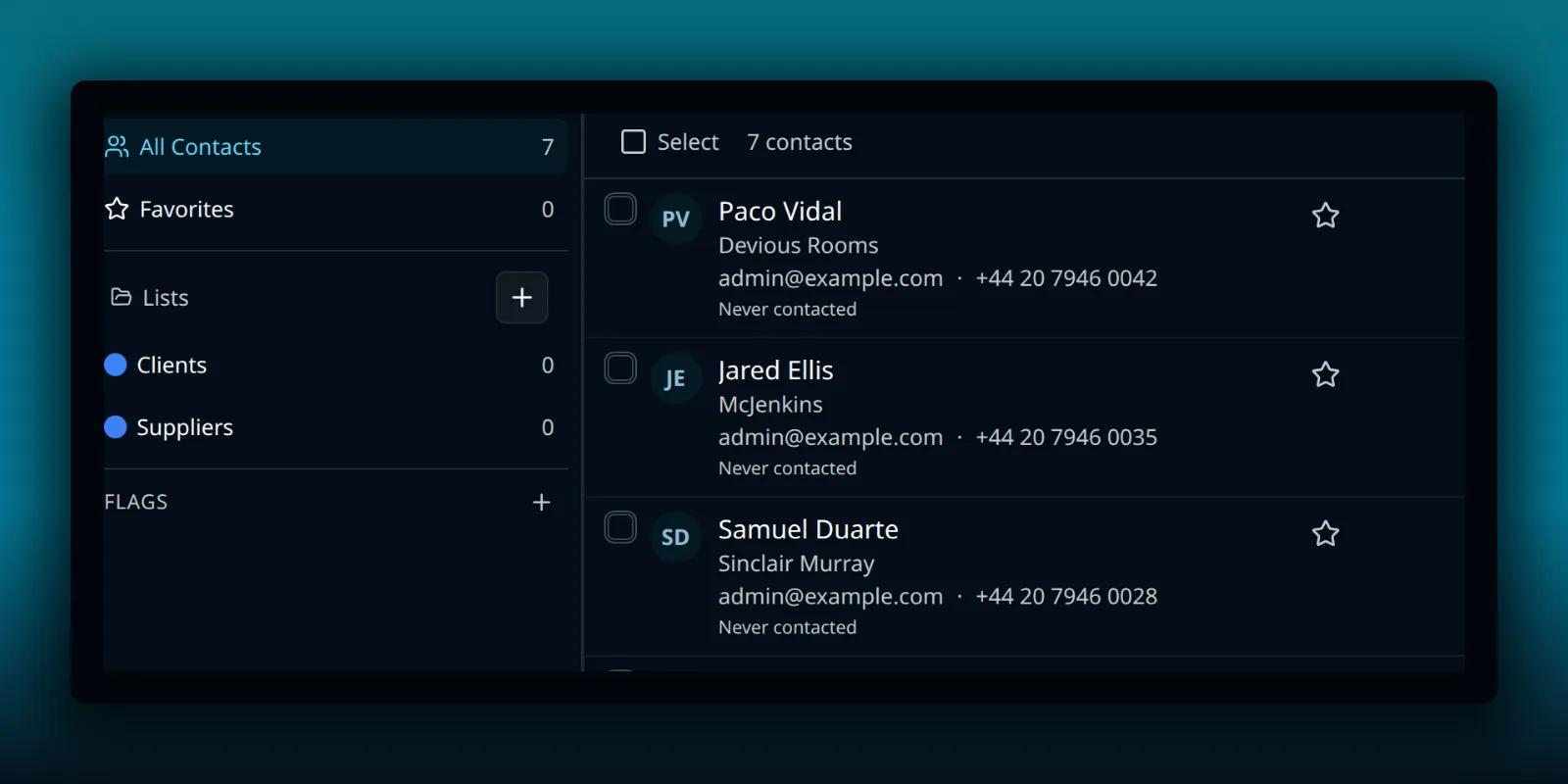
- Contacts and a calendar are paid features, and they live in WordPress.
Tags sit in the folder pane, under the folders your provider owns.
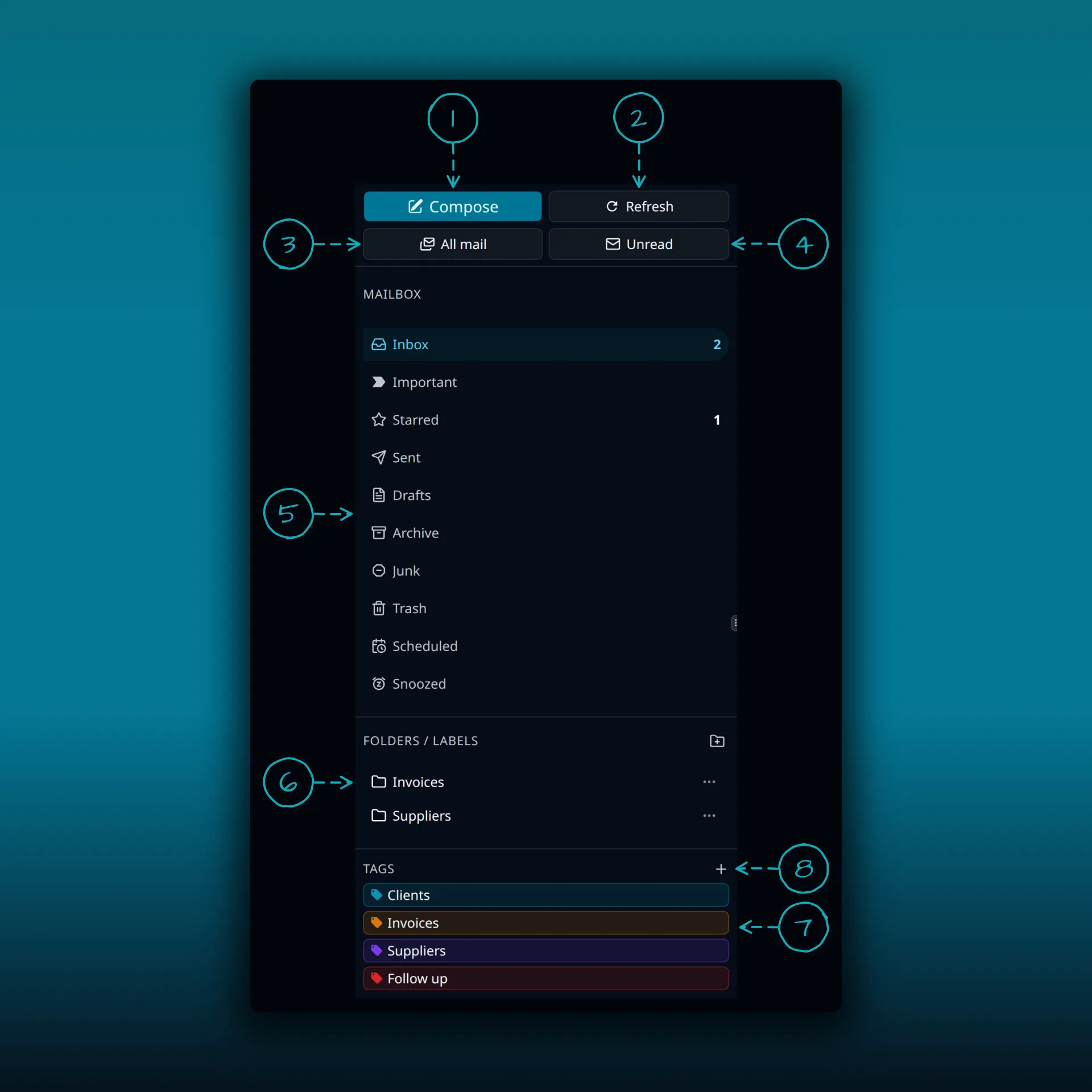
- Compose.
- Refresh. Checks for new mail.
- All mail.
- Unread.
- The mailbox folders, with unread and starred counts.
- Folders and labels. These come from your mail provider.
- Tags. Your own colored tags, kept in WordPress.
- Add tag.
The plan guide has the full split. For what Thunderbird itself does, its own help pages are the source. This post only repeats what Thunderbird says on its features page.
Using both on one mailbox
Both connect to the same mailbox, so a folder move in one shows up in the other after a sync. That is the useful part. It is also where care is needed.
- Pick one place to run filters or rules. If Thunderbird filters and PressedMail rules both move the same mail, they will fight. Put the automation in one of them.
- Local labels do not travel. Tags you add in PressedMail stay in WordPress. Whatever Thunderbird calls its tags stays in Thunderbird.
- Start with a harmless message. Send yourself a note, file it in one app, and check it in the other.
- Keep your provider’s webmail login. It is the way to check what the mailbox really holds when two apps disagree.
Where PressedMail keeps your mail lists what lives in your WordPress database. The webmail comparison covers the broader category.
Reading mail beside the website
The point of PressedMail is context. If you are editing a page and a customer writes about it, you can answer without leaving the dashboard. That is the work PressedMail was built for.
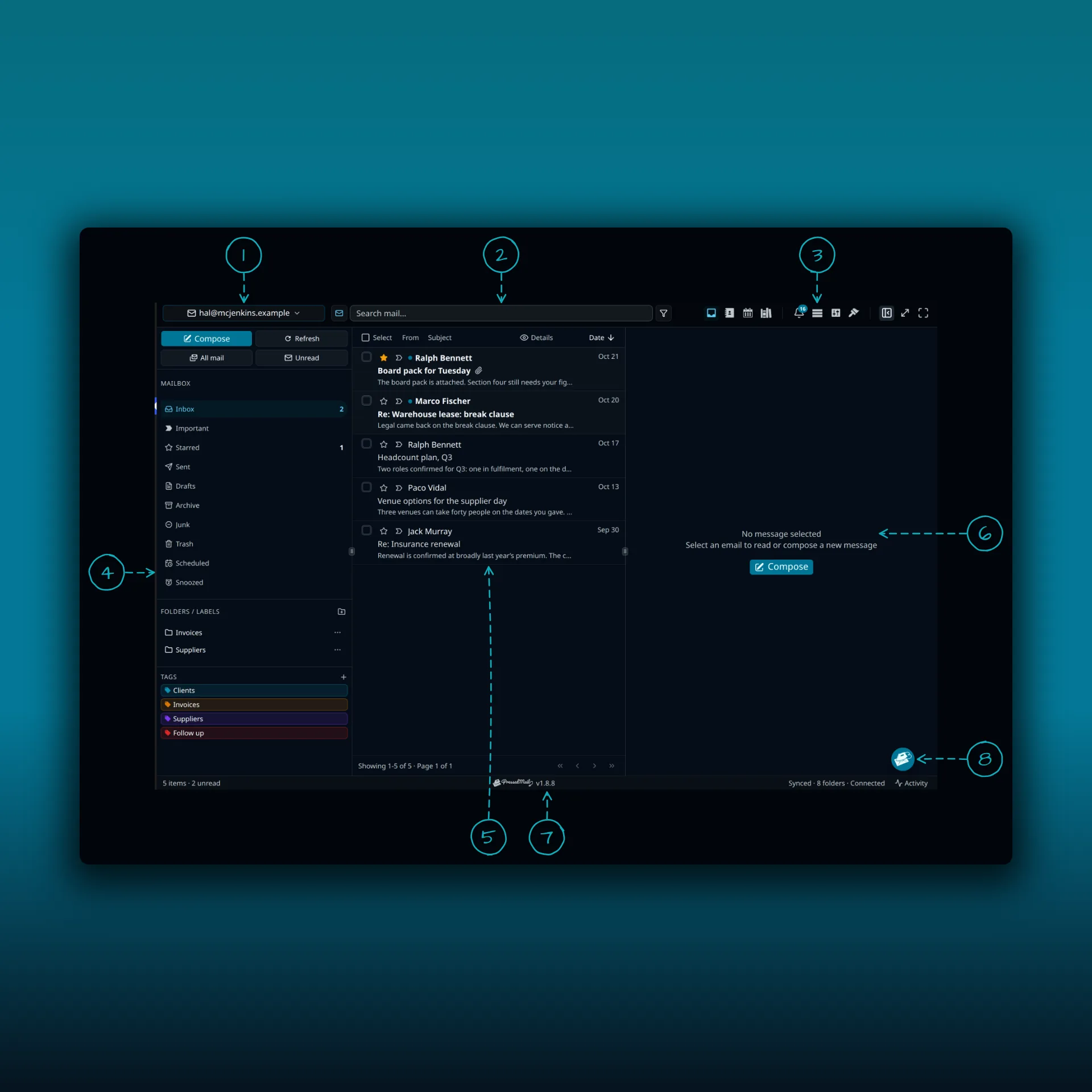
- The account switcher. One mailbox, or the combined inbox on paid builds.
- The search box.
- The icon cluster.
- The folder pane, with folders, labels and tags.
- The message list.
- The reading pane.
- The status bar.
- The speed dial.
If you spend the whole day in email, a dedicated desktop app may suit you better than a browser tab inside WordPress. That is a fair reason to stay on Thunderbird.
WordPress’s own mail is a separate job
Reading mail and sending WordPress’s notifications are different tasks. Thunderbird does not send your password resets, and connecting a PressedMail inbox does not either. PressedMail has a separate WordPress SMTP setup for that. The guide to SMTP plugins and email clients explains the difference.
When each one makes sense
Choose Thunderbird when you want a desktop app for heavy daily mail, or an app you control outside your website. Choose PressedMail when mail belongs next to WordPress work, or when you want one place that also handles WordPress’s own mail. Use both when you like the desktop app but want to answer enquiries from the dashboard. If your whole team needs assigned conversations or reply deadlines on a shared queue, look at a tool built for support work.
Common questions
Can Thunderbird and PressedMail use the same mailbox?
Yes, when the provider allows it. A folder move in one shows in the other after a sync.
Do they share tags and filters?
No. PressedMail’s tags and rules stay in WordPress, and Thunderbird’s stay in Thunderbird.
Is PressedMail a replacement for Thunderbird?
It can be, for someone who works in WordPress all day. It is not a desktop app, so it does not replace one.
Does either one host my mail?
No. Your mail provider does.
Which one is safer?
That depends on how each is set up and kept updated. Neither the category nor the logo decides it.
Manage your email inside WordPress
PressedMail Free adds an email client directly to your WordPress dashboard. Connect a compatible IMAP/SMTP mailbox, read and send mail, organize messages, and configure WordPress SMTP.