Postmark’s SMTP service is aimed at transactional email: password resets, receipts, order confirmations. That is most of what WordPress sends. The one thing to get right is which stream the mail goes through, because Postmark keeps transactional and broadcast mail apart on purpose.
This guide connects Postmark to PressedMail’s WordPress Email settings over SMTP. It covers WordPress’s own mail, not your inbox.
What you need
- A Postmark account and a server in it.
- A confirmed sender signature or a verified domain for the address you send as.
- PressedMail with a WordPress Email SMTP slot. Free has one. Paid builds have several.
How Postmark authenticates SMTP
Postmark’s SMTP documentation gives two ways to sign in.
- The Server API Token, used as both the username and the password. Postmark can also take a header, X-PM-Message-Stream, to choose a message stream. If no header is sent, mail goes through the default transactional stream.
- An SMTP Token, for clients that cannot add a header. It has an Access Key, which is the username, and a Secret Key, which is the password. You find it by opening a server, then a message stream, then Settings. SMTP Tokens are unique to each message stream. The Secret Key is shown once, so keep it safe. If you lose it, generate a new token.
PressedMail’s SMTP form has username and password fields and no place for a custom header. Both routes work with it. The API Token route sends through the default transactional stream, which is what WordPress’s notifications should use. The SMTP Token route is the one to use when you need a specific stream.
SMTP access can be switched on or off per server in the server’s Settings. If connections are refused, check that first.
The settings
| Field | Value |
|---|---|
| SMTP host | smtp.postmarkapp.com for transactional mail |
| Port | 587 (also 25 or 2525) |
| Connection security | TLS (STARTTLS) |
| Username | The Server API Token, or the SMTP Token’s Access Key |
| Password | The same Server API Token, or the SMTP Token’s Secret Key |
Postmark offers TLS through STARTTLS, and it recommends using TLS where you can. Broadcast messages use a different host, smtp-broadcasts.postmarkapp.com. WordPress’s own notifications are transactional, so use the first host for them.
Add it in PressedMail
Open PressedMail, then Settings, then WordPress Email, then SMTP Accounts. On Free, the tab is Mail servers and the button reads Add mail server. Choose Add SMTP account.
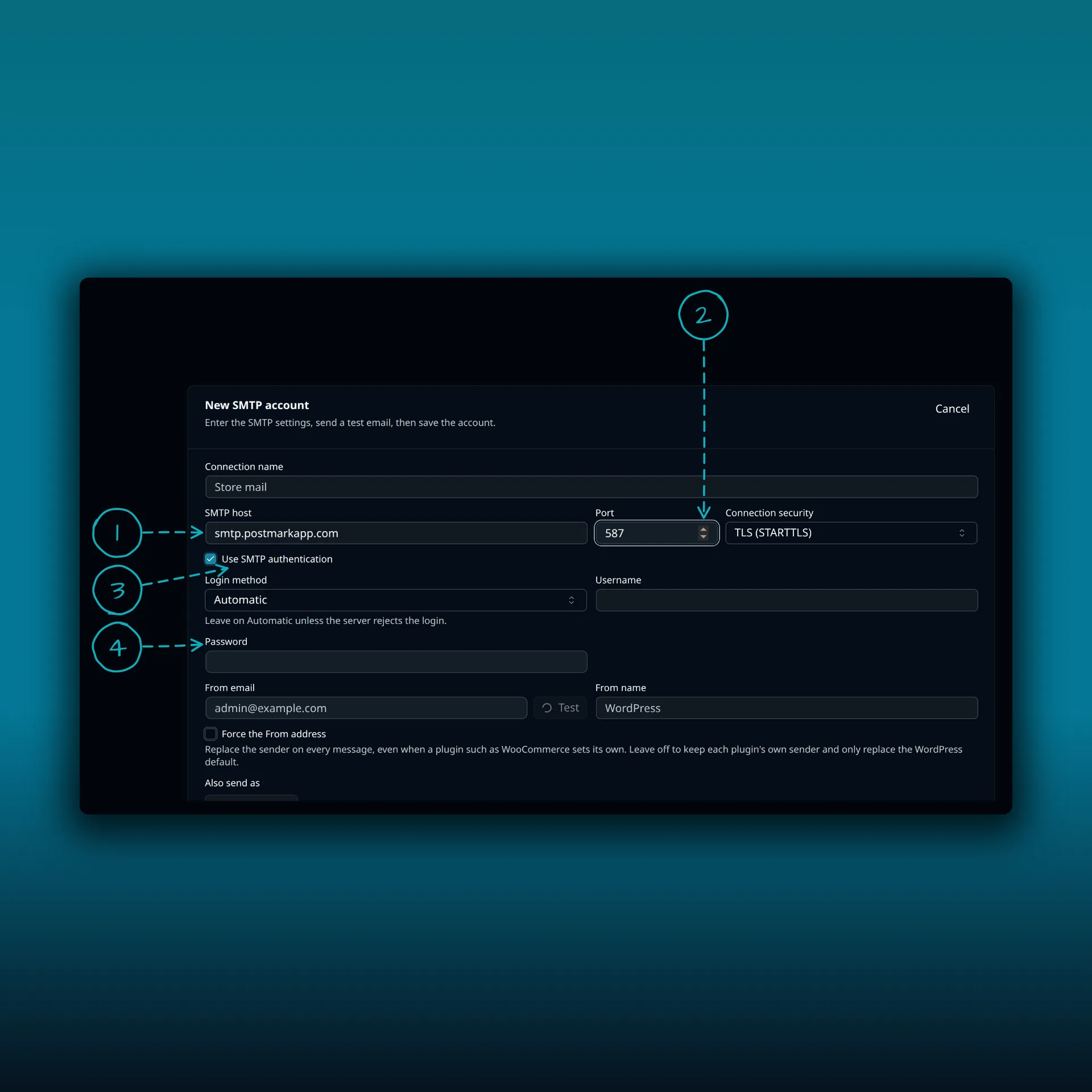
- SMTP host. smtp.postmarkapp.com.
- Port and connection security. 587 with TLS (STARTTLS).
- Use SMTP authentication. Leave it on.
- Username and password. The API Token twice, or the SMTP Token’s Access Key and Secret Key.
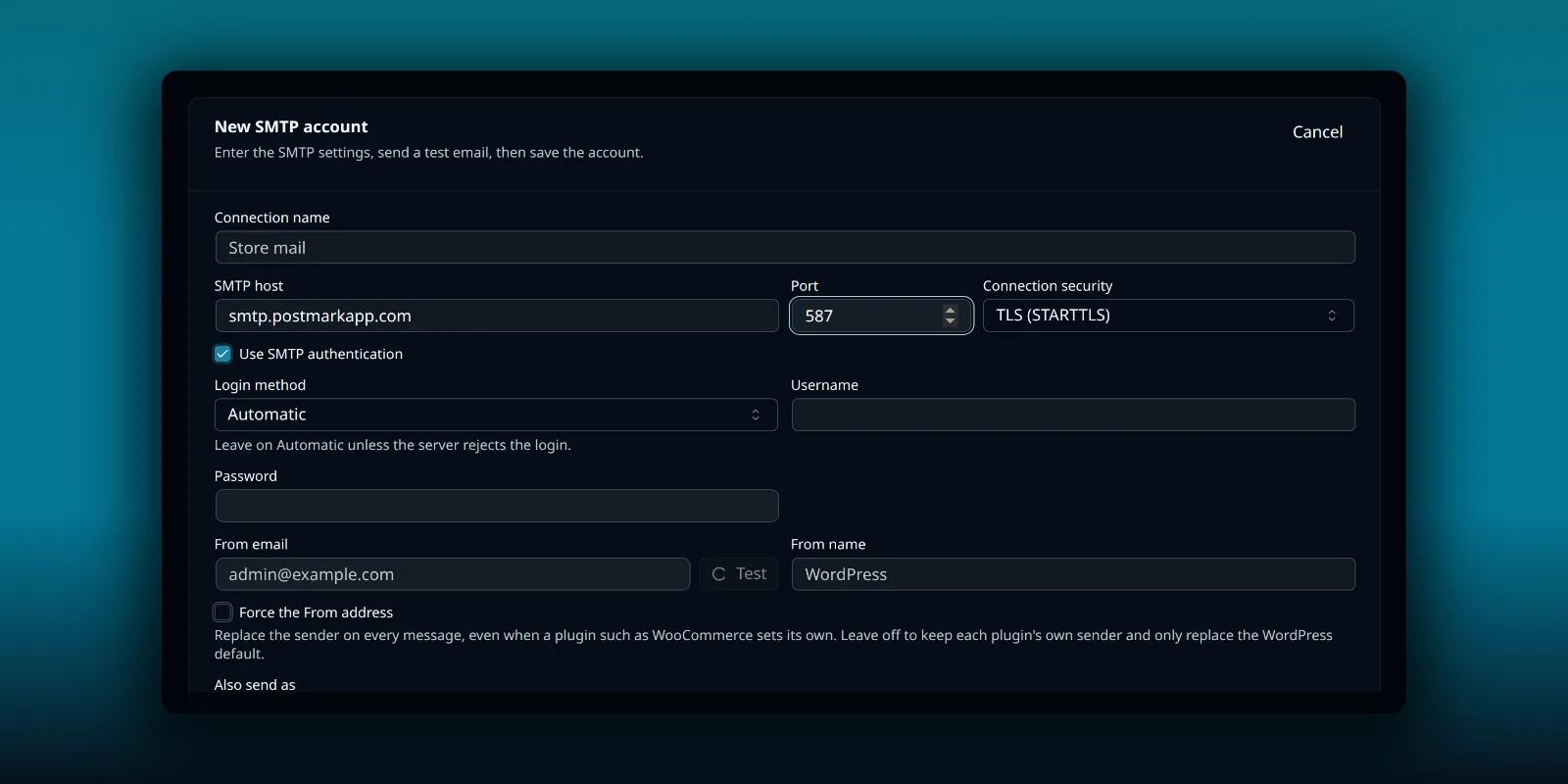
The picture shows a typed host and port from Postmark’s documentation and nothing saved.
Set the From email to an address Postmark has confirmed, then save and test.
Confirm the sender first
Postmark sends only as addresses it knows. Its guide to managing sender signatures explains the options: a single address you confirm, or a whole domain you verify with DNS records. A domain suits a site, because notifications may come from several addresses.
If WordPress or a plugin sends from an address Postmark has not confirmed, the message is refused. You can keep one sender by turning on Force the From address in PressedMail, which replaces the sender on every message. Contact forms that set the visitor as the sender then go out under your address, so keep the visitor in Reply-To. The routing guide explains how PressedMail picks a server and sender.
Switch WordPress over to it
Adding the account does not move WordPress’s mail by itself. On a paid build, open the Default SMTP tab and choose PressedMail SMTP.
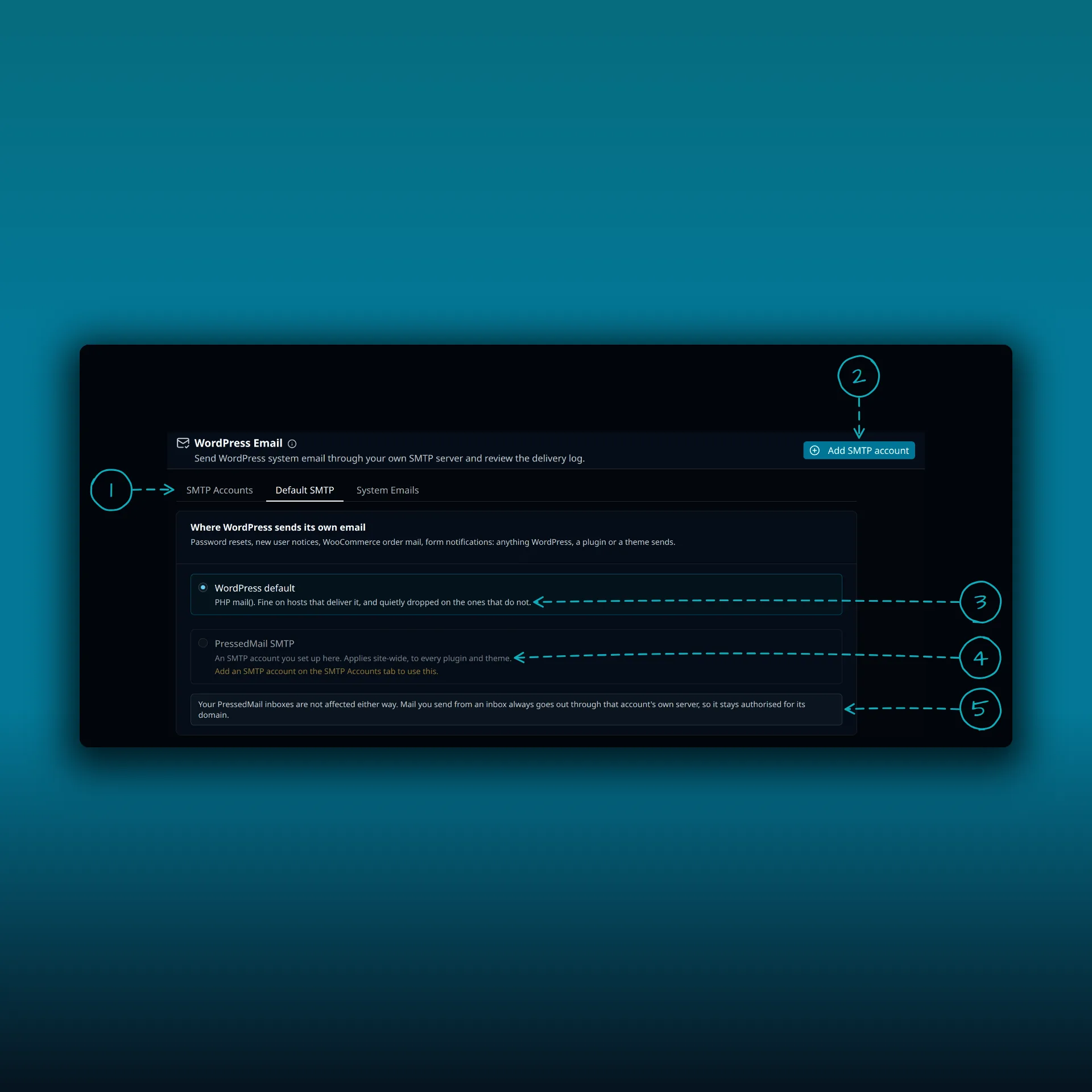
- The tabs. Paid builds show SMTP Accounts, Default SMTP and System Emails. Free shows System Emails and Mail servers.
- Add SMTP account. The Free button reads Add mail server.
- WordPress default. PHP mail().
- PressedMail SMTP. Sends what WordPress, a plugin or a theme sends through the server you set up here. It stays unavailable until you add one.
- A note that your PressedMail inboxes are not affected either way.
The picture is from a paid build.
Test it
Send a test with the button on the form, using an address you control. Then trigger one real WordPress message such as a password reset, and look at it in the recipient mailbox. Server acceptance, delivery and inbox placement are three different observations. The SMTP test guide shows how to keep them apart.
Postmark keeps its own record of the messages it received, which is a second place to look when PressedMail says a send succeeded and the recipient sees nothing. PressedMail’s delivery log records what WordPress handed over and which server it went through. The delivery log guide explains it.
Where SMTP falls short
Postmark describes SMTP as a migration route and the REST API as its primary one. The API returns a response code right away, so your application learns about a deactivated recipient at send time. Over SMTP you find out later, from the log or a bounce. For WordPress’s notifications that is usually fine. If you need the instant response, you want an API integration instead, which PressedMail’s SMTP setup does not provide.
Common questions
Which token do I use?
The Server API Token as both username and password is the simplest and uses the default transactional stream. Use an SMTP Token when you need a particular message stream.
Can PressedMail set the message stream header?
No. The SMTP form has no custom header field. Without a header, Postmark uses the default transactional stream, and an SMTP Token is tied to its own stream.
Why was my test email refused?
Most often the From address is not a confirmed sender signature or verified domain, or SMTP access is off for the server.
Should I use the broadcast host for newsletters?
Postmark keeps broadcast mail on its own host and streams. Campaigns in PressedMail Ultimate send through an SMTP connection you choose, so set up a connection with a token for the stream you mean to use.
Does this send my inbox mail?
No. This is WordPress’s own mail. The guide to SMTP plugins and email clients explains the difference.
Manage your email inside WordPress
PressedMail Free adds an email client directly to your WordPress dashboard. Connect a compatible IMAP/SMTP mailbox, read and send mail, organize messages, and configure WordPress SMTP.