

Set up and use AI
Configure an AI endpoint, check what it is sent, and use drafts, summaries, and auto-tagging.
AI tools are optional paid features. An administrator supplies the provider configuration and decides which actions to enable. Free does not send mailbox content to an AI provider.
Use an endpoint and account approved for the email you handle. AI requests can contain personal or confidential message content.
Configure the provider
- Open the AI administration settings in PressedMail.
- Choose OpenAI Compatible or Anthropic.
- Enter the endpoint, API key where required, and model.
- Read the provider's data-use and retention terms, and keep going only if the configuration meets your requirements.
- Save the settings and use the connection test.
- Enable the individual AI features you want to use.
Each AI tool can use its own model. The defaults are gpt-4o-mini for auto-tagging and for phishing and spam checks, and gpt-4o for summaries and drafting.
OpenAI Compatible is an API format, not proof that OpenAI operates the endpoint. A compatible self-hosted endpoint can use that option. Gemini and Ollama are not separate provider choices in this UI.
The Configured badge means a configuration is saved. It does not prove the provider is reachable or every model request will succeed. Test the selected action with non-sensitive content before using it on real correspondence.
Choose your provider carefully
There is no data-use acceptance step. Turning a feature on is your decision. The one confirmation is when you switch on checks of every user's new mail with your own provider: you confirm once per provider, and PressedMail keeps only a fingerprint of that provider as proof. The settings card carries a one-line notice that AI Tools send data to external providers when enabled.
The choice of provider is yours. If the mail includes Google-originated email data, the provider and account must not use it to create, train, or improve a generalized or foundational model. PressedMail does not ask you to confirm this, so check the provider's terms yourself. Turning a feature off stops future requests but does not erase data a provider already holds.
Use drafts and summaries
Open a message or thread and use its summary action, or use the AI writing controls in the composer. Check names, dates, commitments, and quoted facts before accepting generated text.
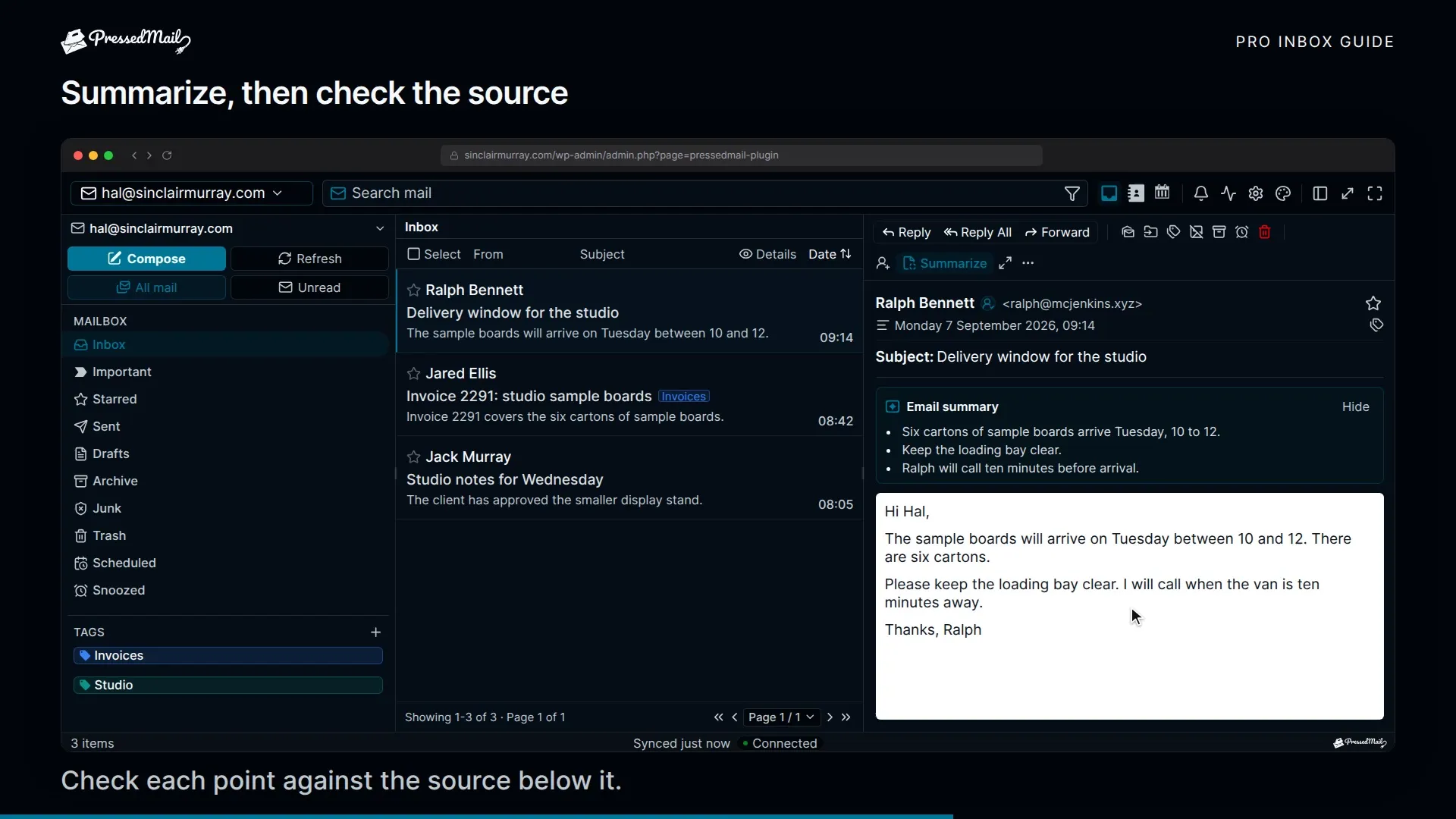
A generated draft is returned for review. It is not sent until you perform a separate sending action. Keep the original message available when reviewing a summary because a summary can omit a condition or misread a request.
Example summary above the original message. Review it against the source.
Auto-tagging
Auto-tagging needs its own enabled configuration and tagging instructions. It applies local tags as its background queue runs.
A run processes up to five queue items, with a separate classification call for each message. Five queued items do not mean one API request or a fixed cost. Calls use your provider account, so review its usage and rate limits.
On Pro, an email rule can use an AI tag as a condition, so a rule can tag a message and then file it by that tag. Free rules can't read AI tags. Rules run in priority order, so check that order.
What leaves WordPress
Auto-tagging sends the subject, the sender's name and address, the message body and your tag names and descriptions. Drafting and summaries send the message text they work on and your instructions. Attachment contents and extracted attachment text are not included. Phishing and spam checks also send each attachment's file name, type and size, links, authentication results and up to 12,000 characters of raw headers. On your own provider, the body for those checks is capped at a limit your administrator sets, from 2,000 to 20,000 characters.
Requests go from your WordPress server to the configured endpoint. Auto-tagging, phishing checks and spam checks can instead use PressedMail AI, which goes through a CurbSoftware service and TypeSafe; that page lists what it sends. Provider terms, retention, location, and training settings remain the site owner's responsibility. See Where your mail and data live and the Privacy Policy.
For rejected keys, a feature that is switched off, timeouts, or a stalled queue, use AI, rules, and security controls.