

Use code "LIGHTHOUSE20" to save 20% on all plans forever. Get it now!
Credential storage
Passwords and OAuth tokens sealed in a versioned envelope
Message storage
Mirrored into your own WordPress tables, on your own host
Account visibility
A connected account is readable only by the user who connected it
Third-party analytics
No message content or address book leaves the site
Licensing checks reach curb.software. Nothing about your mail does.
管理员权限
访问权限默认只开放给管理员。您可以向自己选定的角色开放,并通过十一项专用权限,控制谁能添加账户或更改工作区设置。
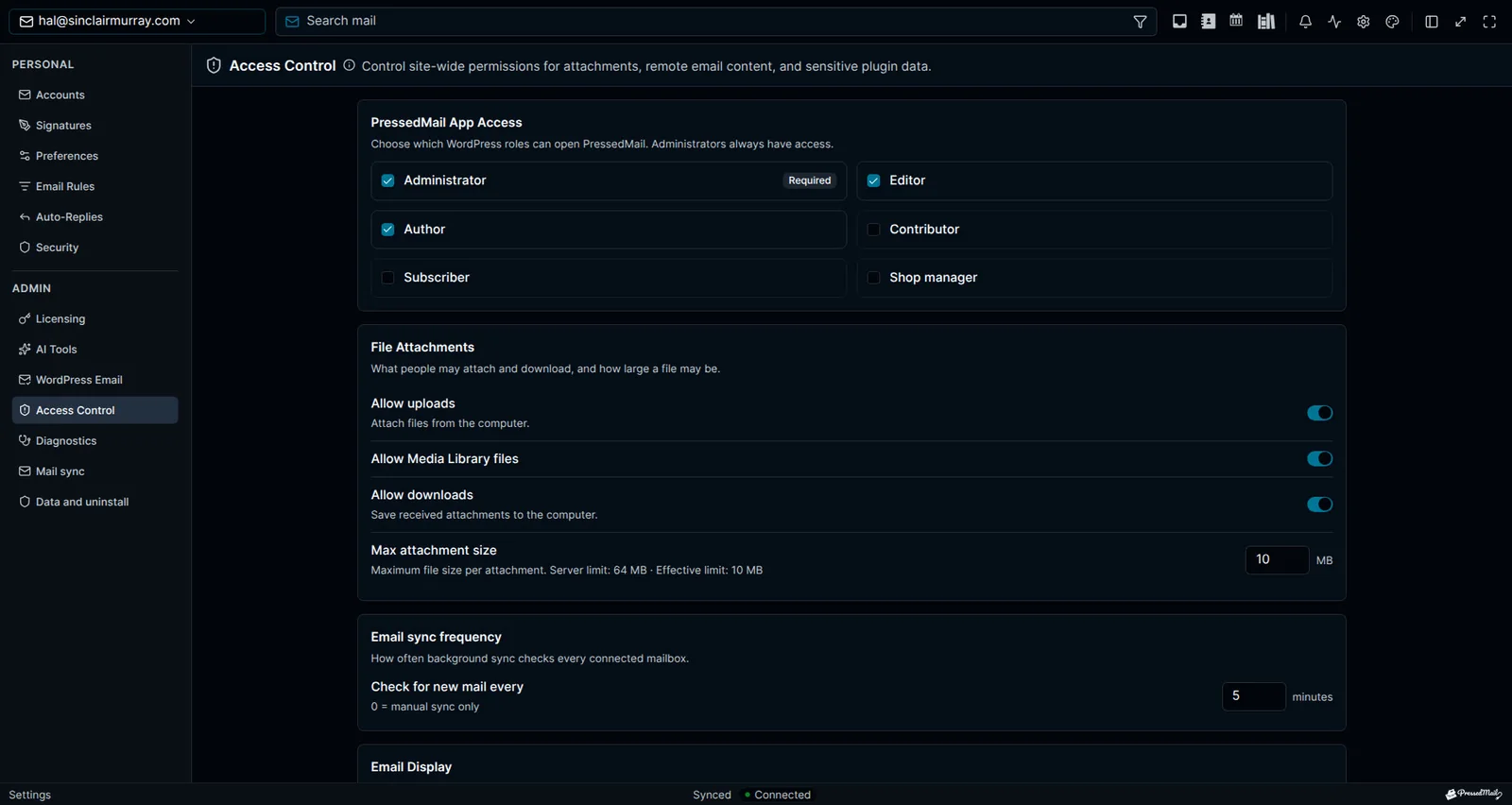
安全设置
邮箱前面有一道口令锁,凭据只能在明确受保护的上下文中读取,SHA-256 完整性校验会发现插件文件是否被改动。
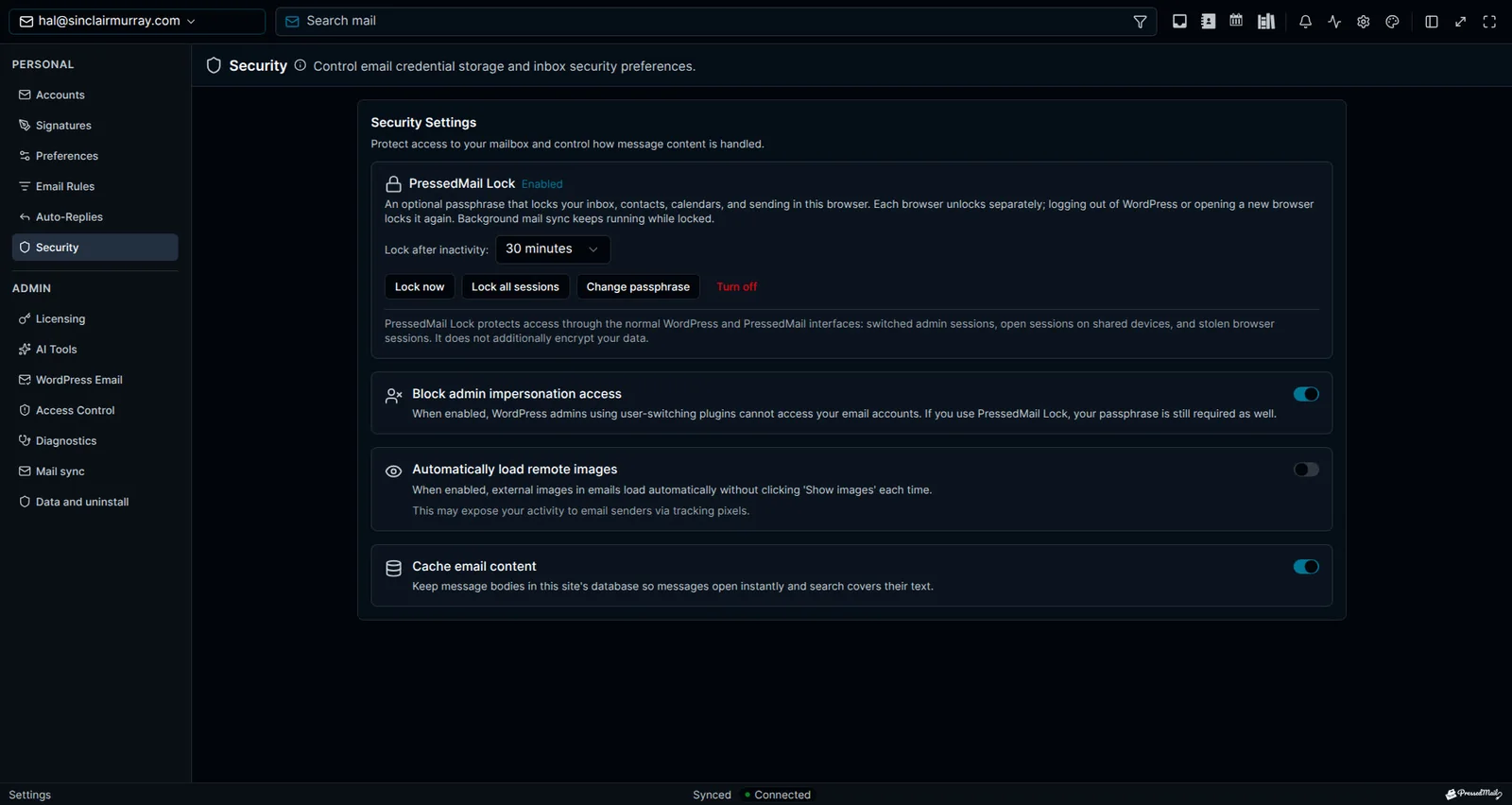
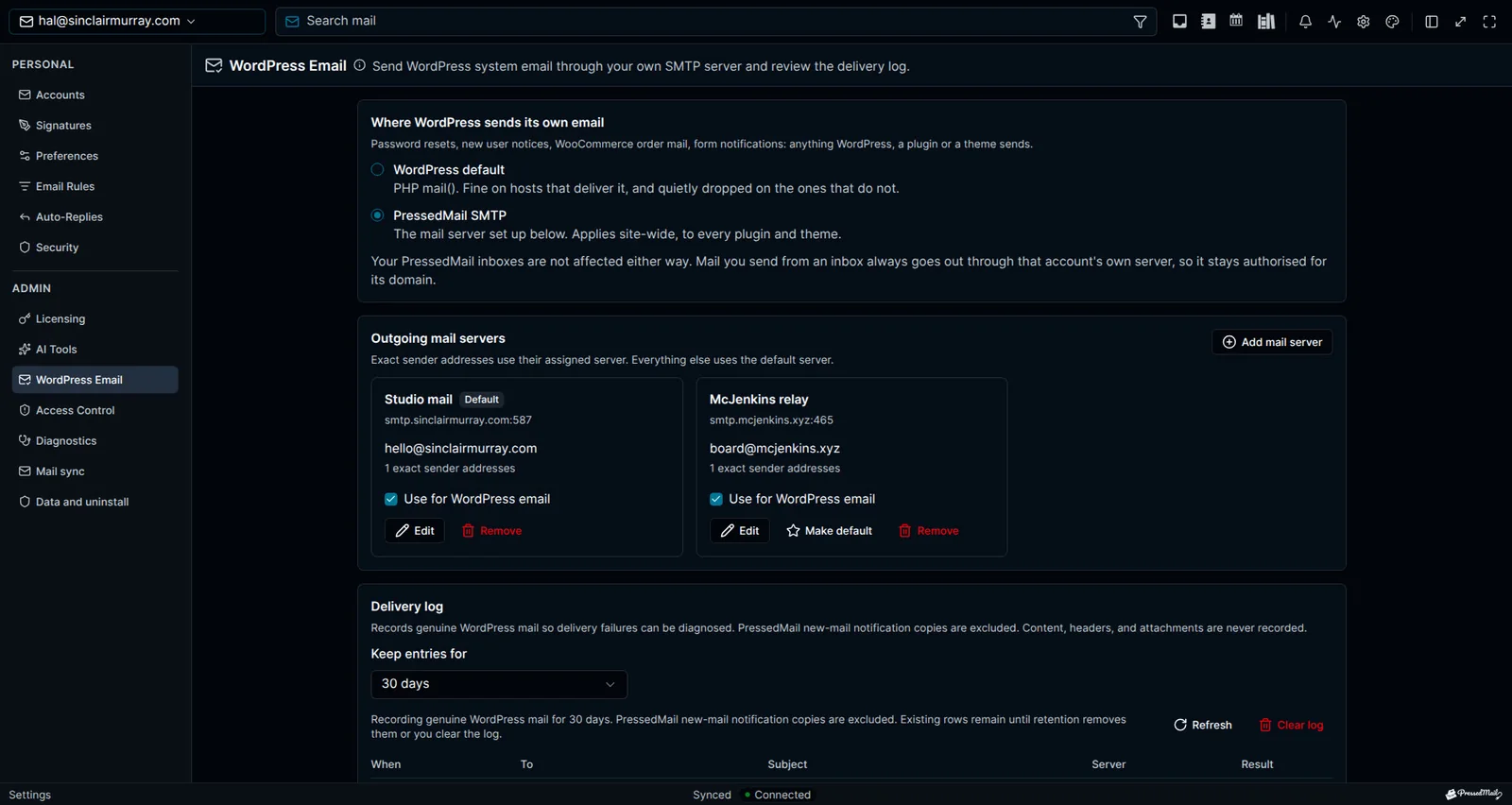
邮箱控制
系统邮件发送日志会记录日期、收件人数量、主题、发件人和结果(绝不记录正文、邮件头或附件),保留期由您设定,还有一个清除按钮。选择在卸载时完全删除数据,PressedMail 就不会留下任何东西。
可选 AI
在管理员启用之前,所有 AI 功能都是关闭的。标签、垃圾邮件和钓鱼检查可以选用 PressedMail AI,也可以配置您自己的服务商。可以在整个站点关闭 AI,也可以让每个人提供自己的服务商密钥。
直连服务商
邮件同步和发送,是让您的 WordPress 服务器直接连接到您的服务商。本地镜像用于支持搜索和规则。Microsoft OAuth 中继只处理登录,不经手邮件。如果您启用 AI,选定的邮件内容会发送给您选择的服务商;使用 PressedMail AI 时,有限的摘录和分析依据会经由 CurbSoftware 发送给其模型服务商。
审计与数据权利
付费方案保留 365 天的审计历史,并在写入前拦截机密信息,同时提供 WordPress 个人数据导出和擦除钩子,以及建议的隐私政策文本。
了解 PressedMail 的最新动态。
获取产品更新、新功能公告、电子邮件工作流程提示和 WordPress 收件箱指南。
没有垃圾邮件。 Just PressedMail 更新和有用的 WordPress 电子邮件提示。
选择适合您的 WordPress 站点数量的方案。
每个方案都包含完整的 PressedMail 工作区。请根据您管理的站点数量进行选择。
年度计划根据站点数量定价。终身计划为一次性付款,最多可覆盖100个站点。
Starter
适用于单个网站
- 所有当前和未来的 Premium 功能
- 无限邮箱账户
- 联系人、日历和定时邮件规则
- 模板、内容块和订阅表单
- AI 工具和钓鱼检测
- 布局、主题和工作区控制
- 授权更新和优先支持
- 每年 10,000 PressedMail AI 额度限时
Premium
适用于多个网站
- 所有当前和未来的 Premium 功能
- 无限邮箱账户
- 联系人、日历和定时邮件规则
- 模板、内容块和订阅表单
- AI 工具和钓鱼检测
- 布局、主题和工作区控制
- 授权更新和优先支持
- 每年 25,000 PressedMail AI 额度限时
Ultimate
适用于代理机构
- Premium 的全部功能,另加:
- 营销活动和共享模板
- 共享收件箱、日历和联系人列表
- 带品牌主题的白标设置
- 每年 50,000 PressedMail AI 额度限时
把邮件带进 WordPress 之后,客户怎么说。
正在自己的工作中使用 PressedMail? 提交用户评价
I save hours & it’s easy to use
I have a lot of email accounts, and it’s annoying to manage them through different providers. I needed something better than what was out there, so I built it. I spent the better part of two years making PressedMail the plugin I wanted to use every day, and now I get to share it with everyone else. I added my accounts, automated the cleanup of over 3000 emails, and it’s saved me hours of work.
 Robert H. Alexander创始人 - CurbSoftwarePressedMail 创建者
Helps get more clients
As a freelancer I need to manage several clients’ accounts. I installed PressedMail on WordPress on localhost and use it as my main email client. I manage everything for clients from PressedMail. And several clients use PressedMail now after I have set their WordPress instances up.
 Gene Piki
Email Swiss Army Knife
We use PressedMail as a value added service for clients and potential clients as a feature of our agency’s offering helping put us ahead of competition. We love the white-labelling feature, automation, and security controls. It also replaces several of the other plugins we used to use and it’s like a small CRM.
Cyrus M. (InCurb Digital)
Fast inbox organization with phishing detection
PressedMail helps us organize our inboxes fast. We especially like the phishing detection feature.
John & Andrea
One source of truth for every client
As a VA, I use PressedMail to keep each client’s inbox separate while managing everything from one app. It gives me a single source of truth without mixing client work together.
Amber, K
Teaching and client work stay organized
I balance teaching with social media marketing clients. PressedMail helps me keep both sides of my work organized in one place.
J.A. Payo
常见问题
从一个收件箱开始。免费使用。
一个用户的邮箱、富文本编辑器、自定义文件夹、不限数量的邮件规则、一个签名、两个主题和一种布局。联系人、日历、定时发送和AI功能需要付费方案。
1个账户 · 1个用户 · 2个主题 · 规则数量不限看看接下来有什么。
查看已规划的工作、当前进度和最近完成的功能。
- 已规划
Calendar Sync with External Providers
Planned. Today calendars and events live in WordPress and do not sync with any outside provider. Two-way sync with Google Calendar, Outlook, iCloud and CalDAV-compatible services is on the roadmap.
- 已规划
Dedicated Support
A higher-touch support channel beyond the current paid Priority Email Support entitlement.
- 已规划
Activity Log
A searchable audit trail of key actions across PressedMail accounts, with per-user and admin views, retention controls, and export.